Steam Goes Fully 64‑Bit on Windows | Analysis by Brian Moineau

Steam finally goes fully 64‑bit on Windows — and it actually matters

A small, quiet change rolled out in December 2025 that will make a surprising number of problems less annoying over time: Valve has converted the Windows Steam client to a native 64‑bit application. If that sounds like a nerdy footnote, stick with me — this is the kind of technical housekeeping that unlocks better stability, simpler development, and fewer edge-case crashes for millions of PC gamers.

What to know right away

  • The Steam desktop client for Windows 10 (64‑bit) and Windows 11 is now a native 64‑bit application (stable rollout in December 2025).
  • Valve will continue delivering a 32‑bit build only to systems that require it until January 1, 2026; after that date 32‑bit Windows installs will no longer receive updates or support.
  • The update also bundled several quality‑of‑life fixes and controller/input improvements (friends/chat reporting tweaks, recording/export fixes, better controller support, Big Picture/Remote Play bug fixes).

Why this upgrade matters

Upgrading an app from 32‑bit to 64‑bit is more than a checkbox for developers. For Steam, the switch brings practical benefits:

  • Better memory handling. A 64‑bit client can address far more memory, which makes it harder for leaks or memory‑hogging bugs to bring the whole Steam client (and sometimes the running game) to its knees.
  • Cleaner toolchain and testing. Valve no longer has to maintain two separate native builds for modern Windows installs, which reduces platform complexity and frees engineering time.
  • Compatibility with modern platform pieces. Many modern libraries, browser engines, and drivers are optimized for 64‑bit Windows — moving the client to 64‑bit aligns Steam with that ecosystem and avoids fragile edge cases.
  • A path for future features. Removing a legacy constraint lets Valve adopt newer subsystems or optimizations that assume 64‑bit execution.

Put simply: this is an investment in long‑term stability and fewer weird failures for the vast majority of Steam users.

What else shipped with the December update

Valve didn’t stop at the binary switch. The release notes and coverage show a batch of smaller but tangible fixes and additions:

  • Friends & Chat: new reporting options for suspicious or harassing messages inside group chats (right‑click to report and optionally block/unfriend).
  • Game recording: fixes for exporting H.265 videos and clipboard issues on certain NVIDIA 50xx GPUs.
  • Steam Input: expanded controller support — including Nintendo Switch 2 controllers over USB, improved GameCube adapter behavior in Wii U mode (with rumble), and pairing improvements for high‑end controllers like DualSense Edge and Xbox Elite.
  • Big Picture / Remote Play: stability and usability fixes (fewer in‑game purchase failures for some titles, Remote Play mouse movement fixes across multiple monitors when using touch).
  • Miscellaneous stability fixes: for the embedded browser helper and other components that could occasionally spawn stray windows.

These are the small wins that make day‑to‑day Steam use more pleasant.

Who’s affected (and who isn’t)

  • Practically everyone on modern Windows is unaffected in a painful way — if you’re on Windows 10 64‑bit or Windows 11 you get the 64‑bit client automatically.
  • A vanishingly small group of users on 32‑bit Windows 10 (Valve’s telemetry puts this at around 0.01% of the user base) will still be able to run Steam for a short while, but their client will stop receiving updates and security fixes after January 1, 2026. If you’re in that group, upgrading to a 64‑bit OS is the practical recommendation.
  • 32‑bit games remain supported. This change affects the Steam client binary and support lifecycle for 32‑bit Windows OSes — it doesn’t mean Valve is suddenly dropping older games.

The broader context

The move fits a larger trend across the industry: operating systems and large platform apps are shedding 32‑bit legacy support. Microsoft’s push and the natural hardware turnover means most PCs now run 64‑bit Windows, and browser engines and middleware are drifting away from 32‑bit compatibility. For Valve, consolidating around 64‑bit simplifies interactions with anti‑cheat vendors, browser components, and controller vendors — all of which tend to favor 64‑bit builds.

It’s also a subtle signal about priorities: Valve is choosing engineering simplicity and future readiness over maintaining obscure legacy setups. For a platform serving hundreds of millions of users, that pragmatism makes sense.

My take

This isn’t flashy, but it’s the kind of under‑the‑hood improvement that compounds. You won’t see a headline getting you excited about a new feature, but you will notice fewer random crashes, smoother controller behavior, and a slightly cleaner Steam client experience over time. For power users and developers, it removes a constraint that used to complicate troubleshooting and testing. For the tiny fraction still on 32‑bit Windows, the deadline of January 1, 2026 makes upgrading unavoidable if you want continued support.

Sources


Related update: We recently published an article that expands on this topic: read the latest post.


Related update: We recently published an article that expands on this topic: read the latest post.
Find What’s Really Slowing Your PC | Analysis by Brian Moineau

Why your PC feels slow — and the free tool that actually tells you why

You stare at the familiar bars in Windows Task Manager: CPU 18%, Memory 42%, Disk 0%. Everything looks “fine,” but your cursor stutters, apps freeze for a heartbeat, and videos judder. That feeling — when performance problems refuse to show themselves in plain sight — is maddening. I recently read a hands-on piece about one tiny, free tool that turned that guessing game into something tangible: Process Explorer from Microsoft Sysinternals. It doesn’t just show numbers — it exposes the cause.

A smarter lens on system performance

  • Task Manager gives you a useful headline: how much CPU, memory, disk, and network are currently in use.
  • Process Explorer gives you the byline: which processes or threads are doing the work, which files and handles they have open, what they’re reading from disk, and even whether those processes are known or flagged by security scanners.

Process Explorer is the kind of tool people in IT and power users have relied on for years because it shows the plumbing behind Windows’ behavior. It’s portable (no installation), still maintained by Microsoft, and free. But more than that, it translates confusing symptoms — stutters, periodic freezes, high latency — into observable events you can act on.

How Process Explorer reveals hidden bottlenecks

  • Process tree and parent/child relationships: see which process spawned which, and follow the chain to the real culprit (for example, a browser extension process spawned by a tab).
  • I/O and thread-level details: add columns like I/O Read Bytes, Private Bytes, and active thread CPU to find background disk or thread storms that keep the system busy even when CPU looks low.
  • Lower pane: view open handles and loaded DLLs for any process to find file locks or problematic libraries.
  • System Information window: live graphs for CPU, memory, GPU, and I/O let you spot what spiked first during a slowdown.
  • VirusTotal integration: submit process hashes to VirusTotal and view aggregated antivirus vendor results directly in the tool (handy for spotting suspicious or mismatched binaries).

Those capabilities change troubleshooting from “I think it’s the browser” to “this browser process is doing continuous disk reads because of one tab’s extension — kill it or close the tab and performance returns.”

Quick setup and sensible first steps

  • Download Process Explorer from Microsoft’s Sysinternals site and extract the ZIP — there’s no installer. (Run the EXE as administrator for full details.)
  • Optionally replace Task Manager with Process Explorer (Options → Replace Task Manager) so Ctrl+Shift+Esc opens the richer interface.
  • Add useful columns: I/O Read Bytes, I/O Write Bytes, Private Bytes, CPU Time. They reveal background activity.
  • When you see a slowdown, open View → System Information to check which resource spiked first (CPU, memory, or I/O).
  • Right-click suspicious processes and use “Check VirusTotal.com” to get a quick aggregated scan result (remember: VirusTotal aggregates many engines and can show false positives).

Real-world examples that make it worth the switch

  • A browser kept reading the disk nonstop — Process Explorer showed a specific tab process with huge I/O reads. Closing that tab solved the lag.
  • Defender scheduled a scan of a giant backup folder and caused intermittent spikes. With Process Explorer you can see the pattern and reschedule scans instead of guessing.
  • Explorer.exe hung because a shell extension thread was stuck at 100% CPU. Killing that thread fixed the freeze without rebooting.

Those are the small “Aha!” moments after which your laptop suddenly feels snappier because you can target the root cause rather than spin through generic tweaks.

What to watch out for

  • VirusTotal column: useful, but not infallible. It aggregates many antivirus engines; occasional false positives or API rate limits are possible. Treat results as signals, not definitive judgments.
  • Running as administrator: Process Explorer shows more information with elevated rights. Don’t run elevated constantly unless you need to troubleshoot.
  • Portable means responsibility: because it’s a powerful tool, be careful when killing processes — terminating the wrong system process can affect stability.
  • Malicious software can attempt to hide from or disable diagnostic tools. If Process Explorer behaves oddly (crashes, can’t show details), that could be a sign of deeper infection or of OS-level protections.

When Process Explorer is the right move

  • Intermittent lag without clear resource saturation.
  • Apps that “hang” briefly but recover.
  • Frequent disk spikes that don’t match visible activity.
  • Suspicion of odd or unknown processes, or files running from unexpected locations.

If you regularly fix problems by trial-and-error, Process Explorer will shorten that loop. It makes invisible causes visible.

My take

There’s a difference between seeing metrics and understanding behavior. Task Manager tells you “what,” Process Explorer tells you “why.” For anyone who’s had to play detective on a slow Windows machine, adding Process Explorer to your troubleshooting toolkit is a small step that pays consistent dividends. It won’t replace learning fundamentals (like how memory, I/O, and CPU interplay), but it gives you the facts you need to make sensible fixes — and fewer guesses.

Helpful resources

  • Process Explorer (official Microsoft Sysinternals download and documentation) — authoritative download and feature reference.
  • VirusTotal (overview and public scanning service) — context on how integrated scanning results are sourced and why they should be interpreted carefully.
  • MakeUseOf article that inspired this post — a short, practical write-up showing real examples of using Process Explorer to find causes of slowdowns.

Sources


Related update: We recently published an article that expands on this topic: read the latest post.


Related update: We recently published an article that expands on this topic: read the latest post.

How to stay on Windows 10 instead of installing Linux – theregister.com | Analysis by Brian Moineau

How to stay on Windows 10 instead of installing Linux - theregister.com | Analysis by Brian Moineau

Title: Embracing Windows 10: A Journey of Comfort and Choice in the Tech World

In a world where operating systems evolve faster than our morning cup of coffee cools, sticking with what you know can feel oddly comforting. Amidst the flurry of technological advancements, the debate over whether to upgrade to Windows 11 or explore the alternative landscape of Linux is heating up. Yet, there's a third option gaining traction—staying put on trusty Windows 10.

As highlighted in a recent article by The Register, the choice to remain on Windows 10 is not only a feasible one but also a legal and surprisingly sensible option for many users. Whether you're constrained by hardware limitations or simply prefer the familiarity of your current setup, staying with Windows 10 allows you to maintain a stable environment while exploring other tech trends without disruption.

The Comfort of the Known

For many, technology can be a double-edged sword. While new updates promise enhanced security, improved functionalities, and sleek designs, they often come with a learning curve and the potential for bugs. Windows 11 has been lauded for its aesthetic and performance improvements, but it also demands specific hardware requirements that not all users can meet. This has left a significant number of users contemplating their next move.

Enter Windows 10—a steadfast companion since its release in 2015. With support extended until October 2025, Windows 10 offers an ideal solution for those who wish to avoid the hassle of upgrading hardware or learning a new system just yet. This decision aligns with broader societal trends where stability often trumps novelty, as seen with the resurgence of vinyl records, or even the growing preference for sustainable fashion over fast fashion.

Legal and Viable Alternatives

The Register's article emphasizes that staying on Windows 10 is entirely legal, a point that may surprise some who feel pressured to constantly upgrade. Microsoft continues to support Windows 10 with security updates, ensuring that users are not left vulnerable. This approach mirrors industries like automotive, where older models are still maintained and driven with pride and reliability.

Connections to the Broader World

The tech world isn't the only place where the old meets the new. Consider the culinary world, where classic recipes are cherished alongside modern gastronomic experiments. Similarly, in sports, veteran athletes often provide the wisdom and stability that balance the exuberance of rising stars. A prime example is Tom Brady, whose enduring career in the NFL has shown that sometimes, experience and consistency are as valuable as youthful innovation.

Final Thoughts

Choosing to remain on Windows 10 is a testament to the power of choice in technology. While the allure of new operating systems can be strong, there's undeniable value in sticking with the tried and true. In a rapidly changing world, sometimes staying put is the most revolutionary act of all. So, whether you're a tech enthusiast or simply someone who likes what they know, rest assured that staying on Windows 10 is not only an option—it's a perfectly valid one.

As we navigate the ever-evolving tech landscape, let's remember that the best choice is the one that serves our needs and brings us satisfaction. After all, in both technology and life, it's all about finding what works for you.

Read more about AI in Business

Read more about Latest Sports Trends

Read more about Technology Innovations

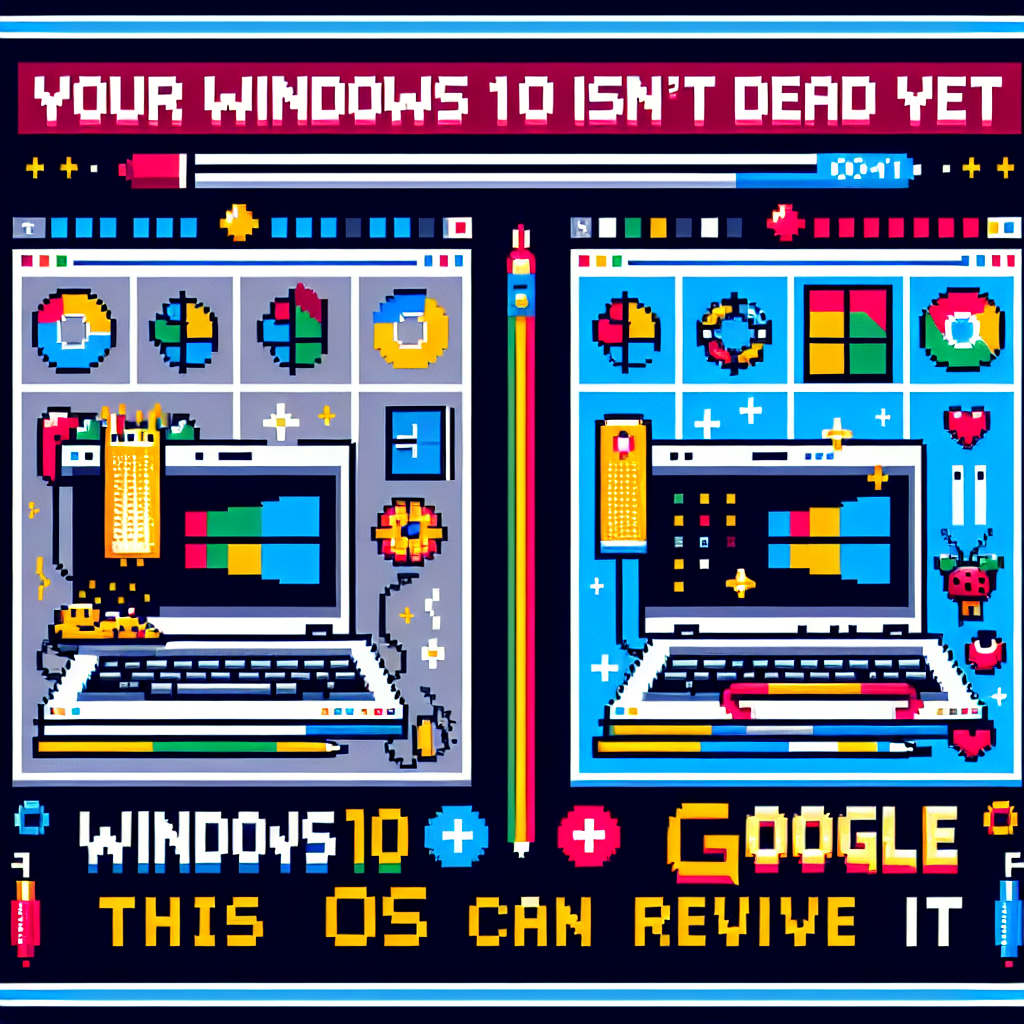
Your Windows 10 PC isn’t dead yet – this OS from Google can revive it – ZDNET | Analysis by Brian Moineau

Your Windows 10 PC isn't dead yet - this OS from Google can revive it - ZDNET | Analysis by Brian Moineau

Reviving the Undead: How ChromeOS Flex Resurrects Your Windows 10 PC

In the ever-evolving landscape of technology, there's a certain thrill in watching the old become new again. This week, ZDNET's article on Google's ChromeOS Flex shows us just how possible it is to breathe new life into aging Windows 10 PCs. As Microsoft nudges its loyal users toward Windows 11, many are left wondering what to do with their trusty old machines. Enter ChromeOS Flex, Google's ingenious solution that promises to extend the lifespan of your outdated hardware.

For those who aren't ready to say goodbye to their Windows 10 PCs, this might sound like a plot twist worthy of a sci-fi movie. But it's very much a reality. Google has designed ChromeOS Flex to be a lean, cloud-centric operating system that can operate on older hardware. It's a move that not only showcases Google's commitment to sustainability but also reflects a broader trend in the tech industry: making the most out of what we already have.

The Green Revolution in Tech


ChromeOS Flex's arrival is timely, aligning with a more significant movement towards sustainability in technology. The electronic waste problem is a growing concern, with millions of tons of e-waste being generated each year. According to the Global E-waste Monitor, the world generated a staggering 53.6 million metric tons of e-waste in 2019 alone. By extending the life of existing devices, Google is not only helping users but also contributing to reducing e-waste.

This initiative resonates with other efforts seen across the tech world. Companies like Apple have been making strides in using recycled materials in their products, while others like Dell are exploring closed-loop recycling systems. The message is clear: sustainability isn't just a buzzword; it's an imperative.

A New Era of Interoperability


Beyond environmental considerations, ChromeOS Flex highlights a growing trend of interoperability. Remember when ecosystems were walled gardens, with Apple users sticking to Apple, and Windows users loyal to Microsoft? Those days are dwindling. Today, technology is about seamless integration, with users demanding that their devices and software work together regardless of the brand.

ChromeOS Flex is a testament to this shift. By offering a Google OS that can revive a Microsoft machine, it promotes a more fluid digital experience. This echoes a broader cultural shift towards collaboration over competition, a theme that's becoming increasingly prevalent in other areas like politics, business, and social movements.

The Global Impact


On a global scale, the implications of adopting systems like ChromeOS Flex are significant. In developing regions where access to new technology may be limited due to cost, being able to refurbish and rejuvenate older PCs can bridge the digital divide. It provides educational institutions and non-profits with a viable option to offer tech resources without the hefty price tag of new equipment. This democratization of technology ensures that more people can participate in the digital economy, fostering innovation and economic growth in areas that need it most.

Final Thoughts


In the grand tapestry of technological progress, ChromeOS Flex is a vibrant patch. It's a reminder that innovation doesn't always mean creating something new; sometimes, it's about reimagining what we already have. As we move further into an era defined by connectivity and sustainability, solutions like these will become increasingly important.

So, the next time you look at your old Windows 10 PC gathering dust in the corner, remember that it might not be dead yet. With a little help from Google, it can rise again, ready to tackle the challenges of a digital world that values sustainability and inclusivity. In the end, perhaps it's not just about extending the life of a machine, but also about expanding the possibilities of what we can achieve together.

Read more about AI in Business

Read more about Latest Sports Trends

Read more about Technology Innovations

Half-Life 3 is just the hot exclusive Valve needs to propel SteamOS past Windows – Ars Technica | Analysis by Brian Moineau

Half-Life 3 is just the hot exclusive Valve needs to propel SteamOS past Windows - Ars Technica | Analysis by Brian Moineau

**Title: Could Half-Life 3 Be the Game-Changer for SteamOS?**

Ah, the elusive Half-Life 3. For years, it has been the holy grail of gaming—a mythical entity whispered about in hushed tones and wild Reddit theories. The recent buzz, as sparked by an article on Ars Technica, suggests that Half-Life 3 could be the exclusive title Valve needs to push SteamOS past the dominance of Windows in the PC gaming world. Let's delve into why this could be a pivotal moment for both Valve and gamers alike.

**Half-Life: A Legacy of Innovation**

To understand the possible impact of Half-Life 3, we must first appreciate the legacy of its predecessors. Half-Life 2, released in 2004, wasn't just a game; it was a technological marvel that set new standards in storytelling and physics-based gameplay. It was also instrumental in the success of Steam, Valve's digital distribution platform. At the time, Steam was a novel concept, and the allure of Half-Life 2 helped it gain traction among gamers.

Fast forward to today, and Valve is looking at a similar opportunity with SteamOS. As a Linux-based operating system, SteamOS has the potential to untether gamers from the Windows ecosystem. However, it needs a killer app to make the leap—and what better candidate than Half-Life 3?

**The Landscape of PC Gaming**

The world of PC gaming has evolved dramatically. Windows remains the dominant platform, but there's a growing interest in alternatives like Linux, driven by concerns over privacy, customization, and open-source software. SteamOS aims to capitalize on these trends, offering a tailored gaming experience without the baggage of a traditional OS.

Valve isn't the only player thinking outside the Windows box. Recent developments, like the rise of cloud gaming platforms such as Google Stadia and NVIDIA GeForce Now, show that gamers are open to new ways of accessing their favorite titles. The success of these platforms demonstrates a willingness to embrace change, which could bode well for SteamOS if it can deliver a seamless experience with compelling content.

**Valve: The Innovator**

Valve has always been at the forefront of gaming innovation. From the creation of Steam to the introduction of VR with the Index headset, the company isn't afraid to push boundaries. Gabe Newell, Valve's enigmatic co-founder and managing director, has been a driving force behind these initiatives. Known for his forward-thinking approach and penchant for secrecy, Newell has often hinted at exciting projects in the works, keeping the gaming community on its toes.

Valve's pursuit of hardware innovation is evident in the Steam Deck, a handheld gaming device that runs on SteamOS. The Deck aims to bring PC gaming on the go, blurring the lines between console and PC experiences. A title like Half-Life 3 could showcase the potential of the Steam Deck, making it an even more attractive option for gamers.

**A Global Shift in Gaming**

The potential release of Half-Life 3 on SteamOS could also align with broader global trends. With environmental concerns rising, the gaming industry is exploring ways to reduce its carbon footprint. Linux-based systems like SteamOS are known for their energy efficiency, offering a greener alternative to traditional setups.

Moreover, the ongoing chip shortages and supply chain disruptions have highlighted the need for diverse hardware options. SteamOS's compatibility with a wide range of devices could provide gamers with more flexibility in uncertain times.

**Final Thoughts**

While the release of Half-Life 3 remains speculative, its potential impact on SteamOS and the gaming industry could be monumental. By leveraging the legacy of an iconic franchise, Valve has the opportunity to redefine PC gaming and provide a viable alternative to Windows. In a world eager for innovation and change, Half-Life 3 might just be the catalyst we need.

As we await any official confirmation or announcement, one thing is certain: the mere mention of Half-Life 3 continues to ignite excitement and hope among gamers worldwide. Whether it becomes the game-changer for SteamOS remains to be seen, but the journey promises to be an exciting one. Stay tuned, and keep your fingers crossed!

Read more about AI in Business

Read more about Latest Sports Trends

Read more about Technology Innovations

When software updates actually improve—instead of ruin—our favorite devices – Ars Technica | Analysis by Brian Moineau

When software updates actually improve—instead of ruin—our favorite devices - Ars Technica | Analysis by Brian Moineau

**Title: Celebrating the Rare Moments When Software Updates Actually Improve Our Gadget Lives**

In a world where software updates often feel like a game of Russian roulette—will this update enhance my experience or render my beloved device a glorified paperweight?—it's refreshing to stumble upon those rare instances when an update genuinely elevates the functionality and enjoyment of our gadgets. Ars Technica's article, "When software updates actually improve—instead of ruin—our favorite devices," shines a light on these positive transformations, reminding us that sometimes, technology can indeed be our friend.

### The Update Conundrum

It's a scenario we're all too familiar with: you're prompted to install a software update on your trusty smartphone or laptop. The promise of improved performance and new features is enticing, yet there's a lingering fear that the update might slow down your device or introduce a flurry of new bugs. However, what Ars Technica brings to the table is a narrative of triumph, where updates have not only met expectations but exceeded them.

Take, for example, the evolution of Apple's iOS. While not every update has been flawless, there are standout moments—such as the introduction of features like FaceTime and improved privacy settings—that have significantly enhanced user experience. Similarly, Windows 10 updates have, over time, transformed the operating system into a robust platform, addressing user concerns and refining performance.

### Beyond Tech: Lessons from the Software Update Journey

The concept of iterative improvement isn't limited to the tech sphere. In fact, it mirrors broader trends in various sectors. For instance, consider the automotive industry, where Tesla's over-the-air updates have become a hallmark of the brand's innovation. These updates can improve vehicle performance, add new features, and even enhance safety without a single trip to the dealership. It's a testament to how software updates, when executed thoughtfully, can redefine an entire industry.

Similarly, in the world of sports, teams and athletes are embracing data-driven strategies to continuously improve performance. Just like a well-timed software update, these strategies rely on analyzing past performances and making incremental changes to boost future outcomes. This approach has been particularly evident in soccer, where clubs like Liverpool have leveraged data analytics to secure significant victories.

### A Nod to the Developers

Behind every successful software update lies a team of dedicated developers and engineers who strive to enhance our digital experiences. Their work often goes unnoticed, yet it's their meticulous attention to detail and commitment to improving user experience that makes these positive updates possible. In a way, they're the unsung heroes of the tech world, laboring behind the scenes to ensure that our devices serve us better.

### Final Thoughts: A Bright Spot in a Complex World

In an age where tech disruptions are commonplace, the notion of a software update that genuinely improves our devices is a beacon of hope. It reminds us that progress, though sometimes slow and fraught with challenges, is attainable. As consumers, it's important to recognize and celebrate these moments, while also advocating for transparency and accountability in the tech industry.

So, the next time you're prompted to install an update, remember that it's not just a routine task—it's an opportunity for your device to become even more capable and enjoyable. Embrace the potential for positive change, and who knows? You might just find that your favorite gadget becomes even more indispensable.

For more insights on technology and updates that have positively impacted users, check out Ars Technica's full article [here](https://arstechnica.com).

Read more about AI in Business

Read more about Latest Sports Trends

Read more about Technology Innovations