Google I/O 2026: AI, Gemini, Android | Analysis by Brian Moineau

Google I/O 2026 is locked in for May 19–20 — and AI will take center stage

Mark your calendars: Google I/O 2026 will run May 19–20, 2026, at Shoreline Amphitheatre in Mountain View, California — with the full program also livestreamed online. The company says this year’s event will spotlight the “latest AI breakthroughs” and product updates across Gemini, Android and more. (blog.google)

Why this matters now

Google I/O has long been the place where Google sets the tone for the next year of software, developer tools, and sometimes hardware. After a string of AI-first announcements in recent years — from tighter assistant integrations to model-led creativity tools — this year looks like another inflection point where Gemini and Android take center stage. Expect the usual mix of big-keynote product visions, developer-focused sessions, and demos that preview what millions of users will actually see on their phones, laptops and services. (theverge.com)

Quick overview

  • Dates: May 19–20, 2026 (keynote typically opens the morning of May 19). (blog.google)
  • Location: Shoreline Amphitheatre, Mountain View, California — and livestreamed at io.google. (blog.google)
  • Focus: AI (Gemini), Android, Chrome/ChromeOS, developer tooling, and product integrations. (theverge.com)

What to watch for (the things that could actually move the needle)

  • Gemini’s next act
    Google has been rolling Gemini into search, Workspace and developer tools. At I/O, expect deeper product integrations and potentially new capabilities that make Gemini a core layer powering user-facing features rather than an experimental add-on. That could include richer multimodal features, better context-aware assistance, or tooling aimed squarely at developers. (theverge.com)

  • Android 17 and platform polish
    Android 17 is already in early beta; I/O is a natural point to show off consumer-facing features, APIs for OEMs and developers, and how Android will lean on AI (for privacy-preserving on-device processing, smarter sensors, or new UX paradigms). Expect demos that tie Android behavior to Gemini-style models. (tomsguide.com)

  • XR and cross-device threads
    Google has been hinting at Android XR and broader multi-device OS work (rumors around an “Aluminium OS” or simplified cross-device experiences keep resurfacing). I/O could be where the company ties AR/VR, wearables, phones and Chromebooks together with AI glue. Even a teaser for new hardware partnerships or SDKs would be strategically meaningful. (techradar.com)

  • Developer tools, ethics and controls
    As AI features proliferate, expect new SDKs, API changes, and discussion of responsible deployment — both to help developers build faster and to address the regulatory/ethical questions that follow model-driven products. I/O is as much about getting developers the tools as it is about dazzling headlines. (blog.google)

What I/O probably won’t do

  • Major surprise hardware spectacle
    I/O often teases hardware, but full product launches (a flagship Pixel phone, for example) are less predictable. This year’s framing on “breakthroughs” across software and AI suggests Google’s emphasis will be on models, APIs and services — though small hardware reveals or partner demos are possible. (theverge.com)

The bigger picture: why Google keeps pushing AI into everything

Google sits at the intersection of search, mobile OS, cloud, and major consumer apps. Stitching Gemini across those layers lets Google offer richer experiences (and retain user attention) while creating new developer hooks. That ambition creates friction with competitors and regulators, but it also shapes how products will evolve: less siloed apps, more assistant-driven flows, and a split between on-device models and cloud-scale capabilities. I/O is where those directions are explained and where developers get the tools to follow them. (theverge.com)

What to do if you care (practical next steps)

  • Save the dates: May 19–20, 2026. Register on io.google if you want livestream access or developer sessions. (blog.google)
  • Watch keynote timing on May 19 — that’s where the biggest product narratives will land. (tomsguide.com)
  • If you’re a developer or product person, keep an eye on new SDK announcements and privacy/usage docs — those determine how quickly you can adopt the new AI features. (blog.google)

Final thoughts

Google I/O 2026 looks like another step in the company’s long game: bake AI into the plumbing of products and hand developers the keys to build with it. Whether Gemini becomes the connective tissue users actually notice (and prefer) depends on execution — latency, privacy, and usefulness will decide adoption more than flashy demos. If you’re curious about where mainstream AI experiences are headed, May 19–20 is shaping up to be one of the clearest signals we’ll get this year. (theverge.com)

Sources

Android 16: Practical Upgrades for Pixel | Analysis by Brian Moineau

Don’t ditch your Android just yet: why Android 16 gives Pixel and Galaxy owners plenty to cheer about

You know that nervous tingle you get when a new phone OS drops and you start imagining your device exploding into feature-packed life — or, let’s be honest, getting bricked? Android 16 is that update that actually leans toward making daily life easier and safer: urgent-call tags that stop you from ignoring a truly important call, new scam-check workflows that help you verify sketchy messages in the moment, Chrome tab pinning so your “must-return” pages survive battery drains, and a pile of other niceties that matter more than flashy camera bragging rights.

This isn’t just a polish release. Between security guardrails, smart UI tweaks, and deeper collaboration with Samsung, Android 16 nudges the platform into a space where staying with a Pixel or a Galaxy actually feels like a strategic choice — not just brand loyalty.

What changed and why it matters

  • Urgent call indicator (Call Reason)
    • You can mark outgoing calls as “urgent”; the recipient sees an indicator on the incoming screen and in call history if missed. It’s a tiny communication upgrade that can save you a lot of follow-up texts and missed opportunities.
  • Scam protection and on-call safety
    • Android 16 expands protections that block risky actions during calls (like sideloading or granting accessibility access to unknown apps) and surfaces warnings when a screen-sharing or banking action looks suspicious. Circle-to-Search can summarize whether a message or link looks like a scam, right where you’re reading it.
  • Chrome tab pinning on mobile
    • Pin a tab so it stays at the front of your tab strip — even after closing the browser. That’s the desktop behavior many of us missed on phones.
  • Expressive captions and notification summaries
    • Real-time captions gain context markers (cheers, applause) and emotional tags; AI notification summaries compress long group chats or message threads into digestible snippets.
  • Deeper Samsung collaboration and desktop windowing
    • Google worked closely with Samsung on a desktop/windowed experience (building on DeX), pushing Android toward being a real laptop replacement for some workflows.
  • Advanced Protection and security polish
    • Android 16 makes it easier to enable Google’s strongest protections, bundling anti-phishing and app-safety measures into a simpler flow.

Why Pixel and Samsung benefit most

  • Speed of rollout and update control
    • Pixels get updates first, and some features debut on Google’s Phone/Gboard/Chrome apps where Google can iterate faster. Samsung’s close collaboration with Google (and its existing DeX work) means many of Android 16’s big productivity bits land on Galaxy devices quickly and work well with Samsung’s hardware features.
  • Ecosystem and feature integration
    • Features like Call Reason rely on Google’s Phone app ecosystem; notification summaries and Circle-to-Search tie into Google’s AI services. Pixel owners get first dibs, while Galaxy owners benefit from Samsung’s polish on large-screen and multiwindow features.
  • Security and enterprise readiness
    • The Advanced Protection toggle and on-call safeguards make Android a safer place for executives, journalists, and anyone worried about targeted scams — and vendors that move quickly to adopt these features look better for security-conscious buyers.

Real-world wins (and a few caveats)

  • Wins
    • Practical safety: preventing a scammer from tricking you into side-loading malware while on a call is the kind of improvement you’ll appreciate the moment you need it.
    • Less friction: pinning tabs and compressed chat summaries reduce cognitive load for frequent multitaskers and people who use phones for work.
    • Accessibility and creative tools: expressive captions and camera/coding improvements make devices more useful for creators and people who rely on captions.
  • Caveats
    • Fragmentation still exists: not every Android maker will ship every Google-led feature immediately. Carrier deployments, OEM skins, and regional testing mean your timeline may vary.
    • Early rollouts can be bumpy: like many large OS updates, user reports have shown a mix of smooth upgrades and some bugs on specific devices. Expect patches and minor follow-ups after the initial release.
    • Feature parity: some features require Google apps or specific hardware; cross-brand parity depends on app updates and partner agreements.

A closer look at the scam and call protections

Android 16’s approach to security is practical and context-aware. It doesn’t just add a checkbox — it changes how the phone intervenes:

  • It blocks high-risk actions during suspicious calls (e.g., granting accessibility permissions, sideloading apps from untrusted sources).
  • It warns users when a banking app is opened while screen-sharing, giving a quick “end call” option.
  • Circle-to-Search gives immediate, AI-assisted context when you highlight content that looks fishy, helping you decide whether to trust a link or message.

That combination is the sort of thing that protects everyday users from social-engineering and gives security-minded users more confidence in their phone’s baseline safety.

Who should feel most reassured

  • People who use their phones for sensitive work (journalists, lawyers, executives).
  • Anyone who handles frequent logistics by phone and hates endless follow-up texts (the urgent-call tag helps here).
  • Multitaskers and mobile workers who treat their phone like a mini-laptop and will actually use pinned tabs and desktop windowing.
  • Users who appreciate Google’s AI features in Messaging, Chrome, and accessibility tools.

A short comparison with Apple’s approach

Apple focuses on tight hardware-software control and a closed ecosystem; Google is trying to get the best of both worlds — broad device compatibility with consistent, Google-led features where it counts. Android 16 signals Google doubling down on making core experiences (security, calling, AI summaries) less dependent on OEM fragmentation. If this succeeds, Android can offer the kind of uniform enhancements that historically made iPhone owners feel safe choosing Apple.

My take

Android 16 isn’t about flashy headlines — it’s about smoothing the everyday. Those small quality-of-life and security improvements compound: fewer missed urgent calls, fewer successful scams, fewer tab-hunting headaches. For users who prioritize timely updates, integrated AI tools, and strong on-device protections, staying with a Pixel or choosing a Samsung Galaxy with a good update record makes a lot of sense right now.

The real test will be how quickly OEMs besides Samsung adopt Google’s improvements across core apps and how fast Google ships follow-up patches for early issues. But if you’re on the fence about upgrading your hardware or staying in the Android camp, Android 16 gives you legitimate reasons to stick with Pixel or Galaxy — at least for another upgrade cycle.

What to watch next

  • OEM and carrier rollout schedules for your specific device.
  • Follow-up patches addressing early bugs in the Phone app and other core apps.
  • Whether Samsung and other OEMs fully adopt Google’s AI notification summaries and scam-check workflows.

Final thoughts

Android 16 is a pragmatic upgrade: not a revolution, but a thoughtful set of improvements that nudge daily phone use toward being safer, smarter, and less annoying. If you value security and productivity features that actually help in sticky moments, this update makes a strong case for staying with devices that get Google’s features and updates first — especially Pixel and Samsung Galaxy phones.

Sources


Related update: We recently published an article that expands on this topic: read the latest post.

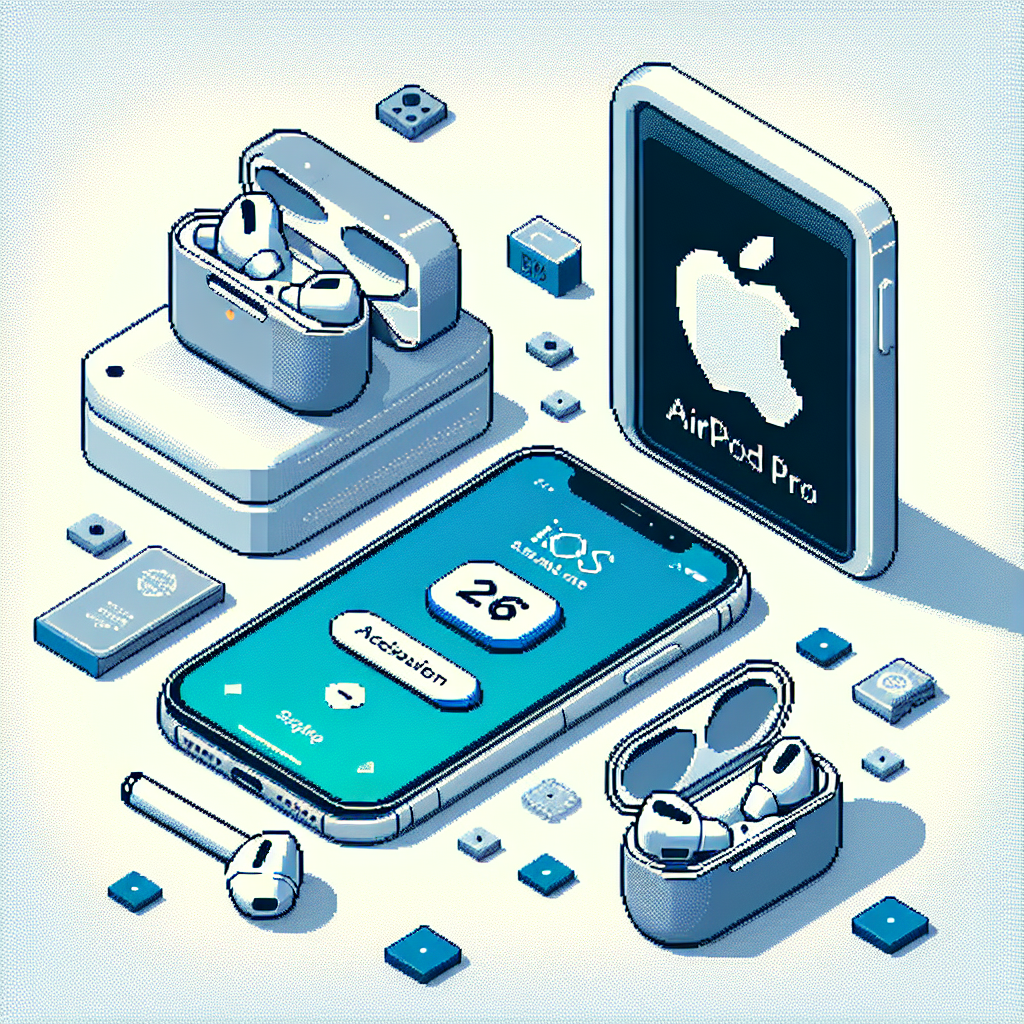
iOS 26 Fix: Keep AirPods | Analysis by Brian Moineau

When your headphones should stay put: iOS 26’s little setting that matters more than you think

Ever had that jolt of embarrassment when your podcast — or worse, your midnight karaoke — suddenly starts booming through the car speakers as you climb in? Or fallen asleep with your AirPods on only to wake up to silence because your phone auto-switched? iOS 26 quietly fixes one of those tiny, annoying interruptions with a toggle that deserves a place on every AirPods user's settings screen.

Why this matters more than it sounds

We live in an ecosystem where devices are supposed to make things seamless. But “seamless” became a problem when your iPhone decided to be helpful by switching audio to whatever Bluetooth device it connected to next — often your car or a speaker — without asking. That handoff can be harmless, awkward, or flat-out embarrassing depending on the context.

iOS 26 introduces a new option that gives control back to you: keep your audio in your headphones until you explicitly move it elsewhere. For people who use AirPods while commuting, exercising, or winding down at night, that’s a tiny change with a big quality-of-life payoff.

What the setting does (and where to find it)

  • Name: Keep Audio with Headphones.
  • What it does: Prevents your iPhone from automatically rerouting audio from your headphones to other devices (CarPlay, car Bluetooth, speakers) when it connects to them.
  • Where it lives: Settings > General > AirPlay & Continuity > Keep Audio with Headphones. Toggle it on.

This is a system-level setting, not limited to Apple’s own buds — it works for AirPods and most other Bluetooth headphones.

Who should turn it on

  • Nighttime listeners and nap-timers

    • If you fall asleep wearing AirPods, this setting helps avoid sudden switches that interrupt sleep or stop the audio unexpectedly. Combined with iOS features that can pause audio when sleep is detected, it makes listening while dozing much less fragile.
  • Commuters and privacy-minded users

    • If you want a private call or podcast to stay private when you step into a vehicle, this keeps the audio in your ears until you choose otherwise.
  • People who jump between Apple devices (but not always intentionally)

    • Auto-switching across iPhones, Macs, and iPads is handy — but not when it happens at the worst time. This setting lets you keep the output anchored.

A couple of caveats

  • Manual switching still works

    • With the setting on you can always move audio to your car or speakers manually through Control Center or CarPlay. The setting just stops the phone from doing it automatically.
  • It’s not a safety endorsement

    • Using earbuds while driving can be illegal or unsafe in some places. The setting doesn’t change local laws or safety recommendations — it just prevents unwanted audio handoffs.
  • Behavior can vary by device & firmware

    • Some users report differences depending on car systems and Bluetooth stack behaviors; generally, the setting improves predictability, but your mileage may vary.

A broader trend: Apple tightening up audio control

iOS 26 isn’t just about this toggle. Apple has been rolling out a series of refinements that make audio behavior more sensible — from improved AirPods gestures and camera controls to sleep-aware audio pausing and smarter device switching. The “Keep Audio with Headphones” option fits into a larger pattern: give users simple, explicit controls for things the OS used to guess about automatically.

Small change, big comfort

For a feature that’s easy to miss, this one is quietly powerful. It’s the kind of fix that doesn’t make headlines but saves you from small moments of irritation — and, for people who fall asleep with their earbuds in, preserves a peaceful night.

A quick checklist

  • Want private playback that won’t hop to your car? Turn it on.
  • Sleep with AirPods and hate sudden silence? Turn it on.
  • Prefer the system to decide automatically? Leave it off.

My take

I love features that respect the user’s intent rather than guessing for them. This toggle is a great example of Apple listening to the little frustrations that add up. It doesn’t reinvent the wheel — it simply stops the wheel from rolling away when you don’t want it to. If you wear AirPods (or any Bluetooth buds) regularly, it’s worth flipping on and forgetting about it.

Sources


Related update: We recently published an article that expands on this topic: read the latest post.