January Playoff, September Sky Drama | Analysis by Brian Moineau

When the calendar says January but the sky says September

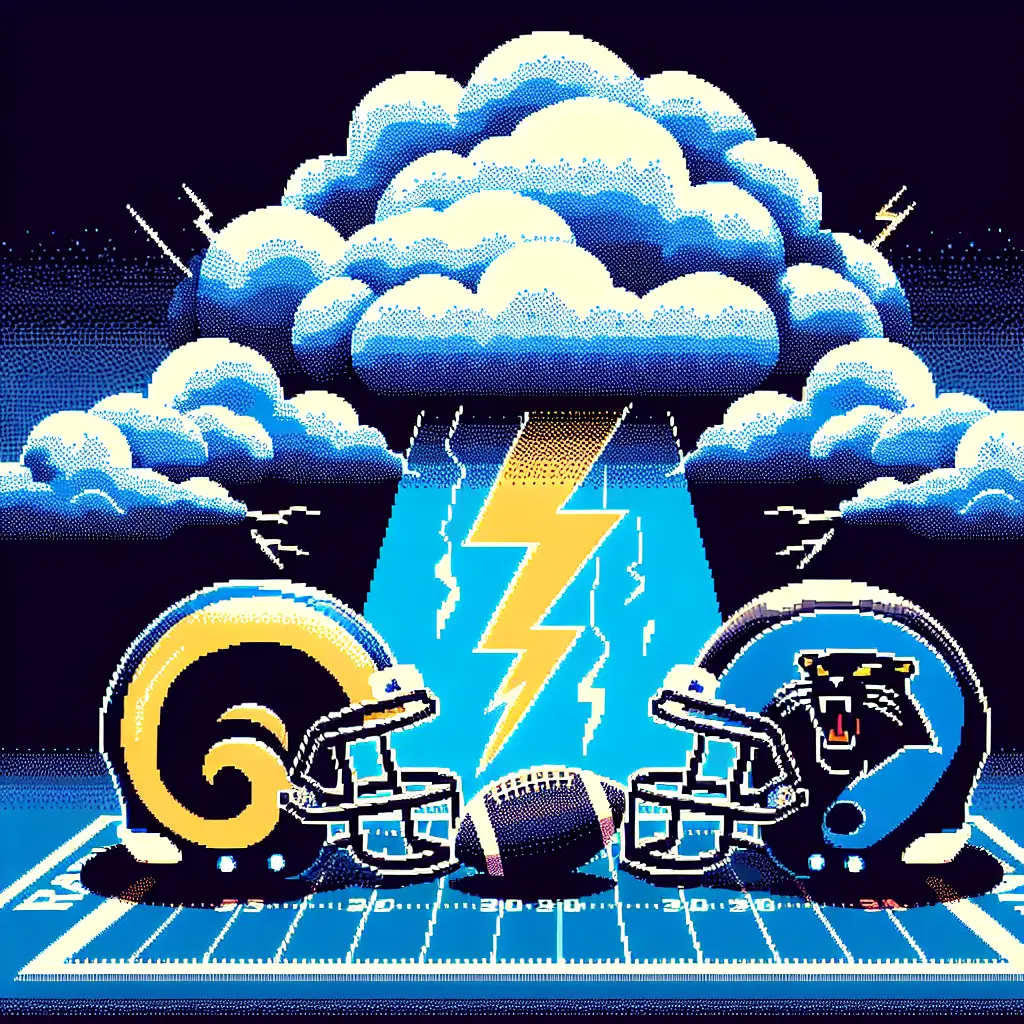
The sky over Bank of America Stadium looked like it had missed the memo. On a Saturday that should have felt like the crisp business of playoff football, Charlotte baked and brooded under a midwinter atmosphere more suited to late summer thunderheads. The Rams and Panthers didn’t just play each other — they played the weather, too, with thunderstorms and gusts hovering over kickoff and the NFL’s carefully timed broadcast windows.

Why the weather mattered more than a weather report

  • The Rams-Panthers wild-card kickoff was scheduled for 4:30 p.m. ET, with Packers-Bears set to stream at 8:00 p.m. ET. A lightning delay in the early game could push the later streamable game into overlapping territory — something the league can only partially manage (it can shift a kickoff by 10 minutes, per league guidance). (nbcsports.com)
  • Forecast models and local meteorologists flagged a solid chance of thunderstorms, gusty winds and sustained precipitation during kickoff and into the second half. That wasn’t just uncomfortable for fans; it changes punt dynamics, the passing game, field footing and coaching calculus in real time. (wral.com)
  • Weather narratives aren’t new in football, but they take on outsized importance in the playoffs: a sudden thunder delay can complicate broadcasters’ schedules, strain team routines and turn momentum on its head. NBC Sports flagged the structural issue — two playoff games possibly running at once — as an NFL logistics headache. (nbcsports.com)

Setting the scene: the context that matters

  • Playoff stakes: This was Wild Card Weekend — the margin for error is thin and every win, timeout and coaching choice magnifies. Teams plan for wind and rain during the season, but postseason weather can still be a curveball. (nbcsports.com)
  • Local forecast consensus: Multiple outlets and meteorologists warned of thunderstorms and gusts up to the mid-30s (mph) with a high probability of precipitation during the afternoon into evening — effectively a recipe for slippery balls and improvised clock management. (wral.com)
  • The game’s outcome: Despite the weather tangles and drama, the Rams won a tight one, 34–31, with a last-minute touchdown that ultimately decided the contest. The elements added texture to an already dramatic finish. (reuters.com)

What the weather actually changed on the field

  • Quarterback play and play-calling: Rain and wind nudge offenses toward shorter throws, quicker releases and more emphasis on the run game. For teams that rely on timing routes, even slight precipitation can disrupt rhythm — and force mid-drive adjustments. (sports.yahoo.com)
  • Special teams volatility: Punting and kicking become lotteries when gusts gust across the stadium. Field position swings and blocked-kick opportunities gain weight in the win probability model. Local forecasts and game-day notes warned fans to watch the punting game. (wral.com)
  • Broadcast and scheduling headaches: The NFL’s limited flexibilities — a 10-minute slide for a later kickoff, contingency plans for delays — are blunt instruments when lightning’s involved. If the early game stalls, networks, streaming services and in-stadium operations must improvise, while viewers juggling multiple platforms can miss decisive stretches. (nbcsports.com)

Lessons for fans, teams and broadcasters

  • Fans: Pack an umbrella and temper expectations for perfect football weather — and expect possible broadcast delays or overlap. If you’re streaming another game later, be ready for timing shifts. (foxsports.com)
  • Teams: Build weather drills into playoff prep. The ability to pivot quickly — shift to quick-game passing, protect against gusts, adjust punt formation — becomes a competitive advantage. (sports.yahoo.com)
  • Broadcasters and leagues: This is a reminder that modern scheduling — with linear and streaming rights layered — needs more nimble contingency plans for weather disruptions, especially as extreme-weather patterns become less predictable. The NFL’s 10-minute leeway is useful but limited. (nbcsports.com)

A few memorable in-game moments shaped by the conditions

  • Tight finishes feel tighter when a slippery ball makes a contested catch harder, or when a gust sends a kickoff farther than expected. The Rams’ last-minute drive that clinched a 34–31 victory carried extra drama against a backdrop of overcast, wind-swept stands. (reuters.com)

My take

Weather has a way of reminding us that football — even in January’s playoff theater — is played outdoors, subject to the same temperament as any other natural event. The Rams-Panthers game was a small case study in adaptability: teams adjust play-calling, special teams get riskier, and broadcasters juggle time slots. As fans we romanticize the “pure” postseason atmosphere; reality is more interesting. Storms, delays and gusts don’t just change outcomes — they give playoff games their cinematic texture.

Final thoughts

The calendar may say January, but the sky doesn’t check schedules. That mismatch is part of what keeps playoff football compelling. Weather can be an antagonist, an equalizer, and sometimes a plot twist — and this Rams-Panthers wild-card contest had all three. Whether you remember the game for the final drive or the thunderstorms rumbling above, it’s a reminder that in football the elements are always in play.

Sources


Related update: We recently published an article that expands on this topic: read the latest post.


Related update: We recently published an article that expands on this topic: read the latest post.

Android 16: Practical Upgrades for Pixel | Analysis by Brian Moineau

Don’t ditch your Android just yet: why Android 16 gives Pixel and Galaxy owners plenty to cheer about

You know that nervous tingle you get when a new phone OS drops and you start imagining your device exploding into feature-packed life — or, let’s be honest, getting bricked? Android 16 is that update that actually leans toward making daily life easier and safer: urgent-call tags that stop you from ignoring a truly important call, new scam-check workflows that help you verify sketchy messages in the moment, Chrome tab pinning so your “must-return” pages survive battery drains, and a pile of other niceties that matter more than flashy camera bragging rights.

This isn’t just a polish release. Between security guardrails, smart UI tweaks, and deeper collaboration with Samsung, Android 16 nudges the platform into a space where staying with a Pixel or a Galaxy actually feels like a strategic choice — not just brand loyalty.

What changed and why it matters

  • Urgent call indicator (Call Reason)
    • You can mark outgoing calls as “urgent”; the recipient sees an indicator on the incoming screen and in call history if missed. It’s a tiny communication upgrade that can save you a lot of follow-up texts and missed opportunities.
  • Scam protection and on-call safety
    • Android 16 expands protections that block risky actions during calls (like sideloading or granting accessibility access to unknown apps) and surfaces warnings when a screen-sharing or banking action looks suspicious. Circle-to-Search can summarize whether a message or link looks like a scam, right where you’re reading it.
  • Chrome tab pinning on mobile
    • Pin a tab so it stays at the front of your tab strip — even after closing the browser. That’s the desktop behavior many of us missed on phones.
  • Expressive captions and notification summaries
    • Real-time captions gain context markers (cheers, applause) and emotional tags; AI notification summaries compress long group chats or message threads into digestible snippets.
  • Deeper Samsung collaboration and desktop windowing
    • Google worked closely with Samsung on a desktop/windowed experience (building on DeX), pushing Android toward being a real laptop replacement for some workflows.
  • Advanced Protection and security polish
    • Android 16 makes it easier to enable Google’s strongest protections, bundling anti-phishing and app-safety measures into a simpler flow.

Why Pixel and Samsung benefit most

  • Speed of rollout and update control
    • Pixels get updates first, and some features debut on Google’s Phone/Gboard/Chrome apps where Google can iterate faster. Samsung’s close collaboration with Google (and its existing DeX work) means many of Android 16’s big productivity bits land on Galaxy devices quickly and work well with Samsung’s hardware features.
  • Ecosystem and feature integration
    • Features like Call Reason rely on Google’s Phone app ecosystem; notification summaries and Circle-to-Search tie into Google’s AI services. Pixel owners get first dibs, while Galaxy owners benefit from Samsung’s polish on large-screen and multiwindow features.
  • Security and enterprise readiness
    • The Advanced Protection toggle and on-call safeguards make Android a safer place for executives, journalists, and anyone worried about targeted scams — and vendors that move quickly to adopt these features look better for security-conscious buyers.

Real-world wins (and a few caveats)

  • Wins
    • Practical safety: preventing a scammer from tricking you into side-loading malware while on a call is the kind of improvement you’ll appreciate the moment you need it.
    • Less friction: pinning tabs and compressed chat summaries reduce cognitive load for frequent multitaskers and people who use phones for work.
    • Accessibility and creative tools: expressive captions and camera/coding improvements make devices more useful for creators and people who rely on captions.
  • Caveats
    • Fragmentation still exists: not every Android maker will ship every Google-led feature immediately. Carrier deployments, OEM skins, and regional testing mean your timeline may vary.
    • Early rollouts can be bumpy: like many large OS updates, user reports have shown a mix of smooth upgrades and some bugs on specific devices. Expect patches and minor follow-ups after the initial release.
    • Feature parity: some features require Google apps or specific hardware; cross-brand parity depends on app updates and partner agreements.

A closer look at the scam and call protections

Android 16’s approach to security is practical and context-aware. It doesn’t just add a checkbox — it changes how the phone intervenes:

  • It blocks high-risk actions during suspicious calls (e.g., granting accessibility permissions, sideloading apps from untrusted sources).
  • It warns users when a banking app is opened while screen-sharing, giving a quick “end call” option.
  • Circle-to-Search gives immediate, AI-assisted context when you highlight content that looks fishy, helping you decide whether to trust a link or message.

That combination is the sort of thing that protects everyday users from social-engineering and gives security-minded users more confidence in their phone’s baseline safety.

Who should feel most reassured

  • People who use their phones for sensitive work (journalists, lawyers, executives).
  • Anyone who handles frequent logistics by phone and hates endless follow-up texts (the urgent-call tag helps here).
  • Multitaskers and mobile workers who treat their phone like a mini-laptop and will actually use pinned tabs and desktop windowing.
  • Users who appreciate Google’s AI features in Messaging, Chrome, and accessibility tools.

A short comparison with Apple’s approach

Apple focuses on tight hardware-software control and a closed ecosystem; Google is trying to get the best of both worlds — broad device compatibility with consistent, Google-led features where it counts. Android 16 signals Google doubling down on making core experiences (security, calling, AI summaries) less dependent on OEM fragmentation. If this succeeds, Android can offer the kind of uniform enhancements that historically made iPhone owners feel safe choosing Apple.

My take

Android 16 isn’t about flashy headlines — it’s about smoothing the everyday. Those small quality-of-life and security improvements compound: fewer missed urgent calls, fewer successful scams, fewer tab-hunting headaches. For users who prioritize timely updates, integrated AI tools, and strong on-device protections, staying with a Pixel or choosing a Samsung Galaxy with a good update record makes a lot of sense right now.

The real test will be how quickly OEMs besides Samsung adopt Google’s improvements across core apps and how fast Google ships follow-up patches for early issues. But if you’re on the fence about upgrading your hardware or staying in the Android camp, Android 16 gives you legitimate reasons to stick with Pixel or Galaxy — at least for another upgrade cycle.

What to watch next

  • OEM and carrier rollout schedules for your specific device.
  • Follow-up patches addressing early bugs in the Phone app and other core apps.
  • Whether Samsung and other OEMs fully adopt Google’s AI notification summaries and scam-check workflows.

Final thoughts

Android 16 is a pragmatic upgrade: not a revolution, but a thoughtful set of improvements that nudge daily phone use toward being safer, smarter, and less annoying. If you value security and productivity features that actually help in sticky moments, this update makes a strong case for staying with devices that get Google’s features and updates first — especially Pixel and Samsung Galaxy phones.

Sources


Related update: We recently published an article that expands on this topic: read the latest post.