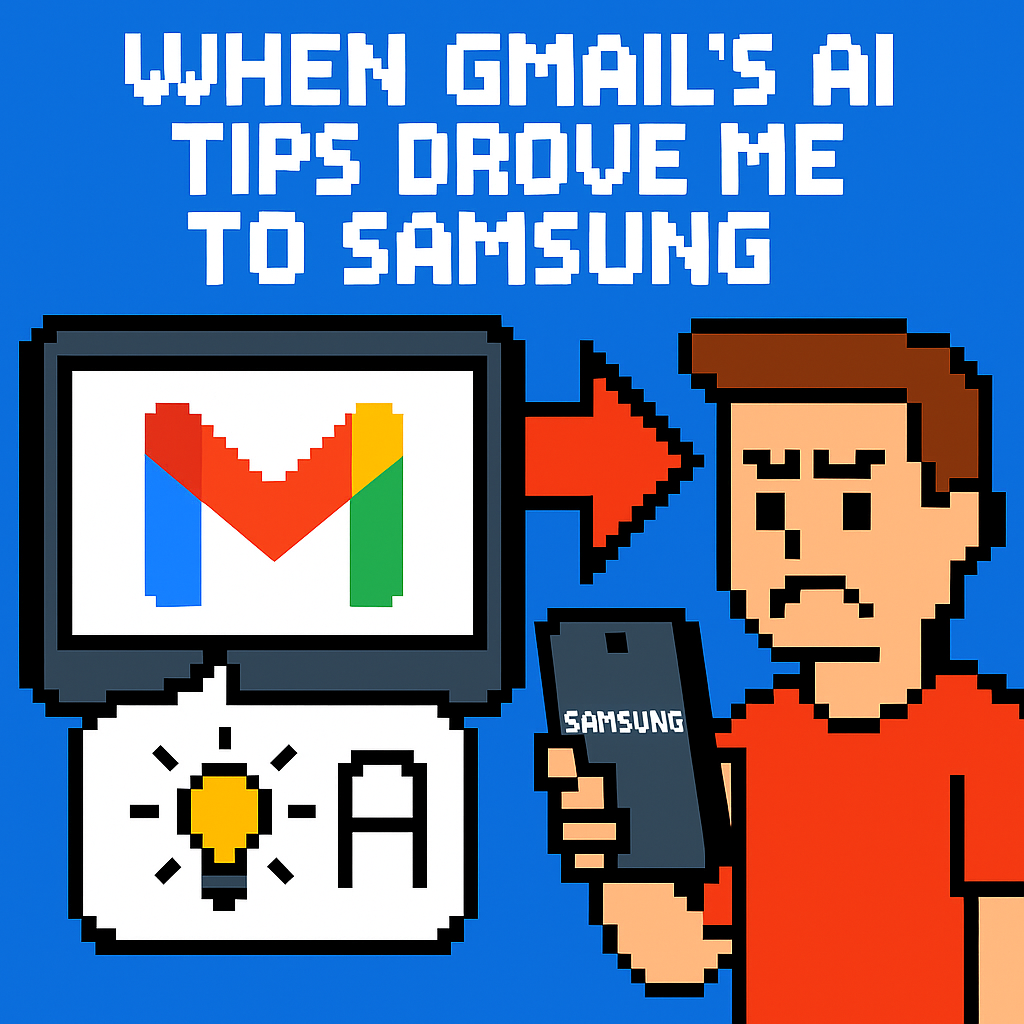
When Gmail’s AI Tips Drove Me to Samsung | Analysis by Brian Moineau

TL;DR

  • Gmail vs Samsung Email isn’t a trivial preference fight in 2026; Google’s AI‑forward inbox now collides with a cohort that wants fast, reliable mail and clean notifications on Android, according to Android Police’s Jade Bryan Jardinico. [1]
  • Google fused Gemini into Gmail’s core mobile UI in 2024–2025 via “Summarize this email,” side‑panel prompts, and ambient cards, and the opt‑out ties into broader Workspace settings that complicate per‑app control. [2][3][4]
  • If even 2% of Samsung’s Q1 2026 buyers default to Samsung Email, that’s roughly 1.248 million users in one quarter—small in share, large in absolute loss of Gemini upsell surface area for Google. [6]

What the source said

Jade Bryan Jardinico at Android Police describes switching from Gmail to Samsung Email after two pain points: Gmail’s AI prompts (“Summarize,” “Help me write”) and missed push notifications that broke daily triage. [1][8] Disabling Gemini wasn’t a simple Gmail‑only toggle; the controls linked into Google’s broader “smart features,” affecting other Workspace apps like Docs and Chat. [3] On a Galaxy phone, Samsung Email felt faster and more predictable, with concrete perks like a VIPs tab, a unified inbox with color labels, and Secure Folder isolation that keeps a second mailbox separate. [1][5] The author concedes Samsung Email lacks advanced filters, but prefers redundant alerts over silent failures and says going back to Gmail seems unlikely in 2026. [1]

Why it matters

Google treats Gmail as a funnel into Gemini, Google One AI Premium, and Workspace upgrades, and its June 2024 UI changes pushed AI into daily reading flows on Android and iOS. [2] When the mobile client feels heavier and less controllable, daily exposure to prompts drops, which weakens conversion paths for paid AI features. [2][4] The risk isn’t an immediate revenue cliff; it’s the loss of countless micro‑impressions that nudge sign‑ups across months.

Samsung ships a first‑party client that respects Android plumbing—Exchange ActiveSync, IMAP/POP, S/MIME, and Knox Secure Folder—which tilts some Galaxy owners toward Samsung’s stack. [5] Each user who defaults to Samsung Email instead of Gmail marginally reduces Google’s control point across an installed base measured in the hundreds of millions, amplified by Samsung’s 21.2% share in Q1 2026 shipments. [6]

Original analysis

2×2: Gmail vs Samsung Email

  • Axes:
    • Horizontal: AI‑forward UI vs AI‑optional UI
    • Vertical: Ecosystem‑first (suite‑tied) vs Standards‑first (client‑first)
Client AI posture Ecosystem tie What that yields
Gmail (2024–2026) AI‑forward: “Summarize,” “Help me write,” Q&A Deeply tied to Workspace and Gemini Cross‑app context, but heavier UI and shared toggles. [2][3][4]
Samsung Email AI‑optional: classic triage Standards‑first (IMAP/POP/EAS, S/MIME) + Knox Speed, predictable notifications, Secure Folder isolation. [5]
Outlook (Android) AI‑forward via Copilot Microsoft 365 tie Focused Inbox, but heavier suite pull; mixed Android integration.
Spark/Edison/etc. Light AI add‑ons Minimal suite tie Fast triage, but less OS‑deep integration (policies, Knox).

Consensus view: “AI summaries and generative replies make everyone more productive in email.”
Contrarian read: Power users who triage 50–200 messages per day often gain more from latency cuts, stable notifications, and predictable gestures than from on‑message AI, especially when AI chips occupy visual space on every thread. [2] Google shipped the summarize chip in June 2024 and then made AI more ambient on mobile, which introduced friction for users who rely on muscle memory. [2][4]

Historical analogue: Google over‑inserted Google+ identity into products like YouTube, faced user pushback, and later unwound the cross‑tie; utility apps punish overreach that isn’t cleanly optional.

Back‑of‑the‑envelope: scale of a “small” defection

  • IDC reports Samsung shipped 62.4 million smartphones in Q1 2026, or 21.2% share. [6]
  • If 2% of those quarterly buyers set up Samsung Email first or later switch from Gmail, that’s 1.248 million users in a quarter (62.4M × 0.02 = 1.248M).
  • Even at 0.5%, the quarterly shift is ~312,000 users; rolling four quarters at similar volumes yields multi‑million annual additions to Samsung Email’s primary user base. [6]
  • For Google, each defector equals one fewer daily Gemini prompt and one fewer potential AI upsell touchpoint inside Gmail’s mobile UI. [2][4]

Named‑stakeholder breakdown

  • Google (Gmail/Workspace): Ship an app‑level “AI off” and a lean mode so users can keep Docs/Chat AI while muting Gmail AI; current help text implies global effects when disabling smart features. [3]
  • Samsung (MX/Knox): Market Secure Folder and standards compliance (EAS/S/MIME) to consumers, not just B2B, and highlight “it just notifies me” reliability on Galaxy S‑series devices. [5]
  • Microsoft (Outlook/365): Gains from Gmail churn if Focused Inbox and Copilot land well, but must harden Android notifications and account policy handling to satisfy 365 tenants.
  • Independent clients (Spark, Edison, Thunderbird mobile): Win at the margin if they master push reliability and avoid banner‑heavy AI that clutters triage.
  • Enterprise IT: If Gmail’s interop with Exchange/Office 365 hiccups or if app‑scope controls stay murky, admins will recommend clients like Samsung Email that integrate cleanly with native contacts/calendars. [5]

What others are missing

The governance problem is app scope: Gmail’s Gemini and “smart features” controls aren’t truly local to Gmail, and Google’s own help text warns that turning them off affects other Workspace apps. [3] That design breaks the locality‑of‑control principle for a utility tool people check 20–50 times per day. A user who wants AI in Docs for drafting but not in Gmail for triage shouldn’t face collateral effects across the suite. Because inboxes are interruption surfaces, centralized AI toggles create fatigue where it hurts most, pushing power users to clients like Samsung Email where no suite‑wide switch exists. [1][5]

What to watch next

  1. By Q4 2026, Google will ship an explicit, Gmail‑only toggle on Android and iOS that collapses or hides Gemini prompts by default; this will appear in Gmail release notes and not alter Docs/Chat AI settings.
  2. By H1 2027, Samsung will feature “Samsung Email + Secure Folder” in a consumer‑facing channel (e.g., Galaxy Unpacked keynote or a front‑page promo on samsung.com) and add at least one VIP/priority control to reduce notification overload. [5]
  3. By January 2027, as Gmail retires POP/Gmailify/“Send as” pathways, alternative Android mail apps will break into the top‑10 Communication category in the U.S. Play Store for ≥4 weeks, indicating migration of multi‑provider users. [7]

My take

I’d keep Gmail’s AI—but only on my terms. An inbox is a queue you clear, not a canvas for ambient experiments. When banners, cards, and pulsing chips compete for attention, I switch to the tool that respects muscle memory—on a Galaxy phone in 2026, that’s Samsung Email. Google can fix this with a true Minimal Gmail mode, strictly on‑demand Gemini, and per‑app controls; without that, users will form habits that are hard to reverse. [2][3][4][5]

Sources

  1. I planned to use Gmail forever, until one email app quietly replaced it for good — Android Police (https://www.androidpolice.com/i-planned-to-use-gmail-forever-until-one-email-app-replaced-it/) — First‑person account of switching to Samsung Email due to AI clutter and notification failures.

  2. Gemini in the side panel of Gmail is rolling out now — Google Workspace Updates (https://workspaceupdates.googleblog.com/2024/06/gemini-in-side-panel-of-gmail.html) — Confirms the June 2024 rollout of Gemini prompts like “Summarize this email” on mobile.

  3. Catch up on email threads with AI Overview conversation summaries — Google Help (https://support.google.com/mail/answer/16561387) — Documents Gmail’s AI summaries and notes that disabling smart features impacts other Workspace apps.

  4. New Gemini summary cards now available in the Gmail app on Android and iOS devices — Google Workspace Updates (https://workspaceupdates.googleblog.com/2025/05/gemini-summary-cards-gmail-app.html) — Describes more ambient AI in mobile Gmail via summary cards in 2025.

  5. Use the Secure Folder on your Galaxy phone or tablet — Samsung Support (https://www.samsung.com/us/support/answer/ANS10001401/) — Explains Knox Secure Folder and how Samsung Email can run an isolated inbox.

  6. IDC Smartphone Market Share, Q1 2026 — IDC (https://www.idc.com/promo/smartphone-market-share/) — Provides shipment totals and shares (Samsung at 62.4M units; 21.2% share in Q1 2026) for scale math.

  7. Gmail Is Killing POP and Gmailify Access. Here’s What It Means for You — WIRED (https://www.wired.com/story/gmail-killing-pop-and-gmailify-access-what-it-means-for-you/) — Details Gmail’s deprecation of POP/Gmailify/“Send as,” signaling tighter control over power‑user workflows.

  8. Gmail app suddenly stopped sending me notifications — Gmail Community (https://support.google.com/mail/thread/322379715/gmail-app-suddenly-stopped-sending-me-notifications) — Shows user reports of Android notification failures that undermine Gmail trust.


Related update: We recently published an article that expands on this topic: read the latest post.


Related update: We recently published an article that expands on this topic: read the latest post.

Rename Your Gmail Without Losing Data | Analysis by Brian Moineau

Change the address, keep the files: Gmail may finally let you rename yourself online

You created that cringe-worthy Gmail handle in middle school. Maybe it was "cooldude123" or "princess_of_pop". For years the only fix was brutal: create a new account, forward mail, rebuild subscriptions, and slowly migrate your life. Now Google appears to be rolling out a long-requested escape hatch — the ability to change your @gmail.com address while keeping the same account and all the files tied to it.

What to know right away

  • Google’s help documentation (first seen in a Hindi-language support page) indicates users will be able to replace their existing @gmail.com address with a new @gmail.com address without losing emails, Drive files, Photos, purchases, subscriptions or YouTube channels. (techcrunch.com)
  • The old address becomes an alias that continues to receive mail and can still be used to sign in — so you don't lose continuity. (nasdaq.com)
  • There are limits and caveats: you can change the address only once every 12 months and at most three times (i.e., up to four addresses in total). Some managed (work/school) accounts will need admin approval. (nasdaq.com)

Why this matters more than it sounds

An email address is more than a username — it’s your digital identity across services. For most people the original Gmail handle is used as:

  • The login for Google services (Drive, Photos, YouTube, Play Store, Android devices).
  • The account recovery and notification contact.
  • The primary identifier in countless third‑party services that use “Sign in with Google.”

Until now, changing that identity forced a painful migration: new account, lost history, broken linkages. Letting users rename their primary address while keeping everything in place reduces friction and preserves years of digital baggage (the good and the awkward). It’s the kind of small-but-impactful quality-of-life change that consumers ask for for years but companies often resist because of identity, security and technical complexity.

How it looks to work (based on leaked/updated help docs and reporting)

  • Go to Google Account > Personal info > Email > Google Account email (once the feature reaches your account).
  • Choose a new @gmail.com address; Google verifies availability and confirms the change.
  • Your old address is retained as an alias; mail to either address lands in the same inbox.
  • You can sign in with either address, and all your existing data remains attached to your account. (techcrunch.com)

The catches and potential pitfalls

  • Limit frequency: only one change per 12 months and a maximum of three changes. That protects against abuse but also means you should pick carefully.
  • Third‑party logins: sites that use “Sign in with Google” may still reference the old email. You may need to update the email on those services manually, and in some cases, re-link accounts if they don’t recognize the new address. (forbes.com)
  • Device quirks: Chromebooks and some Android integrations tied to a specific Google account could require re‑signing or manual fixes (back up local data first if you use a managed Chromebook). Google’s documentation and early reporting specifically warn about possible device sign‑in loops. (nasdaq.com)
  • Alias permanence: Google’s docs suggest the old address remains tied to your account as an alias and can’t be released for reuse by others — good for continuity, less ideal if you wanted the address freed up. (nasdaq.com)
  • Rolling rollout: the change was initially spotted on a Hindi support page and is being rolled out gradually; not everyone will see it yet and Google had not published a broad announcement at the time of reporting. Expect regional and phased availability. (techcrunch.com)

A short timeline and context

  • For years, Google’s policy was simple: personal @gmail.com addresses could not be changed. Workspace (business/education) accounts have had more flexible options, but personal accounts were effectively permanent.
  • In late December 2025, tech reporters spotted updated Google help documentation — initially in Hindi — stating the company is “gradually rolling out” the ability to change a Gmail address. That triggered widespread reporting across outlets including The Verge, TechCrunch and Mashable. (theverge.com)

Who should (and shouldn’t) consider changing their address

  • Good candidates:

    • People with visibly unprofessional or embarrassing handles who want a cleaner public identity.
    • Users who want to update names after marriage, transition, or other life changes.
    • Anyone who wants to consolidate fewer accounts without losing history.
  • Be cautious if:

    • You rely heavily on "Sign in with Google" across many third‑party services and can’t afford temporary access issues.
    • You have Chromebooks or devices with complex enterprise profiles; test and back up first.
    • You expect to reclaim the old address for a new account — Google appears to keep the alias tied to your account.

My take

This is the kind of user-first tweak that should’ve arrived years ago. It scratches an itch we all felt when our teenage selves created forever addresses. Google is doing the sensible thing: preserving data continuity and minimizing friction while adding reasonable guardrails to prevent abuse. The phased rollout is expected — the underlying complexity of reassigning the account identity across product surfaces is significant. If you’re tempted to rename your account, wait until the option appears, read Google’s in‑product guidance carefully, and back up any device data that’s locally stored before you commit.

What to watch next

  • Google’s official English support pages and blog for a formal rollout notice and detailed step‑by‑step instructions.
  • Reports from early adopters about real‑world behavior on Chromebooks and third‑party sign‑ins.
  • Clarifications on whether aliases can ever be released for reuse and precise behavior for Workspace-managed accounts.

Sources

Final thought

If this rolls out to everyone as described, millions will finally be able to retire their old internet personas without losing the stuff that matters — the photos, receipts, and weird long‑forgotten email threads we all cling to. Pick a new name you won’t regret, because Google’s watchful guardrails mean this won't be something you can do every month.


Related update: We recently published an article that expands on this topic: read the latest post.


Related update: We recently published an article that expands on this topic: read the latest post.

When Google Drive and Workspace Glitch | Analysis by Brian Moineau

When Google Stumbles: What Happened When Drive, Docs and Sheets Glitched

A mid-day scramble. Students frantic over unsaved essays. Teams stuck at a meeting because a shared slide wouldn’t load. On Wednesday, November 12, 2025, thousands of users around the world discovered what many of us have been trained not to think about: what happens when the cloud hiccups.

This wasn’t a mysterious one-off. Reports spiked on outage trackers, Google acknowledged an incident on its Workspace status dashboard, and social feeds filled with the familiar mix of annoyance and resigned humor. Here’s a quick, readable walk-through of what happened, why it matters, and what you can do when the tools you rely on take an unscheduled break.

Quick summary

  • The incident began around 09:00 PDT (17:00 UTC) on November 12, 2025 and affected Google Drive, Docs, Sheets (and related Workspace apps).
  • Thousands of user reports—peaking in the low thousands on platforms like Downdetector—described connection failures, SSL errors (ERR_SSL_PROTOCOL_ERROR), and difficulty accessing files.
  • Google posted updates on the Workspace Status Dashboard saying engineers were investigating and later reported mitigation and restoration steps.
  • By late afternoon/evening the bulk of reports had fallen as services came back, but the outage lasted several hours for many users.

Why this felt so disruptive

  • Google Workspace is deeply embedded in how people work and study: documents, slide decks, spreadsheets and collaboration are frequently accessed in real time. A partial or full outage pauses workflows.
  • The error many users saw—SSL/secure-connection failures—reads like a network problem even when the root cause is on the service side, which makes troubleshooting confusing for non-technical users.
  • Even short outages can cascade: scheduled meetings stall, automated workflows fail, and those “I’ll just grab it from Drive” moments turn into tense attempts to recover local copies.

A concise timeline

  • Nov 12, 2025 ~09:00 PDT: Users begin reporting access issues for Google Drive, Docs and Sheets.
  • Early afternoon: Downdetector and other services register a spike—several thousand reports at the peak.
  • Google posts an incident on the Google Workspace Status Dashboard: “We are investigating access issues…” and notes symptoms including SSL errors.
  • Over the afternoon: Google updates the dashboard as engineers identify and mitigate the problem; user reports decline as services are restored.

(Sources below include Google’s official incident page and independent outage trackers.)

What users reported and how Google responded

  • User reports described inability to open files, “Error making file offline,” and secure-connection messages in browsers and mobile apps.
  • Downdetector-style trackers captured the volume and geography of complaints in near real time, which amplified the sense of a broad outage.
  • Google’s Workspace Status Dashboard confirmed the issue, described the symptoms, and provided ongoing status updates while its engineers worked on mitigation. At one point Google suggested routine troubleshooting (like rebooting routers or trying mobile access) as possible temporary workarounds for some users.

Practical tips for when cloud services fail

  • Don’t panic — look for official signals:
    • Check Google Workspace’s Status Dashboard for verified updates.
    • Consult outage aggregators (Downdetector, StatusGator) to see if others are affected.
  • Workarounds while services are down:
    • Use local copies: if you have Drive for Desktop, check whether local sync copies exist.
    • Try mobile vs. desktop; sometimes authentication or routing differences let one platform work while another doesn’t.
    • If you’re on a team: switch to phone or another messaging platform to coordinate while Docs/Slides are unavailable.
  • Longer-term resilience:
    • Keep important files mirrored offline (periodic exports, local backups).
    • For critical workflows, consider multi-cloud or multi-format backups (e.g., export important Google Docs to .docx or PDF periodically).
    • Educate teams on outage protocols—who to contact, where to find status updates, and temporary communication plans.

What this outage says about cloud dependence

We love the instant collaboration cloud services enable. But every incident like this is a reminder that “always available” is a design goal, not a guarantee. Large providers generally have strong redundancy and rapid incident response, yet software, configuration or certificate issues can still ripple across millions of users.

The good news: major providers are transparent about incidents, and community signals (social media, Downdetector) help surface problems quickly. The practical lesson is not to distrust the cloud, but to plan for its rare failures—so one outage doesn’t become a full-blown crisis for your work or class.

My take

Outages are uncomfortable but useful wake-up calls. They refocus attention on simple, often neglected practices: keep local copies of mission-critical work, agree on fallback communication channels, and treat status dashboards as a standard bookmark for admin teams. The cloud makes life easier most of the time—when it trips, a little preparedness keeps you moving.

Sources


Related update: We recently published an article that expands on this topic: read the latest post.


Related update: We recently published an article that expands on this topic: read the latest post.


Related update: We recently published an article that expands on this topic: read the latest post.


Related update: We recently published an article that expands on this topic: read the latest post.