Why Chrome’s Tiny Home Icon Matters | Analysis by Brian Moineau

A tiny icon, a surprising ripple: Chrome’s Home icon quietly changed on Android

It’s funny how a tiny symbol can feel like the end of the world — or the start of a fresh design language. In mid-February 2026 Google rolled Chrome 145 out to Android devices, and if you updated (or simply noticed), you might have seen a small but noticeable tweak: the Home icon in the address bar was redesigned. It’s just a house, right? But the new one drops the rounded corners, adds a visible door, and aligns the roof differently — and some people are already nostalgic for the old, softer mark.

This post looks at why this matters, what else is in Chrome 145, and why UI micro-changes like this land with more force than their pixel count suggests.

Why a little Home icon matters

  • Visual cues are anchors. The Home icon sits next to the omnibox where your eye naturally goes when you want to return to a start point. Changing that mark—even subtly—affects familiarity.
  • Consistency across platforms. The new house matches an icon style Chrome has used on desktop for a while, which suggests Google is nudging toward a unified Chrome look across form factors.
  • Perception of polish. Small changes telegraph intent: either a careful refinement or a UI team experimenting with tone. Users interpret those signals emotionally (comfortable, modern, robotic, cold), not just functionally.

What changed (and what didn’t)

  • The icon swap: The old Home icon had rounded corners and a softer silhouette. The Chrome 145 update replaces it with a sharper, squarer house with a visible door and a roof that sits flush with the side. The difference is subtle at typical phone-screen sizes, but visible when you look closely. (9to5google.com)
  • How to remove it: If you dislike the Home icon or want a slightly wider address bar, you can disable the homepage shortcut in Chrome’s Settings > Homepage (or set the Home action to a custom URL or New Tab). (9to5google.com)
  • Bigger picture of Chrome 145: Beyond the icon tweak, Chrome 145 for Android was released as a stable update that includes stability and performance fixes; the icon swap is the most visible user-facing change reported. Google’s Chrome Releases blog lists the rollout and version numbers. (chromereleases.googleblog.com)

A small change, bigger implications

  • Design language and platform parity
    • Matching desktop iconography hints at Google’s continued effort to harmonize Chrome’s visual language across desktop, Android, and other platforms. For people who use multiple devices, consistent icons reduce friction.
  • Accessibility and legibility tradeoffs
    • Sharper geometry can improve legibility on high-contrast displays and when icons are shown at small sizes. But some users prefer softer shapes because they feel friendlier—so any change risks alienating part of the audience.
  • User reaction cycle
    • Minor UI swaps are easy to notice and easy to mock online. The reaction usually follows a predictable arc: quick complaints and comparisons, then either acceptance or a request for a toggle. Google already exposes a way to hide the home icon, so power users have an escape hatch. (9to5google.com)

Quick tips for users

  • Don’t like the new Home icon? Disable the Home button in Chrome Settings > Homepage to reclaim address-bar space. (9to5google.com)
  • Want the address bar in a different place? Chrome has been gradually giving Android users more address-bar positioning options (bottom vs top) across recent updates — explore the long-press options or Settings if the placement matters to you. (theverge.com)
  • If you want to confirm your Chrome version after an update, check Chrome in your Android app list or the Play Store to see the version number (Chrome 145 began rolling out in late January/February 2026). (chromereleases.googleblog.com)

A few broader design lessons

  • Microcopy and micrographics matter. Tiny things—icons, labels, spacing—drive user trust and perceived care.
  • Test with the real world. What looks great on a desktop mockup can feel cramped or weird on a 6.8-inch phone held in one hand.
  • Give users control. Optional toggles (show/hide Home, move the bar, choose homepage) turn a forced change into a configurable preference, smoothing backlash.

My take

Design is negotiation: between brand voice, usability, platform consistency, and a noisy audience. This Home icon tweak is the kind of low-risk, high-visibility change that reveals how much weight users place on familiar pixels. It’s not a paradigm shift, but it’s a reminder that small interface elements are part of a larger conversation about how software communicates personality. For those who care — and many do — the option to hide the icon keeps everyone reasonably happy.

Sources


Related update: We recently published an article that expands on this topic: read the latest post.

Airo Trains Bring 2026 Cascades Upgrade | Analysis by Brian Moineau

A new ride for the Pacific Northwest: Amtrak’s Airo trains arrive in 2026

Imagine settling into a comfy seat, the Cascades rolling by outside panoramic windows, your phone quietly charging at a USB port while onboard Wi‑Fi handles the heavy lifting. That image is about to become routine for travelers between Eugene, Portland, Seattle and Vancouver, B.C. — Amtrak’s sleek new Airo trainsets are set to debut on the Amtrak Cascades line in 2026.

This post sketches what the Airo rollout means for Cascades riders, why the timing matters, and what to watch for as the Pacific Northwest becomes the first region to get these next‑generation trains.

Why this feels like an inflection point

  • The Cascades corridor is one of the country’s most scenic and increasingly busy regional routes. Riders have long wanted more comfort, reliability, and amenities that match modern expectations.
  • Airo is part of a wider Amtrak fleet modernization program — 83 trainsets are planned nationwide — funded in part by the federal Infrastructure Investment and Jobs Act.
  • The Cascades is slated to be the first route to receive Airo trainsets; eight Cascades trainsets and two new locomotives are expected to arrive and enter service during 2026. That makes the Pacific Northwest a testing ground of sorts for how modern equipment changes everyday travel.

What makes the Airo trains different

  • Modern interiors designed for comfort:
    • Panoramic windows and more table seating ideal for the scenic I‑5 corridor.
    • Ergonomic seats, larger tray tables, water bottle holders, and seatback tablet holders.
  • Better connectivity and convenience:
    • Individual power outlets and USB ports at seats; onboard 5G/Wi‑Fi to keep passengers connected.
    • Digital information screens showing speed, stops and connections.
  • Accessibility and hygiene upgrades:
    • Automated boarding steps to help at mixed‑height platforms.
    • Touchless restroom controls and updated restroom layouts.
  • Food and regional identity:
    • Redesigned café cars with Northwest‑inspired menu items, self‑service options, and alcohol service.
    • New Cascades liveries: evergreen, cream and mocha with Cascade Range graphics (Mount Hood and Mount Rainier).
  • Environmental and performance improvements:
    • Engines and systems built to reduce particulate emissions in diesel mode (Amtrak cites up to 90% lower particulate emissions in some modes).
    • Top technical speed is 125 mph, though on Cascades where tracks are shared with freight, operating speeds will remain limited by track conditions and rules (often 79 mph without significant track upgrades).

Why Cascades first — and what that means for riders

  • Manufacturing and testing sequencing: Siemens-built trainsets for the Cascades were among the first to roll off production lines and undergo testing (including in Pueblo and on the Northeast Corridor), so the region will see the earliest revenue service.
  • Maintenance facilities and readiness: Seattle and other cities have seen investment in new or upgraded maintenance yards so the new equipment can be supported locally — a practical necessity before full deployment.
  • Real-world constraints: Even with Airo’s 125 mph capability, actual running speeds depend on track upgrades, signaling, and agreements with freight railroads. So riders should expect a smoother, more comfortable journey more than dramatic time savings immediately — unless parallel infrastructure projects accelerate.

How this affects typical Cascades trips

  • Commuters and day‑trippers: More reliable equipment and better onboard amenities make train travel a more attractive alternative to driving or flying between Portland and Seattle.
  • Tourists and leisure travelers: Panoramic windows and more table seating enhance the scenic experience, making the Cascades a stronger tourism draw.
  • Cyclists and multi‑modal travelers: Local Cascades policies already support bike riders (reserved bike rack spaces on trains). Airo’s redesigned baggage/café layouts may change how easy it is to bring bikes — check the Cascades bike policy when booking.
  • Cross‑border travel to Vancouver, B.C.: Resumption and reliability of international trips will depend on border policies and schedules, but the new trains should improve the travel experience when service runs.

What to watch between now and rollout

  • Service announcements and exact entry‑into‑service dates from Amtrak and Amtrak Cascades (trainsets must complete testing and inspections).
  • Local station and yard upgrades that could affect schedules or temporary disruptions.
  • Any updates from Amtrak’s inspector reports about facility readiness; fleet rollout plans sometimes shift as facilities are completed and crews are trained.
  • Ticketing and reservation changes as Airo capacity comes online — new seating maps, café offerings, or bike reservation rules could appear.

Key points to remember

  • The Airo fleet is scheduled to begin service on Amtrak Cascades in 2026, with eight Cascades trainsets planned that year.
  • Riders should expect improved comfort, connectivity, and regional food options rather than large immediate speed gains on the Cascades corridor.
  • Long‑term benefits are substantial: environmental improvements, more consistent equipment, and a model for expanding modern train service nationwide.

My take

This is a feel‑good moment for Pacific Northwest travelers: a tangible upgrade to the daily experience of rail travel, not just a branding refresh. The Airo trains bring amenities passengers expect in 2026 — better connectivity, cleaner operations, and interior design that respects both commuter and scenic‑route needs. But the full promise — faster trips and transformative service growth — still hinges on track, signaling, and freight‑rail negotiations. For now, expect a nicer, more modern ride that makes the Cascades corridor more competitive with driving and flying.

Sources


Related update: We recently published an article that expands on this topic: read the latest post.

Southwest’s New Policy Spurs Travel Loss | Analysis by Brian Moineau

“A betrayal”: Southwest’s new plus-size rule and the passengers it sidelines

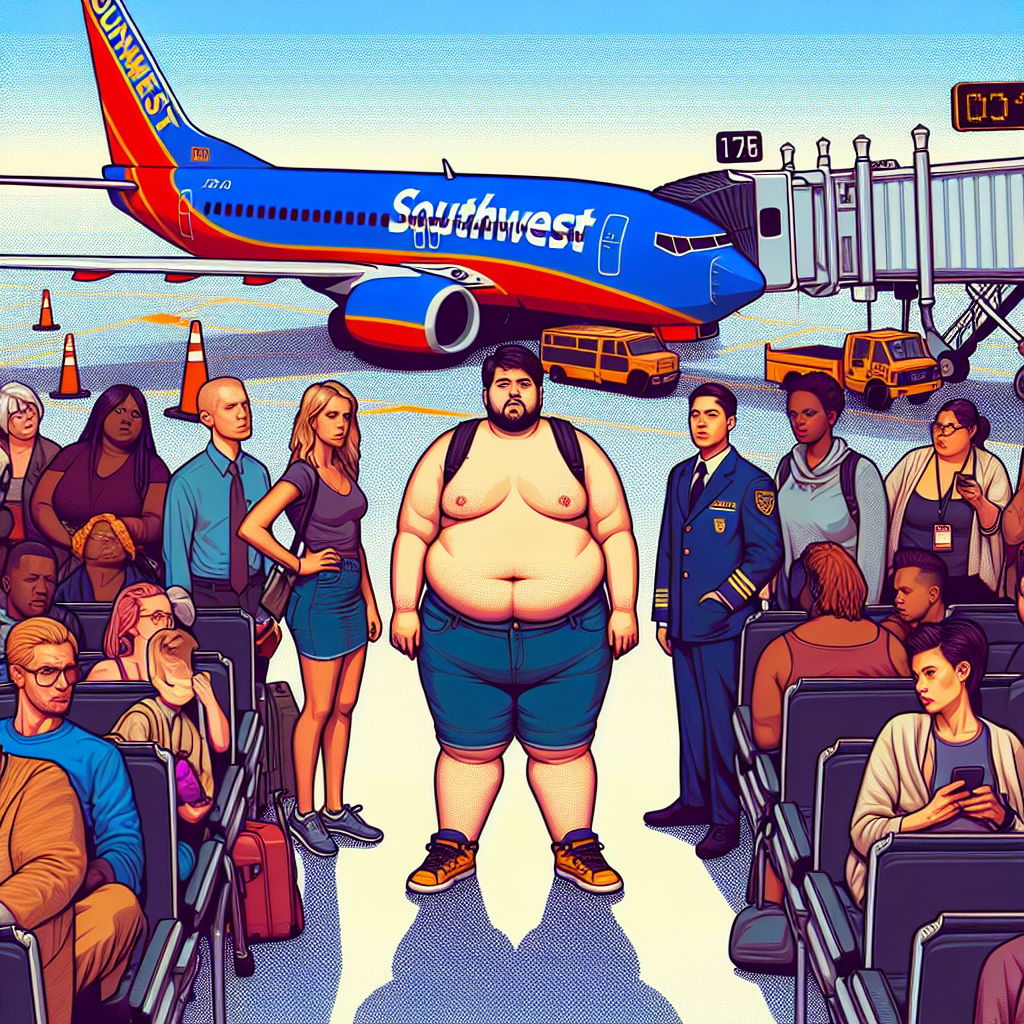
Southwest Airlines has built a brand on being the friendly, affordable airline that makes travel feel a little easier. Which is why the recent change in its “Customer of Size” policy — requiring travelers who need more than one seat to buy the adjacent seat at booking rather than relying on a last-minute accommodation — hit so many loyal customers like a gut punch. For some regulars, it isn’t just an inconvenience: it’s a decision that shrinks their ability to travel at all.

Why this feels personal

  • The policy change goes into effect January 27, 2026 — the same day Southwest abandons its decades-old open-seating approach and adopts assigned seats.
  • Under the previous practice, plus-size travelers who needed an extra seat could request one at the gate and often receive a refund afterward if space allowed.
  • Now, travelers who “encroach upon the neighboring seat(s)” are asked to proactively purchase the adjacent seat when booking. Refunds are allowed only if specific conditions are met (the flight had at least one open seat, both seats were in the same fare class, and the passenger requests the refund within 90 days).

That mixture of ambiguity (what exactly counts as “encroaching”) and financial risk (pay now, maybe get money back later) is what’s driving the anger and the sense of betrayal among longtime Southwest customers.

The human impact

  • For some travelers, buying two seats doubles the cost of a trip — suddenly making family visits, medical travel, or business trips unaffordable.
  • The change shifts the burden onto individuals who already face stigma and logistical barriers when they travel.
  • Because refunds depend on the flight’s occupancy at departure, travelers can’t know in advance whether they’ll get their money back. That uncertainty pressures people to either pay upfront or gamble on being rebooked — an untenable choice for many.

You can see why advocacy groups and regular flyers call the move “fatphobic” or discriminatory in practice. Even if the airline frames it as operational fairness (ensuring every passenger has the seat they purchased), the outcome disproportionately affects a marginalized group.

The broader context

This policy isn’t happening in a vacuum. Southwest has been reshaping its product and revenue model throughout 2025–2026:

  • It ended the open-seating tradition and introduced assigned seating.
  • It rolled out new fare tiers and seat types (Standard, Preferred, Extra Legroom).
  • Starting in 2025, Southwest began charging for checked bags on many fares — a major departure from its historic “two free bags” perk.

Those changes reflect a strategic pivot toward the commercial norms of legacy carriers: more segmentation, more ancillary fees, and more ways to upsell. For investors, that can look like maturation and profit optimization; for some customers, it feels like losing the airline’s original promise.

Practical questions the policy raises

  • How will “encroaching” be measured? Southwest refers to the armrest as the boundary and reserves discretion for staff; that leaves room for inconsistent application.
  • What happens if a traveler buys a seat and it’s later assigned to someone else as a standby or reissued? Reports suggest confusion and inconsistent refunds have already surfaced in some cases.
  • Will crews be trained and supported to handle emotionally charged interactions when a passenger is asked to buy an extra seat at the gate or be rebooked?

These are operational details that will determine whether the policy functions as a polite nudge toward fairness or as a recurring source of conflict and exclusion.

Perspectives around the change

  • Supporters say the rule is reasonable: if a passenger truly needs more space, paying for two seats treats them like any other customer who buys multiple seats and prevents disputes over who’s entitled to what.
  • Critics counter that the policy ignores systemic issues — from seat width standards to social stigma — and imposes additional cost and humiliation on people who may already avoid travel because of these barriers.

The airline’s stated intent is to “ensure space” and align policies with assigned seating. But intent and impact are different things, and for people whose mobility and livelihood depend on accessible—and affordable—air travel, the impact is what matters.

What travelers can do now

  • If you or a traveling companion might need an extra seat, consider purchasing it at booking to avoid last-minute gate pressure.
  • Keep documentation and fare class parity if you hope to qualify for a post-travel refund (and request the refund within the stated 90 days).
  • When possible, pick flights with lower expected loads or times that historically have less demand; refunds depend on open seats at departure.

None of these are ideal fixes — they’re stopgap tactics while customers and advocates push for clearer, fairer approaches.

A few fast takeaways

  • Southwest’s policy, effective Jan 27, 2026, requires advance purchase of adjacent seats for passengers who “encroach” on neighboring seats; refunds are limited and conditional.
  • The change coincides with Southwest’s shift to assigned seating and other revenue-driven reforms.
  • The policy creates financial and emotional burdens for plus-size flyers and leaves significant operational ambiguity.

My take

This feels like a classic clash between operational clarity and human dignity. Airlines need clear rules to run safe, predictable operations — but rules should be designed with empathy and equity. Requiring upfront payment for an extra seat is administratively tidy, but when the policy disproportionately reduces access for a vulnerable group, it risks crossing from practical to punitive.

If Southwest wanted to uphold both operational integrity and inclusion, it could publish clear, objective criteria (rather than discretionary ones), offer a straightforward refund guarantee when an airline cancels or reassigns seats, and couple the policy with investments in brighter, wider cabin options over time. Otherwise, the airline may gain short-term predictability while losing the loyalty of travelers who helped define its identity.

Sources


Related update: We recently published an article that expands on this topic: read the latest post.

The Quiet Gesture: Mendoza Dad Stays | Analysis by Brian Moineau

A quiet gesture that said everything: Why Fernando Mendoza’s dad stayed seated during the CFP title night

There are moments in sports that need no commentary — a single image, a small action, a split-second decision that carries a lifetime of meaning. During Indiana’s College Football Playoff national championship win, while confetti fell and cameras swarmed the field, one simple choice by Fernando Mendoza’s father captured as much attention as any touchdown: he stayed seated beside his wife. For a generation raised on highlight reels and mic’d-up celebrations, that stillness felt like its own kind of celebration.

Why he stayed seated

  • Fernando Mendoza told reporters the decision is deliberate: his father never stands at games so his mother, Elsa — who has lived with multiple sclerosis for many years and now uses a wheelchair — has an unobstructed view.
  • It’s a practical, daily kindness that became a visible symbol during the national championship: a reminder that support can be quiet, consistent, and profoundly public without fanfare. (si.com)

The scene and the stakes

  • The moment came after Indiana’s 27–21 victory over Miami on January 19, 2026, a result that capped a perfect 16–0 season and the program’s first national title.
  • Cameras caught Fernando kneeling to embrace his mother on the field and then hugging his father — the family tableau that followed the final whistle made the simple act of sitting together feel cinematic. Fans and media quickly picked up on the family’s dynamic and the tender reasoning behind it. (people.com)

Why that small choice resonates beyond the stadium

  • It reframes what “being there” means. In a culture that often equates presence with exuberance, Mendoza Sr.’s choice is a reminder that presence can be attentiveness — a daily accommodation born of love and necessity.
  • It humanizes elite athletes. Mendoza’s on‑field heroics are headline material, but the image of a family tending to each other in plain sight helps fans connect on a deeper level.
  • It lifts the conversation about caregiving into view. Multiple sclerosis and other chronic conditions touch millions of families. The Mendoza family’s public gratitude and visible accommodations subtly amplify that reality and the dignity of caregiving. (people.com)

Lessons from one seat in the stands

  • Small habits tell big stories: the things families do every day — trading places, holding hands, staying seated so someone else can see — are powerful narratives when we slow down to notice.
  • Public platforms can humanize private struggles: championship stages and national television gave an intimate family practice a wide audience, and the reaction showed people were hungry for that kind of humanity.
  • Visibility matters: when public figures show the real contours of family life, the conversation about accessibility, accommodation, and caregiving gets a wider, more compassionate hearing.

A few takeaways for fans and fellow humans

  • Actions matter more than spectacle. A quiet, thoughtful gesture can be as meaningful as the loudest celebration.
  • Empathy scales — seeing someone make room (literally) for their loved one invites us all to consider how we make space in our own lives.
  • Celebrations are for everyone. The best moments in sport are those where victory is shared, not staged.

My take

The image of Fernando kneeling with his mom and then embracing his dad — who had been sitting the whole time — felt like a small redemption of what sports are supposed to be about: community and connection. Mendoza’s father didn’t stand to avoid blocking Elsa’s view; he sat to make sure she was included. In a season filled with buzzer-beaters, viral interviews, and Heisman buzz, that quiet choice cut to the core of what makes the Mendoza story stick: family before finish line.

Sources


Related update: We recently published an article that expands on this topic: read the latest post.



Related update: We recently published an article that expands on this topic: read the latest post.
Social Security 2026: Payments Arrive | Analysis by Brian Moineau

When your 2026 Social Security check will hit your account — and why the dates matter

You open your bank app, hold your breath, and wait for that familiar deposit. For millions of Americans, Social Security checks aren’t just a convenience — they’re a predictable, often essential part of monthly budgeting. Good news: the Social Security Administration (SSA) has a steady, predictable schedule for 2026. If you were born on the 1st through the 10th of any month, your benefit will arrive on the second Wednesday of every month.

Below I’ll unpack the calendar, why some people get paid on different days, and a few practical tips to make the schedule work for you.

Quick snapshot you can remember

  • Those born on the 1st–10th: payment arrives the second Wednesday of each month.
  • Those born on the 11th–20th: payment arrives the third Wednesday of each month.
  • Those born on the 21st–31st: payment arrives the fourth Wednesday of each month.
  • Exceptions: people who first received Social Security before May 1997 (and some who receive both Social Security and SSI) generally get Social Security on the 3rd of the month; SSI benefits are typically paid on the 1st (or the prior business day if the 1st falls on a weekend/holiday).

(These are the official rules the SSA uses for the 2026 calendar.) (ssa.gov)

Why the schedule looks like this

  • Historically, Social Security payments were issued on the 1st of each month. In 1997 the SSA changed the schedule to spread deposits across the month and reduce processing and banking congestion.
  • The birthday-based Wednesday schedule simplifies processing: three main payment windows each month (second, third, fourth Wednesday) cover nearly all retirement, disability, and survivor beneficiaries. (ssa.gov)

What to watch for in January 2026 and holidays

  • Because of the COLA timing and New Year’s Day, some SSI and early-January payments are adjusted. For example, SSI’s January payment is often issued at the end of December when January 1 falls on a holiday. The SSA also applies the 2026 cost-of-living adjustment (COLA) starting with January 2026 benefits. (ssa.gov)

Practical tips for beneficiaries

  • Check your birth-date group and mark the corresponding Wednesday each month on your calendar so you know when to expect funds.
  • If you get both Social Security and SSI, note that SSI usually arrives on the 1st and Social Security may follow the 3rd-of-the-month rule if you started benefits before May 1997. Plan for those separate dates. (archive.ph)
  • Sign up for a my Social Security account at ssa.gov/myaccount to see personalized notices, COLA letters, and to confirm direct deposit info — especially useful if you travel or worry about mailed notices. (ssa.gov)
  • If a scheduled date falls on a weekend or federal holiday, payments are generally issued on the prior business day. That means you may sometimes see your money a day or two earlier. (money.com)

A few calendar specifics (examples from 2026)

  • January 2026 deposits (typical pattern): Jan. 14 (born 1–10), Jan. 21 (born 11–20), Jan. 28 (born 21–31). SSI payments tied to January may appear Dec. 31, 2025, because Jan. 1 is a holiday. (archive.ph)

Why this still matters beyond convenience

  • For many retirees, survivors, and disabled beneficiaries, Social Security is a primary income source. Knowing exact deposit timing helps with rent/mortgage planning, prescription and medical bills, and avoiding late fees.
  • The 2026 2.8% COLA gives beneficiaries a modest bump, but timing matters: if a payment date shifts because of holidays you may need short-term adjustments to cash flow even with the increase. (ssa.gov)

My take

The SSA’s schedule may sound bureaucratic, but it’s quietly practical: spreading payments across three Wednesdays reduces bottlenecks and keeps deposits predictable. If you rely on these funds, a little calendar work now — marking your “your Wednesday” and setting up online alerts — can remove a lot of month-to-month stress.

Sources


Related update: We recently published an article that expands on this topic: read the latest post.

Tales of Xillia Remastered: Smooth Return | Analysis by Brian Moineau

Tales of Xillia Remastered: A Comfortable Return to Rieze Maxia

When a game you loved on an older platform reappears on modern systems, the question is rarely “should it be released?” and more often “how should it be released?” Tales of Xillia Remastered answers that with a pragmatic, player-first approach: keep the heart of the 2011 classic intact, polish the rough edges, and add conveniences that make a 50+-hour JRPG feel less like a relic and more like a ready-to-play favorite.

This remaster isn’t trying to reinvent the wheel. Instead, it smooths the bumps—auto-save, waypoint markers, skippable cutscenes, easier access to the Grade Shop—so both veterans revisiting Jude and Milla and newcomers discovering them for the first time can focus on what matters: characters, combat, and story.

What makes the remaster click

  • The Dual Raid Linear Motion Battle System still hums: combat remains responsive, action-oriented, and satisfying to tame.
  • Quality-of-life (QoL) upgrades remove friction: modern features like auto-save and better mini-map usability let you slip into the game without fighting legacy UI.
  • The character-driven narrative and skits retain the series’ charm: Xillia’s cast is the remaster’s emotional engine, and their interactions still land.

Why this remaster feels “right” now

Tales of Xillia arrived originally on PS3 (2011 in Japan, 2013 internationally) and some of its systems aged alongside the platform. With the Remastered release (October 31, 2025), Bandai Namco wrapped in the game’s original DLC, improved visuals and performance options, and sensible QoL features that reflect modern JRPG expectations. That makes Xillia accessible in ways the PS3 release could never be for today’s players—no awkward backwards-compatibility gymnastics required.

A quick tour of the good stuff

  • Combat: Tight, fast, and still the highlight. The real‑time party synergy and combo systems hold up, and the remaster doesn’t mess with what works.
  • Accessibility: Options to disable random encounters, add waypoint markers, and skip cutscenes let you pace the game how you like—important for a long, story-heavy JRPG.
  • DLC and extras: Including previously released costumes and items in the package gives fans the complete experience without hunting legacy content.
  • Visual/performance upgrades: Cleaner visuals, smoother framerates, and modern platform support make exploration more pleasant.

Where the Remaster still shows its age

  • Some systems weren’t thoroughly modernized: certain map and menu systems remain clunky, and the pleasure of “shopping around” is diminished when store browsing is overly streamlined.
  • Titles feel depersonalized: shifting character titles into generic, achievement-like items loses some of the personality and narrative flavor they had in earlier Tales games.
  • Design quirks persist: a few dungeons and the mascot character Teepo still divide opinion and remind you the core design choices are original, not reimagined.

The bigger picture: remasters, preservation, and limits

Remastering a decade-old JRPG is rarely simple. Developers sometimes must hunt for source code and assets scattered across studios or lost to time—Bandai Namco has admitted the process can be messy. The Tales Remaster Project has prioritized titles that are quicker to bring forward, which explains why Xillia landed now rather than as part of a full chronological reissue. That pragmatic approach yields accessible releases more often, though it can mean some old limitations remain.

There have also been practical release hiccups: some physical editions (notably an Xbox physical edition) ran into last-minute cancellations in certain regions, underscoring real-world distribution constraints even as the digital remaster reaches multiple platforms. These issues don’t change the product itself, but they shape availability and fan sentiment around a nostalgic relaunch.

What fans and newcomers should expect

  • Veterans: A smoother replay with flexible difficulty and save options. Bring your knowledge of the story and combat, but leave time saved for exploration if you want the full emotional beats.
  • New players: An approachable entry to the Tales series—especially since the remaster bundles the original’s strongest elements with modern niceties and the DLC extras.
  • Completionists: Expect familiar progression systems; some UX choices (titles, menu layouts) are more streamlined now, which can be a plus or a minus depending on how much you liked old micro‑systems.

Taking stock: the highs and lows in one bite

  • Highs:
    • Faithful combat that still thrills.
    • QoL features that dramatically reduce tedium.
    • A lovable, character-focused story that rewards investment.
  • Lows:
    • A few interfaces and systems feel dated or overly simplified.
    • Some personality in small mechanical touches (like character titles) was lost.
    • Distribution hiccups affected physical availability in certain markets.

My take

Tales of Xillia Remastered smartly balances preservation and modernization. It doesn’t rework the game into something it never was; it refines the existing experience so that playing it in 2025 feels natural rather than archaic. If you care about JRPG storytelling, fast-paced party combat, and character chemistry, this is a remaster that respects the original while inviting new players in. It’s not flawless, but it’s a considerate and welcome next life for a solid entry in the series.

Sources


Related update: We recently published an article that expands on this topic: read the latest post.

Related update: We recently published an article that expands on this topic: read the latest post.


Related update: We recently published an article that expands on this topic: read the latest post.

$30 AI Smart Glasses Bring Instant | Analysis by Brian Moineau

A $30 Pair of AI Smart Glasses? Why Everyone’s Talking About Amazon’s Holiday Deal

Imagine handing someone a pair of glasses that can answer questions, take calls, and — yes — translate a conversation in real time, all for less than the price of a dinner out. That’s the hook behind a recent Amazon deal: the Mnvoeq AI Smart Glasses dropped to about $30, and shoppers are excited — especially about one line in TheStreet’s coverage: “The translation feature is fast and accurate.”

Why this feels like a holiday-morning tech moment

We’re in the middle of a broader wearables moment. Companies from Meta to niche brands have been pushing smart glasses as the next everyday device — not just flashy prototypes but tools for travel, hands-free work, and accessibility. Historically, the barrier has been price and polish: premium options with polished AI features cost hundreds. Seeing translation-capable glasses appear at a $30 price point feels like the beginning of democratisation — or, depending on how you look at it, a test of how much capability you can cram into a budget product.

What the deal actually offers

  • Product: Mnvoeq AI Smart Glasses (as featured in TheStreet’s deals coverage).
  • Price point in the article: $30 (advertised as 50% off a $60 regular price).
  • Noted strengths: hands-free calling, Bluetooth integration, built-in speakers and mic, and a real-time translation feature described by at least one shopper as “fast and accurate.”
  • Reality check: budget smart glasses often trade build quality, battery life, and the depth of on-device AI for affordability. The translation claim is promising, but performance can vary by language pair, background noise, and whether the work is cloud-assisted or purely on-device.

What “fast and accurate” translation usually means (and what to watch for)

  • Fast: near real-time speech-to-speech or speech-to-text turnaround with low latency. Many modern translation stacks stream audio to the cloud, process it, and return results quickly — but that requires reliable connectivity.
  • Accurate: correct grammar and context-aware phrasing. Accuracy tends to be higher for common language pairs (like English–Spanish) and can drop with rare languages, heavy accents, or idiomatic speech.
  • Caveats for budget wearables:
    • Microphone quality and ambient noise suppression matter more than the translation model itself.
    • If translation is done in the cloud, performance hinges on network speed and the vendor’s translation tech.
    • Firmware and app support determine how polished the user experience is (how you switch languages, whether you get transcripts, etc.).

Why this deal matters beyond the price tag

  • Accessibility: affordable translation helps travelers, families, and people connecting across languages — lowering a real-world communication barrier.
  • Experimentation: low-cost devices let more people experiment with wearable AI, which speeds feedback and iteration for the category.
  • Market pressure: when inexpensive models add features like real-time translation, it nudges larger players to improve value or add features to premium devices.

Who should buy — and who should hold off

  • Good fit:
    • Gift-givers looking for a fun, tech-forward stocking stuffer.
    • Tinkerers who enjoy testing emerging gadgets and don’t expect flagship performance.
    • Travelers on a tight budget who want a taste of hands-free translation.
  • Probably skip if:
    • You need reliable, professional-grade translation (interpreters, business-critical use).
    • You care deeply about long battery life, premium audio, or camera quality.
    • You want long-term software updates and strong customer support (those are rarer on bargain wearables).

My take

A $30 smart-glasses deal is headline-grabbing for good reason. The line about translation being “fast and accurate” is enticing — and for casual use it may well be true. But buyers should treat this as a delightful experiment more than a replacement for professional translation services or high-end wearables. If you’re gifting it, frame it as a novelty that can genuinely be useful; if you’re buying for daily, mission-critical use, test it thoroughly (and check return policies).

Final thoughts

Wearables are moving fast from novelty to utility, and cheap AI-enabled glasses are part of that shift. Deals like this one make the tech accessible and spark curiosity — and that’s how mainstream adoption begins. Expect some trade-offs at this price, but also a surprising number of delightful moments (like having a quick translation on the fly) that make the device feel like a glimpse of the near future.

Sources


Related update: We recently published an article that expands on this topic: read the latest post.


Related update: We recently published an article that expands on this topic: read the latest post.

Android 16: Practical Upgrades for Pixel | Analysis by Brian Moineau

Don’t ditch your Android just yet: why Android 16 gives Pixel and Galaxy owners plenty to cheer about

You know that nervous tingle you get when a new phone OS drops and you start imagining your device exploding into feature-packed life — or, let’s be honest, getting bricked? Android 16 is that update that actually leans toward making daily life easier and safer: urgent-call tags that stop you from ignoring a truly important call, new scam-check workflows that help you verify sketchy messages in the moment, Chrome tab pinning so your “must-return” pages survive battery drains, and a pile of other niceties that matter more than flashy camera bragging rights.

This isn’t just a polish release. Between security guardrails, smart UI tweaks, and deeper collaboration with Samsung, Android 16 nudges the platform into a space where staying with a Pixel or a Galaxy actually feels like a strategic choice — not just brand loyalty.

What changed and why it matters

  • Urgent call indicator (Call Reason)
    • You can mark outgoing calls as “urgent”; the recipient sees an indicator on the incoming screen and in call history if missed. It’s a tiny communication upgrade that can save you a lot of follow-up texts and missed opportunities.
  • Scam protection and on-call safety
    • Android 16 expands protections that block risky actions during calls (like sideloading or granting accessibility access to unknown apps) and surfaces warnings when a screen-sharing or banking action looks suspicious. Circle-to-Search can summarize whether a message or link looks like a scam, right where you’re reading it.
  • Chrome tab pinning on mobile
    • Pin a tab so it stays at the front of your tab strip — even after closing the browser. That’s the desktop behavior many of us missed on phones.
  • Expressive captions and notification summaries
    • Real-time captions gain context markers (cheers, applause) and emotional tags; AI notification summaries compress long group chats or message threads into digestible snippets.
  • Deeper Samsung collaboration and desktop windowing
    • Google worked closely with Samsung on a desktop/windowed experience (building on DeX), pushing Android toward being a real laptop replacement for some workflows.
  • Advanced Protection and security polish
    • Android 16 makes it easier to enable Google’s strongest protections, bundling anti-phishing and app-safety measures into a simpler flow.

Why Pixel and Samsung benefit most

  • Speed of rollout and update control
    • Pixels get updates first, and some features debut on Google’s Phone/Gboard/Chrome apps where Google can iterate faster. Samsung’s close collaboration with Google (and its existing DeX work) means many of Android 16’s big productivity bits land on Galaxy devices quickly and work well with Samsung’s hardware features.
  • Ecosystem and feature integration
    • Features like Call Reason rely on Google’s Phone app ecosystem; notification summaries and Circle-to-Search tie into Google’s AI services. Pixel owners get first dibs, while Galaxy owners benefit from Samsung’s polish on large-screen and multiwindow features.
  • Security and enterprise readiness
    • The Advanced Protection toggle and on-call safeguards make Android a safer place for executives, journalists, and anyone worried about targeted scams — and vendors that move quickly to adopt these features look better for security-conscious buyers.

Real-world wins (and a few caveats)

  • Wins
    • Practical safety: preventing a scammer from tricking you into side-loading malware while on a call is the kind of improvement you’ll appreciate the moment you need it.
    • Less friction: pinning tabs and compressed chat summaries reduce cognitive load for frequent multitaskers and people who use phones for work.
    • Accessibility and creative tools: expressive captions and camera/coding improvements make devices more useful for creators and people who rely on captions.
  • Caveats
    • Fragmentation still exists: not every Android maker will ship every Google-led feature immediately. Carrier deployments, OEM skins, and regional testing mean your timeline may vary.
    • Early rollouts can be bumpy: like many large OS updates, user reports have shown a mix of smooth upgrades and some bugs on specific devices. Expect patches and minor follow-ups after the initial release.
    • Feature parity: some features require Google apps or specific hardware; cross-brand parity depends on app updates and partner agreements.

A closer look at the scam and call protections

Android 16’s approach to security is practical and context-aware. It doesn’t just add a checkbox — it changes how the phone intervenes:

  • It blocks high-risk actions during suspicious calls (e.g., granting accessibility permissions, sideloading apps from untrusted sources).
  • It warns users when a banking app is opened while screen-sharing, giving a quick “end call” option.
  • Circle-to-Search gives immediate, AI-assisted context when you highlight content that looks fishy, helping you decide whether to trust a link or message.

That combination is the sort of thing that protects everyday users from social-engineering and gives security-minded users more confidence in their phone’s baseline safety.

Who should feel most reassured

  • People who use their phones for sensitive work (journalists, lawyers, executives).
  • Anyone who handles frequent logistics by phone and hates endless follow-up texts (the urgent-call tag helps here).
  • Multitaskers and mobile workers who treat their phone like a mini-laptop and will actually use pinned tabs and desktop windowing.
  • Users who appreciate Google’s AI features in Messaging, Chrome, and accessibility tools.

A short comparison with Apple’s approach

Apple focuses on tight hardware-software control and a closed ecosystem; Google is trying to get the best of both worlds — broad device compatibility with consistent, Google-led features where it counts. Android 16 signals Google doubling down on making core experiences (security, calling, AI summaries) less dependent on OEM fragmentation. If this succeeds, Android can offer the kind of uniform enhancements that historically made iPhone owners feel safe choosing Apple.

My take

Android 16 isn’t about flashy headlines — it’s about smoothing the everyday. Those small quality-of-life and security improvements compound: fewer missed urgent calls, fewer successful scams, fewer tab-hunting headaches. For users who prioritize timely updates, integrated AI tools, and strong on-device protections, staying with a Pixel or choosing a Samsung Galaxy with a good update record makes a lot of sense right now.

The real test will be how quickly OEMs besides Samsung adopt Google’s improvements across core apps and how fast Google ships follow-up patches for early issues. But if you’re on the fence about upgrading your hardware or staying in the Android camp, Android 16 gives you legitimate reasons to stick with Pixel or Galaxy — at least for another upgrade cycle.

What to watch next

  • OEM and carrier rollout schedules for your specific device.
  • Follow-up patches addressing early bugs in the Phone app and other core apps.
  • Whether Samsung and other OEMs fully adopt Google’s AI notification summaries and scam-check workflows.

Final thoughts

Android 16 is a pragmatic upgrade: not a revolution, but a thoughtful set of improvements that nudge daily phone use toward being safer, smarter, and less annoying. If you value security and productivity features that actually help in sticky moments, this update makes a strong case for staying with devices that get Google’s features and updates first — especially Pixel and Samsung Galaxy phones.

Sources


Related update: We recently published an article that expands on this topic: read the latest post.

Essential Android Apps for Non‑Tech Users | Analysis by Brian Moineau

When the default just isn’t good enough: 12 Android apps I tell non-techies to try

Preinstalled apps are convenient. They’re ready the moment you unbox a phone and usually “just work.” But convenience isn’t the same as clarity, control, or comfort — especially for people who prefer simplicity over tinkering. I read Andy Walker’s recent roundup at Android Authority and pulled together a friendly, practical take geared toward helping non-technical users (and the people who help them) get more usable, secure, and accessible phones without turning setup into a weekend project.

Why swap the defaults?

  • Phones ship with apps that prioritize broad compatibility and integration — great for basic use, not always great for clarity.
  • Alternatives can improve accessibility (larger fonts, better talkback support), privacy (password managers, 2FA), and day-to-day simplicity (cleaner gallery or browser apps).
  • Many alternative apps require a one-time setup from someone more comfortable with tech, but after that they often “set-and-forget,” which is perfect for non-techies.

Below I summarize the apps Andy recommends, why they matter for non-technical users, and practical tips for getting each one running smoothly.

Apps that make life easier (and why)

  • TeamViewer

    • Why: Remote support without being in the same room. Perfect when you need to fix settings, install apps, or transfer files for a relative.
    • Tip: Install QuickSupport on the phone being helped and the full TeamViewer app on the helper’s device.
  • Vivaldi (browser)

    • Why: Cleaner UI, built-in ad blocking and dark mode — fewer accidental taps and less visual clutter than some preinstalled browsers.
    • Tip: Configure ad‑block and dark mode once, then lock the home page to something familiar for the user.
  • Google Wallet

    • Why: Contactless payments, boarding passes, loyalty cards all in one place — more useful than a lone OEM wallet on many phones. Google also documents accessibility features for Wallet. (support.google.com)
    • Tip: Walk the user through adding one card first and show them how to tap to pay once.
  • Nobook (lightweight Facebook client)

    • Why: A slim, fast alternative to the bloated official Facebook app — less data, fewer ads, simpler feed.
    • Tip: Nobook may be hosted on GitHub/F-Droid; ask a tech-savvy friend to install it the first time.
  • Bitwarden (password manager)

    • Why: Centralizes passwords behind one master password so non-techies don’t reuse weak passwords or get locked out — widely recommended and open source. Reviews from trusted outlets highlight its security and cross-platform ease. (wired.com)
    • Tip: Set up the vault and autofill options yourself, then show the user how to unlock the vault on their phone.
  • Google Authenticator (2FA)

    • Why: Multi-factor authentication is a major security upgrade over passwords alone. Google Authenticator is straightforward and ties into the Google ecosystem.
    • Tip: For recovery, note backup codes or link to an account recovery method so losing the phone doesn’t lock them out.
  • Localsend

    • Why: Fast local transfers over Wi‑Fi without cloud uploads — great for sharing large videos at family gatherings.
    • Tip: Install on both devices and demonstrate a quick “send/accept” transfer so it becomes muscle memory.
  • Google Photos and Google Gallery

    • Why: Photos offers automatic backup and search; Gallery gives a simple, familiar offline view. Together they protect memories without confusing album logic.
    • Tip: Enable backup over Wi‑Fi and show how to find photos from events or dates.
  • Tubular (YouTube frontend)

    • Why: Ad-light, configurable YouTube experience that avoids accidental ad taps and unnecessary accounts. Good for older users who just want to watch.
    • Tip: Tubular is usually available via F‑Droid; handle the initial install and explain basic playback settings.
  • Files by Google

    • Why: Simple file manager with safe folder and sensible categories — easier than digging through a raw file tree.
    • Tip: Use Files to tidy downloads and move important PDFs into the Safe Folder for extra protection.
  • Gboard (keyboard)

    • Why: Robust autocorrect, swipe typing, and accessibility features that reduce typos and the frustration of small keys. Many OEM keyboards don’t match its polish.
    • Tip: Changing keyboards takes a few steps; assist once and set Gboard as the default.

Practical setup checklist for helpers

  • Back up important data first (photos, contacts). Always.
  • Create or migrate a Google account if needed — many apps rely on it.
  • Install and configure Bitwarden, Authenticator, and Google Wallet for the user; show them how to unlock/use each once.
  • Demonstrate one or two everyday actions (paying with Wallet, accepting a LocalSend file, unlocking Bitwarden) so the new behavior sticks.
  • Explain recovery options: backup codes, trusted contacts, and where they wrote that master password down (not on their phone).

Quick wins for accessibility and simplicity

  • Increase font size and set a simple home screen layout with only the most-used apps.
  • Enable TalkBack or Voice Access for users with visual or motor accessibility needs.
  • Limit auto-updates for apps that break behavior unless you manage their device remotely.

What to remember

  • Defaults are fine for many people — but small alternatives can fix big annoyances (ads, confusing menus, missing accessibility).
  • A one-time guided setup is often all it takes to give a non-tech user a calmer, safer phone experience.
  • Security apps (password manager + 2FA) offer the largest long-term benefit for minimal ongoing effort.

My take

If you help someone with a phone even once a year, spending an hour to replace a handful of default apps is time well spent. The payoff isn’t novelty; it’s fewer calls saying “I accidentally tapped an ad,” fewer password resets, and fewer lost photos. Start with Bitwarden + a simple authenticator, make sure photos are backed up, and choose one interface-improving app (Gboard or Vivaldi) to reduce daily friction. That small bundle will make the device more understandable and much less stressful for non-tech users.

Sources


Related update: We recently published an article that expands on this topic: read the latest post.

A Budget Quasi-Direct-Drive Motor Inpired By MIT’s Mini Cheetah – Hackaday | Analysis by Brian Moineau

A Budget Quasi-Direct-Drive Motor Inpired By MIT’s Mini Cheetah - Hackaday | Analysis by Brian Moineau

Title: Tinkering with Innovation: Exploring the Budget-Friendly Quasi-Direct-Drive Motor Inspired by MIT’s Mini Cheetah

When MIT unveils a new piece of technology, the world listens—eager to catch a glimpse of tomorrow’s innovations today. However, when they label something as “low-cost,” it often requires a pinch of salt, especially for the DIY enthusiasts and hobbyists among us. The recent Hackaday article, “A Budget Quasi-Direct-Drive Motor Inspired by MIT’s Mini Cheetah,” dives into this very conundrum, offering a fascinating look at how cutting-edge ideas can traverse from the ivory towers of academia to the cluttered workbenches of home hobbyists.

The Mini Cheetah’s Legacy


The Mini Cheetah, developed by MIT, is a marvel of robotics engineering—a nimble, four-legged robot that dances and flips with the grace of a mechanical gymnast. It’s been a source of inspiration for many, including the ambitious [Caden Kraft], who sought to democratize a piece of its technology: the quasi-direct-drive motor. But what exactly does “low-cost” mean in this context?

For MIT, low-cost might still stretch the budget for the average tinkerer. However, Kraft’s interpretation of affordability is a refreshing take, bridging the gap between high-tech innovation and practical accessibility. His work is a testament to the growing trend of making advanced technology available to the masses, a movement reminiscent of the open-source software revolution.

A Parallel in the Tech World


The drive to make technology more accessible is not new. We’ve seen similar trends with the Raspberry Pi, a low-cost, high-performance computer that’s found its way into classrooms, labs, and hobbyist projects around the world. Just as the Raspberry Pi has empowered individuals to explore computing and electronics without breaking the bank, Kraft’s initiative opens doors for aspiring roboticists and engineers to experiment with sophisticated motor designs.

The Broader Impact


This democratization of technology is happening at a critical time. As the world faces challenges like climate change and resource scarcity, empowering more people to innovate can lead to solutions that might otherwise remain undiscovered. Affordable technology can inspire a new generation of problem solvers who approach these global issues with fresh perspectives.

Moreover, the significance of these affordable innovations extends beyond individual projects. They can inspire educational advancements, enabling schools to provide hands-on learning experiences without the prohibitive costs often associated with high-tech equipment. Imagine a future where every high school has its own robotics club, building machines that can compete with the likes of MIT’s creations.

Final Thoughts


The journey from an MIT lab to a garage workshop is not just a physical one; it’s a shift in mindset. Innovations like the quasi-direct-drive motor highlight the importance of making technology accessible to all, fostering a culture where anyone with curiosity and determination can become an inventor.

As we continue to explore the intersection of high-tech and DIY, it’s crucial to support initiatives that break down barriers to entry. Whether it’s through open-source projects, educational outreach, or simply sharing knowledge, the more we democratize technology, the brighter our collective future becomes.

So here’s to the tinkerers, the dreamers, and the DIY pioneers—may your workbenches be ever cluttered, and your creations forever inspire.

Read more about AI in Business

Read more about Latest Sports Trends

Read more about Technology Innovations

No Deposit Casino 2025: Uptown Aces Launches No Deposit Bonus – GlobeNewswire | Analysis by Brian Moineau

No Deposit Casino 2025: Uptown Aces Launches No Deposit Bonus - GlobeNewswire | Analysis by Brian Moineau

Rolling the Dice: Uptown Aces' No Deposit Bonus Revolution in 2025

Ladies and gentlemen, gather 'round! The digital dice are rolling, and the slots are spinning with an electrifying buzz. Uptown Aces has just thrown down the gauntlet in the online casino world with their latest no deposit bonus, setting the stage for a thrilling 2025 for gaming enthusiasts everywhere. For those new to the scene, this means you can dive into the virtual pool of gaming possibilities without reaching into your own pocket first. Now, isn’t that a tempting proposition?

In the ever-evolving landscape of online entertainment, where everything from movies to groceries is just a click away, the gaming industry is not one to be left behind. Uptown Aces' latest move isn’t just about enticing new players—it's a reflection of a broader trend towards accessibility and inclusivity in digital entertainment. No longer do you need a hefty bankroll to enjoy the adrenaline-pumping excitement of a casino; Uptown Aces is leveling the playing field.

The Bigger Picture: Tech and Gaming


This initiative by Uptown Aces is part of a larger narrative where technology and entertainment continue to intermingle. In recent years, we've seen the rise of subscription services and free-to-play models in gaming that rely on microtransactions rather than upfront payments. Look at platforms like Fortnite or League of Legends, which have mastered the art of offering free access while monetizing through other means. Uptown Aces' no deposit bonus is a nod to this model, offering a taste of the action without initial financial commitment.

Moreover, this move aligns with the global trend of enhancing user experience. Take, for instance, Netflix's strategy to allow users to sample content before subscribing, or Spotify’s free tier offering. In a world where consumers are inundated with choices, a no deposit bonus stands as an inviting "try before you buy" option, which could potentially reel in a loyal customer base.

A World of Possibilities


Beyond just gaming, such strategies can be seen in various sectors aiming to capture the attention of the digital-age consumer. In the travel industry, for instance, virtual reality tours are becoming increasingly popular, offering potential travelers a glimpse of their destinations before they book a trip. Similarly, the fashion industry is utilizing augmented reality to let customers “try on” clothes virtually.

Uptown Aces is riding this wave of innovation. By lowering the barrier to entry, they're not just inviting players to try their luck but also encouraging them to explore the vast, vibrant world of online gaming. It's a smart move that taps into the curiosity of potential gamers and could very well set a precedent for other online casinos.

Final Thoughts


As we stand on the precipice of 2025, Uptown Aces' no deposit bonus is a testament to the dynamic nature of the digital entertainment industry. It’s a strategic blend of risk and reward, much like the games they offer. As players across the globe log in to explore this new offering, one can't help but wonder what other innovative tactics will emerge in the quest to captivate and engage audiences.

So, whether you're a seasoned pro or a curious newbie, it's time to roll the dice and see what Uptown Aces has in store. After all, in the world of online gaming, fortune favors the bold—and sometimes, those who dare to play for free.

Read more about AI in Business

Read more about Latest Sports Trends

Read more about Technology Innovations

Harvest Moon: Home Sweet Home Special Edition announced for PS5, Xbox Series, Switch, and PC – Gematsu | Analysis by Brian Moineau

Harvest Moon: Home Sweet Home Special Edition announced for PS5, Xbox Series, Switch, and PC - Gematsu | Analysis by Brian Moineau

Harvest Moon: Home Sweet Home Special Edition – Bringing Cozy Nostalgia to Modern Consoles


In a delightful announcement that has left fans of farming simulators buzzing with excitement, Natsume has unveiled the upcoming release of "Harvest Moon: Home Sweet Home Special Edition." This beloved series, which has been a staple for cozy gaming enthusiasts since the mid-'90s, is set to make its grand return on the PlayStation 5, Xbox Series, Switch, and PC (via Steam) in 2025. As we eagerly anticipate the release of this special edition, it's a perfect moment to reflect on how this series has captured the hearts of gamers and how it fits into the broader tapestry of current gaming trends.

A Stroll Down Memory Lane


For those unfamiliar with Harvest Moon, it's a series that lets players step into the boots of a farmer, managing crops, livestock, and relationships in a quaint rural setting. With its roots tracing back to the Super Nintendo Entertainment System (SNES), Harvest Moon has consistently provided a soothing escape from the hustle and bustle of modern life. It's a game that emphasizes the simple joys of tending to a farm, nurturing friendships, and celebrating the changing seasons. This special edition promises to bring that classic charm to our high-definition screens, enhanced with modern graphics and new content.

The Rise of Cozy Gaming


The announcement of "Harvest Moon: Home Sweet Home Special Edition" taps into a growing trend in the gaming world: the rise of cozy gaming. In recent years, titles like "Animal Crossing: New Horizons" and "Stardew Valley" have soared in popularity, offering players a tranquil space to unwind and explore at their own pace. Amid global uncertainty and fast-paced lifestyles, cozy games provide a much-needed respite, allowing players to immerse themselves in worlds that value tranquility and creativity.

Harvest Moon's return to modern consoles is a testament to the enduring appeal of such experiences. It also highlights the gaming industry's recognition of diverse player preferences, with developers catering to audiences seeking both adrenaline-pumping action and serene, contemplative gameplay.

A Nostalgic Connection in a Modern Era


This upcoming release also serves as a nostalgic bridge between generations of gamers. Many players who grew up with the original Harvest Moon games are now introducing their children to the series, fostering a shared appreciation for its timeless charm. It's a reminder of how gaming can be a bonding experience, transcending age and time.

Moreover, Natsume's decision to bring the game to multiple platforms, including next-gen consoles and PC, reflects the industry's broader move towards inclusivity and accessibility. By making the game available on various systems, Natsume ensures that a wide audience can experience the joy of farm life, regardless of their preferred gaming device.

The Broader Picture


In a world that often feels increasingly complex and chaotic, the simple, rewarding loop of planting seeds and watching them grow holds a comforting allure. As we look forward to 2025, the release of "Harvest Moon: Home Sweet Home Special Edition" seems like a promise of calm amidst the storm—a reminder that sometimes, the most fulfilling journey is the one that takes us back to our roots.

In a similar vein, the resurgence of interest in hobbies like gardening, home cooking, and crafting during the pandemic reflects a collective yearning for simplicity and connection with nature. Harvest Moon, with its emphasis on these very themes, is perfectly poised to resonate with a world eager to rediscover the joy of life's little pleasures.

Final Thought


As we await the launch of "Harvest Moon: Home Sweet Home Special Edition," there's a sense of anticipation not just for the game itself, but for what it represents—a return to simplicity, a celebration of nostalgia, and a gentle reminder to cultivate joy in our everyday lives. Whether you're a veteran farmer or a newcomer to the series, this release promises an experience that is both heartwarming and refreshingly serene. Here's to cozy nights spent tending virtual fields and forging friendships, one pixel at a time.

Read more about AI in Business

Read more about Latest Sports Trends

Read more about Technology Innovations

This new AI voice demo will blow your mind – BGR | Analysis by Brian Moineau

This new AI voice demo will blow your mind - BGR | Analysis by Brian Moineau

**Title: Sesame’s New AI Voice Model: A Symphony of Innovation**

The digital landscape is abuzz with excitement, and the conductor of this new symphony is none other than Sesame, an AI powerhouse that’s orchestrating a revolution in voice technology. The latest composition? A groundbreaking AI voice model that promises to redefine our interactions with machines.

Imagine a world where the disembodied, monotonous voices of yesteryear are replaced by vibrant, lifelike tones that could pass for human. We’re talking about a leap from robotic to relatable, and Sesame’s innovation is at the heart of this transformation. With its new AI voice model, the company is setting a new gold standard, and the implications are as vast as they are exhilarating.

**Unveiling the Voice of Tomorrow**

What makes Sesame’s voice model so mind-blowing? It’s the uncanny ability to replicate human inflections, emotions, and nuances. This isn’t just about sounding human; it’s about feeling human. The model can capture the subtleties of a chuckle, the warmth of a friendly greeting, or the urgency in a cry for help. It’s like giving Siri or Alexa a soul, one that understands context and responds with empathy.

In the broader context of AI development, this innovation is akin to giving sight to the blind or hearing to the deaf. It opens up avenues for more inclusive and accessible technology, something that’s been a focal point for tech giants worldwide. Google, for instance, has been working on Project Euphonia to make speech recognition more accessible to people with speech impairments. Sesame’s AI voice model aligns with such initiatives, potentially bridging the gap between humans and technology even further.

**Echoes Across the Globe**

Sesame’s remarkable advancement doesn’t exist in a vacuum. It echoes the global push towards enhanced AI capabilities. From OpenAI’s GPT models that can write poetry to DeepMind’s AlphaFold solving the protein folding problem, the AI narrative is one of relentless progress.

But why stop at voice? As AI continues to evolve, we’re witnessing its integration into areas like healthcare, with AI-driven diagnostic tools, and into the arts, where AI creates music and visual art. The democratization of technology is happening right before our eyes, and it’s innovations like Sesame’s voice model that are setting the tempo.

Furthermore, the timing couldn’t be more pertinent. In a world that’s increasingly digital, where remote work and virtual interactions have become the norm, having a more human-like AI voice is not just a novelty—it’s a necessity. It’s about forging genuine connections in an age where physical presence is often replaced by virtual interaction.

**A Final Thought: The Harmony of Human and Machine**

As we stand on the precipice of this new technological era, it’s essential to consider the ethical implications. While a more human-like AI voice can enhance user experience, it also raises questions about authenticity and trust. How do we ensure that these voices are used ethically and not for deception?

In conclusion, Sesame’s new AI voice model is not just a technological marvel; it’s a testament to the boundless possibilities of innovation. It’s a reminder that, with each new development, we’re not just advancing technology—we’re redefining the very essence of communication. As we continue to blend the lines between human and machine, one can only imagine what the next note in this symphony of innovation will be.

So, dear reader, as you listen to the future unfold, remember that the journey is as important as the destination, and in this case, it’s a journey filled with the harmonious blend of human ingenuity and artificial intelligence.

Read more about AI in Business

Read more about Latest Sports Trends

Read more about Technology Innovations