
When Crunchyroll Goes Dark: Why outages feel worse than ever — and what to do about them
It’s Sunday night. You settle in for the latest episode, hit Play — and the wheel of buffering becomes the main character. On February 22, 2026 thousands of Crunchyroll viewers across the U.S. and beyond reported exactly that: login errors, “server not responding,” lost premium status, and interrupted episodes. For anyone who treats anime streaming like a weekend ritual, a platform-wide hiccup turns into a collective grievance and a frantic scroll through X and Reddit for answers.
Below I unpack what happened, why a single outage ripples so widely today, quick fixes that actually help, and what streaming services should be doing differently to avoid repeat meltdowns.
Quick summary: what happened
- On February 22, 2026 thousands of users reported Crunchyroll problems, including streaming failures, site/app errors, and login/ subscription glitches. Downdetector activity spiked and social channels filled with frustrated posts. (hindustantimes.com)
At a glance (key points to remember)
- Outage signals were mostly connection and playback failures — not immediate reports of a data breach or account compromise. (hindustantimes.com)
- The official Crunchyroll status page initially showed services “running,” even as user reports surged — a frequent source of friction when users can see a different reality than the company’s public dashboard. (hindustantimes.com)
- Community troubleshooting (restarts, clearing cache, disabling extensions, test on other devices) often resolves or narrows the problem for individual users. Many reported success after these steps. (reddit.com)
Why outages like this feel so catastrophic now
- Streaming is synchronous: millions expect to watch the same content on demand. When the service falters, that expectation turns into immediate, visible outrage on social platforms.
- Complexity of modern stacks: streaming platforms rely on CDN providers, authentication services, DRM, app stores, and account-billing systems. A failure in any of these layers — or in how they communicate — can look like the whole service is down.
- Status-page mismatch: when users see outages but the official status page shows “all clear,” trust erodes quickly. Transparency during incidents matters as much as the fix itself. (hindustantimes.com)
Practical steps if Crunchyroll (or any streaming app) stops working
Try these in order — they’re the fastest ways to get back to your show.
- Check outage trackers and social channels first:
- Downdetector and subreddit/X threads will tell you if the issue is widespread. If reports are spiking, it’s likely a platform-side problem. (hindustantimes.com)
- Basic local troubleshooting:
- Force-close and relaunch the app or browser.
- Log out and sign back in.
- Clear browser cache/cookies or app cache (settings → storage).
- Reboot the device (TV, Roku, Fire TV, console, phone).
- If watching on web, disable browser extensions (adblockers, Tampermonkey) — some users found extensions caused site failures. (reddit.com)
- Network troubleshooting:
- Switch from Wi‑Fi to a wired connection if possible.
- Restart your router/modem.
- Try a different network (mobile hotspot) to rule out ISP issues.
- Lower the stream quality temporarily (auto → 720p or below) to reduce buffering.
- Check account status:
- If the app claims your subscription is gone, log in on the website and confirm billing/account settings before panicking. Some users reported temporary “not premium” messages during the outage. (hindustantimes.com)
- If nothing works:
- Monitor official Crunchyroll channels for updates and wait it out — many outages are resolved within hours.
- Contact support with timestamps, error messages, and device details if the problem persists.
Why these outages keep happening (system-level view)
- CDN or edge outages: a misconfiguration or provider incident can prevent video segments from reaching users.
- Authentication/session issues: if the login or subscription verification layer struggles, users may be kicked out or shown incorrect subscription status.
- App regressions or bad releases: an update to apps (mobile, smart TV) that contains a bug can trigger mass failures. Reddit reports of “an app update released then problems started” are common signals. (reddit.com)
- Infrastructure scale: spikes in traffic or poorly handled retries can cascade into rate-limiting or API timeouts.
What platforms should do differently
- Improve incident transparency:
- Publish real-time telemetry (even coarse) and honest timelines on status pages. Users tolerate outages if they know what’s happening and when to expect a fix. (hindustantimes.com)
- Harden authentication and subscription checks:
- Cache short-lived subscription validations so temporary API hiccups don’t drop users to “non-premium” states.
- Stronger canarying of updates:
- Roll out client updates gradually and watch canary metrics closely to halt a bad release before it affects millions.
- Multi-CDN strategy:
- Distribute load across providers so a localized CDN failure doesn’t take the whole service offline.
- Better tooling for customer-facing messages:
- Provide contextual messages in-app (e.g., “We’re aware of playback errors in your region. Working on a fix.”) rather than generic errors.
My take
Outages are inevitable; the question is how you respond. For viewers, a few device-level tricks and the patience to check outage trackers usually get you back online. For platforms, reliability is an operational product — it needs the same energy and transparency that goes into securing content licenses and rolling out new features. When the status page says “all systems go” and the community feed says otherwise, trust is the real casualty.
If Crunchyroll — or any streaming service — wants to avoid turning every weekend drop into a PR headache, they should treat incidents as product features: observable, graded, and communicated. Until then, keep a backup episode list, a downloaded episode or two, and maybe a second streaming habit for those inevitable nights when the servers decide to take a break.
Sources
Related update: We recently published an article that expands on this topic: read the latest post.
Related update: We recently published an article that expands on this topic: read the latest post.

Is Microsoft Down? When Outlook and Teams Go Dark — What Happened and Why It Matters
It wasn’t just you. On January 22, 2026, a large swath of Microsoft 365 services — notably Outlook and Microsoft Teams — went dark for many users across North America, leaving inboxes and meeting rooms inaccessible at a bad moment for plenty of businesses and individuals. The outage was loud, visible, and a useful reminder that even the biggest cloud providers can suffer outages that ripple through daily life.
Quick snapshot
- What happened: Widespread disruption to Microsoft 365 services including Outlook, Teams, Exchange Online, Microsoft Defender, and admin portals.
- When: The incident began on January 22, 2026, with reports spiking in the afternoon Eastern Time.
- Cause Microsoft reported: A portion of service infrastructure in North America that was not processing traffic as expected; Microsoft worked to restore and rebalance traffic.
- Impact: Thousands of user reports (Downdetector peaks in the tens of thousands across services), interrupted mail delivery, inaccessible Teams messages and meetings, and frustrated IT admins. (techradar.com)
Why this outage cut deep
- Microsoft 365 is core business infrastructure for millions. When email and collaboration tools stall, calendar invites are missed, support queues pile up, and remote meetings become impossible.
- The affected services span both user-facing apps (Outlook, Teams) and backend services (Exchange Online, admin center), so fixes require engineering work across multiple layers.
- Enterprises depend on predictable SLAs and continuity plans; when a dominant vendor has a broad outage, knock-on effects hit suppliers, customers, and compliance workflows.
Timeline and signals (high level)
- Afternoon (ET) of January 22, 2026: Users begin reporting login failures, sending/receiving errors, and service unavailability; Downdetector shows a rapid spike in complaints. (tech.yahoo.com)
- Microsoft acknowledges investigation on its Microsoft 365 status/X channels and identifies a North America infrastructure segment processing traffic incorrectly. (tech.yahoo.com)
- Microsoft restores the affected infrastructure to a healthy state and re-routes traffic to achieve recovery; normalized service follows after mitigation steps. (aol.com)
Real-world effects (examples of what users saw)
- Outlook: “451 4.3.2 temporary server issue” and other transient errors preventing send/receive.
- Teams: Messages and meeting connectivity problems; some users could not join or load chats.
- Admins: Intermittent or blocked access to the Microsoft 365 admin center, complicating troubleshooting. (people.com)
Broader context: cloud reliability and concentrated risk
- Outages at major cloud providers are not new, but their scale increases as more organizations consolidate services in a few platforms. A single routing, configuration, or infrastructure fault can affect millions of end users. (crn.com)
- Microsoft had multiple service incidents earlier in January 2026 across Azure and Copilot components, underscoring that even large engineering organizations face repeated operational challenges. (crn.com)
What organizations (and individuals) can do differently
- Assume outages will happen. Design critical workflows so a single vendor outage doesn’t halt business continuity.
- Maintain robust incident playbooks: alternative communication channels (SMS, backup conferencing), clear escalation paths, and status-monitoring subscriptions for vendor health pages.
- Invest in runbooks for quick triage: know how to confirm whether a problem is local (your network, MFA, conditional access policies) versus a vendor-side outage.
- Communicate early and often: internal transparency reduces frustration when users know teams are working on it.
Lessons for cloud vendors and platform operators
- Visibility matters: clear, timely status updates reduce speculation and speed customer response.
- Isolation and graceful degradation: further architectural isolation between services can limit blast radius.
- Post-incident reviews should be public enough to build trust and show concrete mitigation steps.
My take
Outages like the January 22 incident are messy and costly, but they’re also useful reality checks. They force organizations to test resilience plans and ask hard questions about risk concentration and recovery. For vendors, they’re a reminder that scale brings complexity—and that transparency and fast mitigation are as valuable as the underlying engineering fixes.
Further reading
- News roundups that covered the outage and Microsoft’s response. (techradar.com)
Sources
Related update: We recently published an article that expands on this topic: read the latest post.
Related update: We recently published an article that expands on this topic: read the latest post.
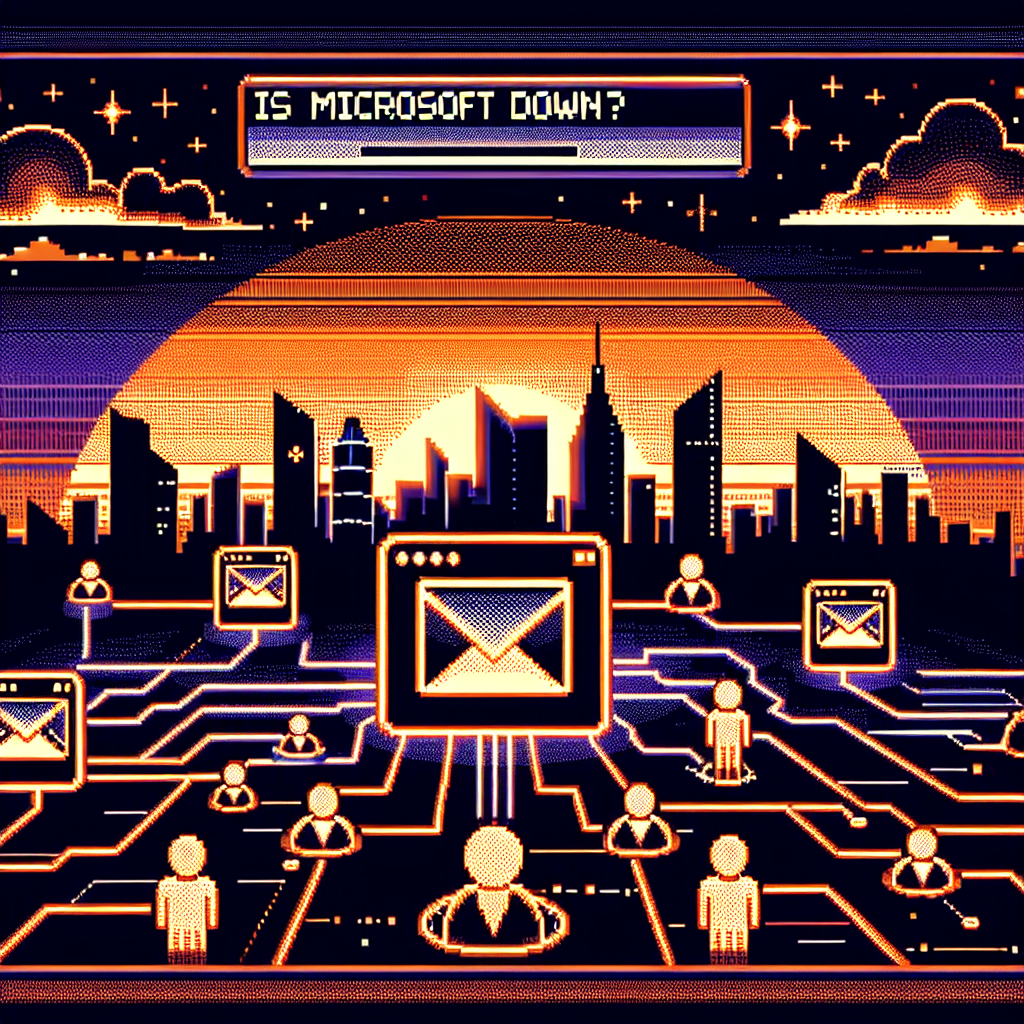
Was Microsoft Down? Why Outlook and Teams Went Dark (and What That Means)
It wasn’t your Wi‑Fi. On Thursday, January 22, 2026, a large chunk of Microsoft’s cloud stack — Outlook, Microsoft 365 apps and Teams among them — began failing for many users across North America. Emails wouldn’t send, calendar invites stalled, Teams calls hiccuped or refused to connect, and the question “Is Microsoft down?” trended on social media for good reason.
What happened (short version)
- A portion of Microsoft’s North America service infrastructure stopped processing traffic as expected, causing load‑balancing problems and widespread interruptions to services such as Outlook, Microsoft 365 and Teams.
- Microsoft acknowledged the incident on its status channels and worked to restore the affected infrastructure by rerouting and rebalancing traffic; recovery was gradual and uneven for some users.
- Outage trackers like Downdetector showed thousands of reports at the peak, and mainstream outlets covered the disruption while Microsoft posted progressive updates as systems recovered. (people.com)
Why this felt so disruptive
- Microsoft 365 and Outlook are deeply embedded in work and personal communications for millions of people — when mail and collaboration tools stop, meetings, deadlines and daily workflows stall.
- The outage hit during business hours for many, amplifying the practical and psychological impact: it’s different to lose a streaming service for an hour than to be unable to send email or join a meeting mid‑day.
- Even when core services are restored, residual issues (delayed queues, load‑balancing lag, partial restorations) can keep some users waiting and fuel social outcry.
How the company explained it
- Microsoft reported the problem originated in a subset of infrastructure in North America that wasn’t processing traffic correctly, which in turn caused service availability issues. Their mitigation steps focused on restoring that infrastructure to a healthy state and rebalancing traffic across other regions. (economictimes.indiatimes.com)
Timeline (as reported)
- Early/mid‑day on January 22, 2026: Reports of failures spike on Downdetector and social channels.
- Microsoft posts status updates and begins mitigation, including traffic redirection and targeted restarts.
- Over the following hours: progressive recovery for many users; some edge cases remained slower to recover while load balancing completed. (techradar.com)
Real‑world impacts
- Businesses and schools experienced missed or delayed communication, forced switches to alternative tools (personal email, Slack, Zoom), and last‑minute manual coordination.
- IT teams shifted into incident mode: triaging user tickets, monitoring Microsoft status updates, and standing up contingency channels.
- End users faced anxiety and productivity loss — the social streams showed everything from bemused memes to genuine concern about lost messages. (people.com)
Lessons for organizations and users
- Expect failure (even from the biggest cloud providers). Design fallback communication paths for critical workflows.
- Have an outage playbook: status checklists, alternative meeting links (Zoom/Google Meet), and transparent internal communications reduce confusion.
- For IT: monitor provider status pages and outage trackers, verify if an issue is provider‑side before widespread internal escalations, and communicate early with stakeholders.
- For individuals: maintain a secondary contact method for urgent communications (phone numbers, alternative email, a team chat fallback).
A few technical notes (non‑deep‑dive)
- Large cloud platforms rely on regional infrastructure and load balancers. If a subset becomes unhealthy, traffic must be rerouted; that rerouting process can be complex and sometimes slow, leading to partial recoveries rather than an instant fix.
- Error messages like “451 4.3.2 temporary server issue” were reported by some users during similar incidents and typically indicate a transient server‑side problem in mail delivery systems. (people.com)
My take
Outages like this are reminders that cloud reliability is never absolute — and the cost of that reality has grown as organizations lean harder on a few dominant providers. Microsoft’s quick public acknowledgement and stepwise updates help, but the repeated nature of such incidents (other outages in past years) means businesses should treat provider availability as a shared responsibility: providers must keep improving resilience and transparency, and customers must design for graceful degradation.
Takeaway bullets
- Major Microsoft services experienced a regionally concentrated outage on January 22, 2026, driven by infrastructure that stopped processing traffic correctly. (techradar.com)
- Recovery involved rerouting traffic and targeted restarts; service restoration was gradual and uneven for some users. (economictimes.indiatimes.com)
- Organizations should prepare fallback workflows and a clear incident communication plan to reduce disruption from provider outages. (people.com)
Sources
(Note: headlines and timing above are based on contemporary reporting around the January 22, 2026 outage; consult your IT or Microsoft 365 Status page for the definitive service health record for your tenant.)
Related update: We recently published an article that expands on this topic: read the latest post.
Related update: We recently published an article that expands on this topic: read the latest post.

When Google Stumbles: What Happened When Drive, Docs and Sheets Glitched
A mid-day scramble. Students frantic over unsaved essays. Teams stuck at a meeting because a shared slide wouldn’t load. On Wednesday, November 12, 2025, thousands of users around the world discovered what many of us have been trained not to think about: what happens when the cloud hiccups.
This wasn’t a mysterious one-off. Reports spiked on outage trackers, Google acknowledged an incident on its Workspace status dashboard, and social feeds filled with the familiar mix of annoyance and resigned humor. Here’s a quick, readable walk-through of what happened, why it matters, and what you can do when the tools you rely on take an unscheduled break.
Quick summary
- The incident began around 09:00 PDT (17:00 UTC) on November 12, 2025 and affected Google Drive, Docs, Sheets (and related Workspace apps).
- Thousands of user reports—peaking in the low thousands on platforms like Downdetector—described connection failures, SSL errors (ERR_SSL_PROTOCOL_ERROR), and difficulty accessing files.
- Google posted updates on the Workspace Status Dashboard saying engineers were investigating and later reported mitigation and restoration steps.
- By late afternoon/evening the bulk of reports had fallen as services came back, but the outage lasted several hours for many users.
Why this felt so disruptive
- Google Workspace is deeply embedded in how people work and study: documents, slide decks, spreadsheets and collaboration are frequently accessed in real time. A partial or full outage pauses workflows.
- The error many users saw—SSL/secure-connection failures—reads like a network problem even when the root cause is on the service side, which makes troubleshooting confusing for non-technical users.
- Even short outages can cascade: scheduled meetings stall, automated workflows fail, and those “I’ll just grab it from Drive” moments turn into tense attempts to recover local copies.
A concise timeline
- Nov 12, 2025 ~09:00 PDT: Users begin reporting access issues for Google Drive, Docs and Sheets.
- Early afternoon: Downdetector and other services register a spike—several thousand reports at the peak.
- Google posts an incident on the Google Workspace Status Dashboard: “We are investigating access issues…” and notes symptoms including SSL errors.
- Over the afternoon: Google updates the dashboard as engineers identify and mitigate the problem; user reports decline as services are restored.
(Sources below include Google’s official incident page and independent outage trackers.)
What users reported and how Google responded
- User reports described inability to open files, “Error making file offline,” and secure-connection messages in browsers and mobile apps.
- Downdetector-style trackers captured the volume and geography of complaints in near real time, which amplified the sense of a broad outage.
- Google’s Workspace Status Dashboard confirmed the issue, described the symptoms, and provided ongoing status updates while its engineers worked on mitigation. At one point Google suggested routine troubleshooting (like rebooting routers or trying mobile access) as possible temporary workarounds for some users.
Practical tips for when cloud services fail
- Don’t panic — look for official signals:
- Check Google Workspace’s Status Dashboard for verified updates.
- Consult outage aggregators (Downdetector, StatusGator) to see if others are affected.
- Workarounds while services are down:
- Use local copies: if you have Drive for Desktop, check whether local sync copies exist.
- Try mobile vs. desktop; sometimes authentication or routing differences let one platform work while another doesn’t.
- If you’re on a team: switch to phone or another messaging platform to coordinate while Docs/Slides are unavailable.
- Longer-term resilience:
- Keep important files mirrored offline (periodic exports, local backups).
- For critical workflows, consider multi-cloud or multi-format backups (e.g., export important Google Docs to .docx or PDF periodically).
- Educate teams on outage protocols—who to contact, where to find status updates, and temporary communication plans.
What this outage says about cloud dependence
We love the instant collaboration cloud services enable. But every incident like this is a reminder that “always available” is a design goal, not a guarantee. Large providers generally have strong redundancy and rapid incident response, yet software, configuration or certificate issues can still ripple across millions of users.
The good news: major providers are transparent about incidents, and community signals (social media, Downdetector) help surface problems quickly. The practical lesson is not to distrust the cloud, but to plan for its rare failures—so one outage doesn’t become a full-blown crisis for your work or class.
My take
Outages are uncomfortable but useful wake-up calls. They refocus attention on simple, often neglected practices: keep local copies of mission-critical work, agree on fallback communication channels, and treat status dashboards as a standard bookmark for admin teams. The cloud makes life easier most of the time—when it trips, a little preparedness keeps you moving.
Sources
Related update: We recently published an article that expands on this topic: read the latest post.
Related update: We recently published an article that expands on this topic: read the latest post.
Related update: We recently published an article that expands on this topic: read the latest post.
Related update: We recently published an article that expands on this topic: read the latest post.