A new chapter for Galaxy: what Samsung actually announced at Unpacked 2026
Samsung's Unpacked on February 25, 2026 landed like a weather front for mobile tech — not a single dramatic lightning strike, but a sweep of changes that together reframe what a smartphone can do. From the S26 Ultra's built-in Privacy Display to earbuds that talk back to AI and “agentic” assistants that act for you, this event wasn't just about specs. It was about shifting phones from reactive tools into proactive partners.
Below I break down the headlines, give the context you need, and share what the changes mean for privacy, daily workflows, and whether it's worth upgrading.
Quick snapshot
- Event date: February 25, 2026 (Galaxy Unpacked, San Francisco).
- Ships: Galaxy S26 series and Galaxy Buds4 line are slated to be available from March 11, 2026.
- Themes: agentic AI (phones acting on your behalf), hardware privacy (Privacy Display), camera and performance refinements, and refreshed earbuds with tighter AI integration.
What matters most right now
- Privacy Display: a hardware-layer privacy solution built into the S26 Ultra’s OLED that limits side viewing — useful in crowded places and for safeguarding on-screen data.
- Agentic AI: Samsung positions Galaxy AI as more than assistants that answer questions; it will proactively perform tasks, leverage on-device Personal Data Engine (PDE), and work with partners like Google (Gemini) and Perplexity.
- Buds4 and Buds4 Pro: redesigned earbuds with improved audio, new gesture and head controls, and closer integration with Galaxy AI.
- Pricing and release: preorders opened after Unpacked; S26 series ships March 11, 2026 with U.S. pricing shifts (S26 and S26+ up $100 vs. predecessors; Ultra holds at $1,299 in the U.S., per reporting).
A few high-level takeaways
- Privacy and AI are front-and-center, not afterthoughts.
- Samsung is treating AI as infrastructure — deeply embedded, cross-device, and designed to act for you.
- Hardware innovations (display tech, thermal design) support those AI ambitions by enabling sustained on-device processing.
- The product lineup is evolutionary in many specs, but the platform changes (PDE, agentic features) create new user scenarios that may drive upgrades.
The Galaxy S26 series: subtle redesigns, big platform bets
- Design and performance:
- The S26 Ultra swaps titanium for lighter aluminum for better thermal control and adds a larger vapor chamber; Samsung claims significant NPU and CPU improvements for the Ultra’s custom AP. These changes are meant to sustain AI-heavy workloads on-device.
- Cameras and displays:
- Improvements in apertures, image processing, and a 200 MP main sensor on the Ultra continue Samsung’s push on computational photography. The Ultra keeps flagship camera capabilities (including 8K options) while adding a display technology that’s the real eye-catcher this year.
- Privacy Display (S26 Ultra headline):
- This is a display-integrated approach to “shoulder surfing”: when enabled the screen remains clear for the person directly in front of it but darkens or blacks out when viewed from the side. You can configure it per app or area (notifications/passwords), and there’s a “Maximum Privacy Protection” mode for especially sensitive content.
- Importantly, this is hardware-level masking integrated into the OLED panel rather than a simple software filter — which reduces the chance of easy circumvention and preserves front-view clarity.
- Pricing and availability:
- Preorders followed Unpacked and shipping begins March 11, 2026. U.S. pricing shows S26 and S26+ up about $100 versus last year, while the Ultra stays around $1,299 (regional prices vary).
Why this matters: Samsung is answering two real user pain points — public privacy and AI usefulness — with hardware plus platform improvements. That combination is more compelling than incremental megapixel or battery gains alone.
Agentic AI: a phone that does more than answer
- Agentic AI concept:
- Samsung framed agentic AI as the phone taking action on your behalf: scheduling, summarizing conversations, searching and even completing tasks (via partnerships and Google Labs previews of Gemini 3).
- Personal Data Engine (PDE) and security:
- The PDE organizes on-device data so AI can use context sensibly, and Knox/KEEP/Knox Vault aim to isolate and protect that data. Samsung emphasizes that privacy/security sit at the architecture level.
- Partners and assistants:
- Galaxy devices will ship with multiple AI assistants available: Bixby, Google’s Gemini, and Perplexity (with “Hey Plex” wake-word support for Perplexity features).
- Day-to-day features:
- Examples shown include contextual nudges during chats (Now Nudge), natural-language photo edits (Photo Assist), multi-object Circle to Search, call screening and summaries, and proactive document scanning/cleanup.
Why this matters: agentic features are a step beyond voice queries. If executed well and securely, they could reduce friction — fewer taps, fewer app switches. The risk is user trust: people will need to feel confident the AI acts correctly and respects privacy boundaries.
Galaxy Buds4 and Buds4 Pro: tighter audio and smarter ears
- Design and hardware:
- A refreshed “blade” look, smaller earbud heads, IP54/IP57 dust-water ratings, and an 11 mm wide woofer in the Pro that increases speaker area and bass response.
- AI and safety features:
- Super Clear call quality, better ANC, siren detection that boosts ambient awareness, and head gesture controls for hands-free interactions.
- Integration:
- Deep integration with Galaxy AI and multi-assistant voice control means the earbuds become more than audio peripherals — they’re conversational endpoints and modes of invoking assistants.
Why this matters: earbuds are now an important interface for agentic AI. Improvements in call clarity and environmental awareness fit a world where voice and context increasingly drive interactions.
The privacy and ethics question
- Hardware privacy vs. software privacy:
- The Privacy Display protects visual eavesdropping, but it doesn't (and can't) address data collection, profiling, or how AI services handle information. Samsung’s architectural protections (PDE, KEEP) are meaningful, but trust depends on transparent policies and implementation details.
- Agentic risks:
- When AI acts for you, mistakes can multiply. Mis-scheduled meetings, incorrect actions, or poor judgment in sensitive contexts are real concerns. User control, clear undo/consent flows, and conservative defaults will be crucial.
- Ecosystem complexity:
- Multiple assistants (Bixby, Gemini, Perplexity) increase choice but also fragmentation and potential confusion. How Samsung surfaces which assistant is acting — and how data is shared between them — will affect adoption.
My take
Samsung didn’t just refresh a spec sheet at Unpacked 2026 — it laid foundational pieces for phones that act. The Privacy Display is a smart, tangible response to a mundane yet widespread annoyance (shoulder-surfing), and the agentic AI push is the kind of platform-level ambition needed to make mobile AI meaningfully useful. That said, agentic AI’s success will depend on careful rollout: predictable behavior, robust privacy controls, and sensible defaults.
If you’re someone who uses a phone for work, reads sensitive content in public, or loves productivity shortcuts, the S26 Ultra’s mix of hardware privacy and agentic AI previews is compelling. If you’re more conservative about AI acting on your behalf, watch for early user reports about accuracy, transparency, and how personal data is handled before committing.
Sources
Related update: We recently published an article that expands on this topic: read the latest post.

Eight fresh gadgets worth a second look this week
If you scroll through the usual product noise, a few real standouts cut through: clever EDC upgrades, camera gear that actually feels designed for creators, and a few practical smart‑home updates that matter. Here’s a personable roundup of the eight picks Gear Patrol highlighted this week, what makes each one interesting, and why they might deserve a spot on your radar.
Why this week felt different
- Product launches lately haven’t just been iterative—manufacturers are leaning into narrow, problem‑solving features (tiny cables that actually work at full speed, cameras built around long continuous video, and pocket‑sized gimbals that act like mini production rigs).
- The trend: make something smaller, more capable, and more focused on real workflows—whether that’s a vlogger who needs hours of 4K, an EDC lover who wants a keychain cable that charges a laptop, or a homeowner who wants clear, 2K outdoor video without fuss.
What to watch (quick highlights)
- Canon PowerShot V1 — A “video first” compact with a cooling system that lets creators film long 4K60 clips without throttling. That’s rare in a point‑and‑shoot and makes the V1 more of a pocket production tool than a toy. (Good for vloggers and run‑and‑gun creators.)
- DJI Osmo Mobile 7P — DJI’s latest gimbal with ActiveTrack 7.0, an integrated lighting module, and a multifunctional module on the 7P that doubles as a wireless mic receiver. It’s design‑forward for mobile creators who want fewer accessories to carry.
- Nomad ChargeKey V2 — Tiny, on‑keychain, and rated for up to 240W + 10Gbps data. It’s the kind of failure of imagination solved: why can’t a keychain cable actually handle modern power and transfer speeds? Now it can.
- Ring Outdoor Cam Plus — Ring’s first outdoor camera with native 2K video, improved Wi‑Fi, and flexible power options (battery, plug‑in, solar). A practical upgrade if you want higher baseline resolution for outdoor monitoring without waiting for software patches.
- Grado Signature S950 — A premium open‑back headphone drop for audiophiles, swapping the usual metals for walnut housings and positioning itself as a sonic and aesthetic statement.
- Kim Jim Pomera D250US — A distraction‑free digital typewriter aimed at writers who want a focused drafting device (US keyboard layout via crowdfunding backing).
- Canon, DJI, Nomad and Ring exemplify how small hardware changes can improve real user workflows—better cooling, smarter gimbal features, faster charging, and higher native camera resolution.
The gadgets, briefly explained
- Canon PowerShot V1
- Why it matters: Puts video front and center with a Type 1.4 sensor, 16–50mm zoom, Dual Pixel AF II, and an actual cooling system that enables extended 4K/60fps recording. It feels like Canon building a compact specifically for creators who record a lot. Source coverage highlighted its continuous‑video capability as the defining feature.
- DJI Osmo Mobile 7P
- Why it matters: Adds ActiveTrack 7.0, integrated lighting and wireless‑mic reception on the “P” model, and a built‑in extension rod. It’s a gimbal that reduces the number of separate tools creators need to carry.
- Nomad ChargeKey V2
- Why it matters: A bona fide EDC charge cable that supports up to 240W and 10Gbps transfer while remaining keychain friendly. Practical, tiny, and solves a real modern annoyance.
- Ring Outdoor Cam Plus
- Why it matters: Native 2K out of the box and modern Wi‑Fi (including Wi‑Fi 6 on some models), with flexible powering and improved low‑light performance. Upfront higher resolution is useful for clearer captures of packages, faces, and license plates.
- Grado Signature S950
- Why it matters: For listeners who still care about sonic nuance—wooden housings, open‑back staging, and Grado’s character make this a pricey but purposeful audiophile pick.
- Kim Jim Pomera D250US
- Why it matters: A deliberately minimal writing device aimed at distraction‑free work. If you want to draft without notifications, the Pomera approach keeps you on task.
- DJI Mic 3 (brief mention from the week’s releases)
- Why it matters: Smaller, more capable wireless mic hardware that improves on portability and recording workflows for creators.
- Nomad and other small accessories (multi‑device chargers, compact EDC power) — incremental but meaningful upgrades to daily convenience.
Patterns worth noting
- Creator tooling is maturing: instead of lumping features into dense all‑in‑ones, companies are shipping lightweight tools that slot into real workflows (gimbals that act as lighting and audio receivers, cameras that don’t overheat during long takes).
- Practical over flashy: several of this week’s winners are quietly useful (faster keychain cables, real 2K surveillance cameras, durable EDC). That signals a market move from spectacle to polish.
- Attention to thermals, connectivity, and battery options: these engineering details make devices actually usable day‑to‑day rather than just concept pieces.
Helpful buying notes
- If you need continuous long‑form 4K on the go: Canon PowerShot V1 is designed for that purpose—confirm regional availability and price before committing.
- For mobile creators who film a lot: the Osmo Mobile 7P trims accessory clutter (light + audio reception) and is more efficient for setups where speed matters.
- If you carry a key cable daily: the Nomad ChargeKey V2 is worth the few extra dollars if you rely on modern fast‑charge workflows (laptops, power adapters).
- For sensible home security upgrades: a camera with native 2K (Ring Outdoor Cam Plus) will give better baseline captures than older 1080p models—subscription features still matter for cloud recording and advanced detection.
What this means in plain language
Small hardware improvements—better cooling, higher native resolution, legit keychain‑capable power—lead to big improvements in everyday user experience. This week’s releases are less about headline specs and more about reducing friction: fewer overheating cameras, fewer battery worries, fewer adapters and micro‑steps to get a usable shot or a charged device.
A few quick takeaways
- Product design is solving real user problems instead of chasing higher megapixel counts.
- Creators benefit most when multiple small improvements are combined (cooling + autofocus + long battery life = more reliable takes).
- Practical EDC and smart‑home upgrades are the unsung winners of the week.
My take
I like gear that anticipates where people actually use devices. The Canon V1 and DJI’s 7P both show that manufacturers are listening to creators: they’re trimming the friction between idea and execution. And the Nomad ChargeKey V2 is the kind of tiny improvement that quietly makes daily life better—the sort of thing you only notice when it’s missing. For buyers, the lesson is to evaluate a product by the workflow it enables, not just the headline spec.
Sources
Related update: We recently published an article that expands on this topic: read the latest post.
Related update: We recently published an article that expands on this topic: read the latest post.
Related update: We recently published an article that expands on this topic: read the latest post.
A smarter MagSafe wallet that actually does more than hold cards
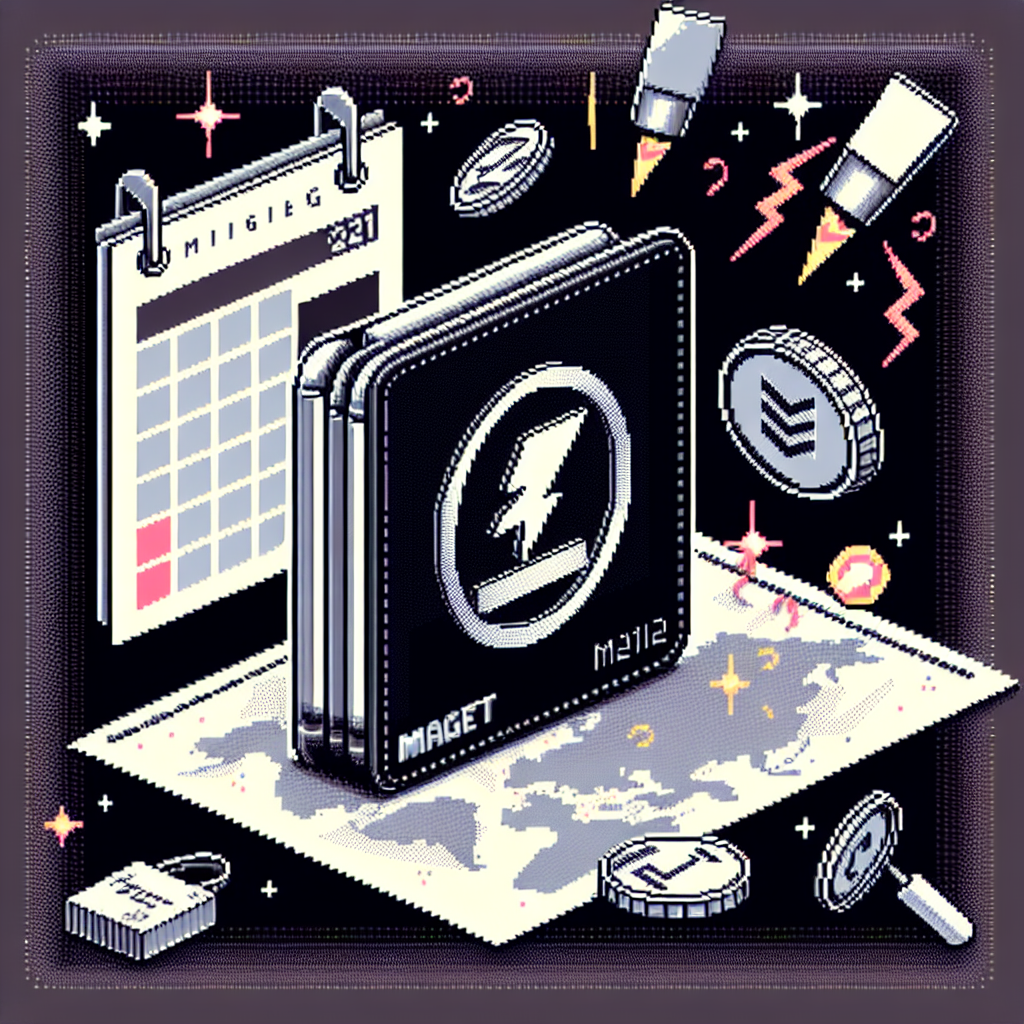
People have been attaching slim wallets to the backs of their iPhones for years, but until recently those sticky card-holders were dumb leather pouches — handy, but vulnerable to loss. MOFT’s long-promised MagSafe wallet with a built-in kickstand and Apple Find My support finally arrives in stores, and it’s the kind of sensible, everyday upgrade that quietly solves a handful of real annoyances: losing your wallet, fumbling for a stand, and wondering whether a small accessory is dead when it goes missing.
Why this matters now
MOFT first teased a Find My–enabled MagSafe wallet at CES in January 2025. After completing Apple’s Find My certification and several refinements, the product is now broadly available (including on Apple’s online store) and priced around $49–50 — squarely undercutting many brand-name alternatives while adding tracking tech and a practical folding stand. The timing is notable: Apple’s own Find My–compatible leather wallet set a precedent for integrating tracking into MagSafe accessories, and MOFT brings that feature to a design category it helped popularize: the fold-flat stand-wallet hybrid. (9to5mac.com)
Quick takeaways
- MOFT’s new MagSafe wallet combines a two-card wallet, an adjustable kickstand, and Apple Find My tracking in one compact MagSafe accessory. (apple.com)
- It offers a rechargeable battery (MOFT lists an 80 mAh battery) and audible alerts + lost-mode support through the Find My network. (apple.com)
- Price sits near $49.99 and it is available through MOFT and Apple; color options vary by retailer. (moft.us)
What MOFT actually built
MOFT isn’t trying to reinvent the wheel. Instead, it packed a few complementary features into one polished package:
- MagSafe-compatible attachment that sticks to iPhones and MagSafe cases.
- A fold-flat origami-style kickstand that supports portrait viewing (and usually landscape depending on case/thickness) — MOFT’s signature move. (moft.us)
- Apple Find My integration: location reporting, lost mode, and “play a sound” functionality like other Find My accessories. MOFT advertises roughly 30 meters indoor and 40 meters outdoor Bluetooth range for direct tracking. (appleinsider.com)
- Rechargeable battery to keep the tracker alive (MOFT lists an 80 mAh capacity) with multi-month standby depending on usage. (apple.com)
- Splash resistance and durable materials in a vegan leather / eco-friendly finish, consistent with MOFT’s previous Snap-on wallets. (moft.us)
How it compares to Apple and other makers
- Apple’s iPhone Leather Wallet with Find My set expectations for what a tracked MagSafe wallet can do (lost mode, detachment alerts, show on map). MOFT mirrors that functionality but adds the kickstand/stand wallet form factor many users already prefer. Apple’s support article explains how the standard wallet behaves in iOS; MOFT’s product implements the same Find My features. (support.apple.com)
- Nomad and a few others have released tracked MagSafe wallets too, but with different trade-offs (Nomad’s leather wallet focuses on premium materials and slimness). MOFT’s advantage is the hybrid stand + wallet concept — a practical win for people who watch video or attend calls on the go. (theverge.com)
- Price is competitive. MOFT’s ~$50 price point undercuts some premium leather options while offering a richer feature set than many $30–40 MagSafe sleeves. Availability through Apple lends credibility and broadens access. (apple.com)
Practical considerations before buying
- Compatibility: Works best with iPhones that support MagSafe. Thicker cases or non-MagSafe phones may reduce magnet strength or interfere with the stand function. MOFT offers standard and Find My–enabled versions; make sure you choose the tracked model if that’s important. (moft.us)
- Card capacity: Designed for 2 cards (MOFT’s spec); if you carry many cards or cash you’ll still need a separate wallet. (moft.us)
- Battery life: MOFT lists an 80 mAh battery; real-world battery life depends on tracking frequency and how often you use sound/notifications. Other makers quote multi-month life — expect similar range but be prepared to recharge occasionally. (apple.com)
- Find My behaviors: Like Apple’s wallet, MOFT’s accessory will show last known location and support Lost Mode and detachment notifications — useful for travel and everyday misplacements. (support.apple.com)
Why I think this one will stick
MOFT’s strength is design clarity: the company built a product people already liked (the snap-on stand-wallet) and added the one feature that mattered most to skeptics — real findability. It’s an incremental upgrade that addresses the top user fears (losing the wallet, losing the phone) without making the wallet bulky or gimmicky. Offering it via Apple’s storefront also signals that MOFT passed Apple’s certification hurdles, which matters when you rely on the Find My network. (moft.us)
My take
If you’re someone who uses a MagSafe wallet and also wants the convenience of a stand, or if you’ve felt that twinge of panic after leaving a wallet on a café table, MOFT’s Find My–enabled wallet is the sort of small, thoughtful upgrade that actually improves daily life. It’s not the cheapest option on the market, but its combination of tracking, kickstand functionality, and availability through Apple make it a sensible pick for many iPhone users.
Sources
Related update: We recently published an article that expands on this topic: read the latest post.
Related update: We recently published an article that expands on this topic: read the latest post.

Presidents' Day OLED shock: a 34-inch Alienware QD-OLED under $500
Hook: If you've been waiting for OLED to finally become affordable, this is the kind of sale that makes you sit up, cancel your other tabs, and rethink your whole monitor budget. For a limited window around Presidents' Day 2026, Alienware’s acclaimed 34-inch curved QD-OLED ultrawide briefly fell below $500 — a price that would have sounded impossible for this class of display not long ago.
Why this deal matters right now
- The Alienware AW3423DWF (34", 3440×1440, QD-OLED, 165 Hz) is a generationally notable monitor: quantum-dot OLED gives near-infinite contrast and very vivid colors, while the 21:9 ultrawide curve pulls you into games and movies in a way most IPS/VA displays can’t match. (tomshardware.com)
- Historically this model has sat well above $600–$800; seeing it dip to roughly $499–$549 is a significant market move and signals inventory clearing or aggressive sale timing around Presidents' Day. Price trackers and deal sites recorded all-time lows in recent promotional windows. (dealfindings.com)
- OLED monitors used to be luxury purchases; across 2024–2025 we watched prices slide as more QD-OLED panels and competing models arrived. That trend is now visible in real discounts on top-tier models, making OLED an attainable upgrade for many gamers. (tomshardware.com)
What you actually get with the AW3423DWF
- 34-inch curved 21:9 ultrawide (1800R), 3440×1440 resolution.
- QD-OLED panel: deep blacks, excellent HDR contrast, wide color gamut (near DCI-P3 coverage).
- 165 Hz refresh rate, sub-millisecond response characteristics (excellent for both immersive single‑player and competitive play).
- G-Sync compatible and AMD FreeSync Premium Pro support; useful connectivity including DisplayPort and HDMI and a built-in USB hub on many configurations. (tomshardware.com)
Who should consider buying at this price
- Gamers with mid-to-high-end GPUs looking for a step up in image quality (richer colors, better HDR, true blacks) without jumping to a 4K OLED or a monstrous ultrawide.
- Content creators who benefit from strong color accuracy and contrast for video/photo work and can live with 3440×1440 instead of 4K.
- Anyone upgrading from a 60–144 Hz IPS or VA panel: the visual and motion improvements from QD-OLED are often the single most noticeable upgrade to a desktop experience. (tomshardware.com)
A few practical cautions
- OLED burn-in risk: modern QD-OLEDs include mitigation tools and manufacturer guidance, but static UI elements and long-term static content can still be a concern. Use built-in pixel shifting, screen savers, and varied content to reduce risk. (tomshardware.com)
- Bright-room performance: OLEDs, while excellent for contrast and HDR, can have lower sustained peak brightness than some high-end mini-LED LCDs — if you sit in very bright lighting you may notice differences. (tomshardware.com)
- Stock and price volatility: previous sub-$500 windows for this model have been short-lived and tied to specific sales events or clearance runs; expect prices to rebound once inventory tightens. (dealfindings.com)
Smart shopping checklist (quick)
- Confirm the exact model code (AW3423DWF / AW3423DW variants differ slightly in stand/connectivity).
- Check return policy and warranty — Dell/Alienware and major retailers typically offer reasonable return windows, which matters for a premium panel.
- Make sure your GPU outputs match the monitor’s best modes (DisplayPort for full refresh rates and features).
- Compare with contemporaneous QD-OLED options (Samsung, LG, MSI) if you want different refresh-rate or size trade-offs. (hothardware.com)
How this fits into the bigger picture
This price event is a marker of a maturing OLED monitor market. Over the past two years we’ve seen more QD-OLED and OLED designs trickle down from flagship price tiers, thanks to increased panel supply and competition. Sales like Presidents' Day — plus inventory clearances for older SKUs as newer models arrive — are the moments when early adopters’ “one day” wishlist becomes today’s checkout cart. (tomshardware.com)
Quick wins if you buy
- Use the monitor’s Creator/Calibration modes when doing color-sensitive work.
- Enable any pixel-refresh or burn-in mitigation functions and avoid leaving static HUDs or toolbars on-screen for long periods.
- Pair with good cables (DisplayPort 1.4) and double-check GPU driver settings for ultrawide scaling and refresh rates.
My take
Seeing a 34‑inch QD‑OLED under $500 is more than a good sale — it’s a milestone. For many people who’ve been priced out of true OLED desktop displays, this kind of deal makes an aspirational upgrade practical. If you value contrast, color richness, and immersion over absolute pixel density or the very highest sustained HDR brightness, this is one of the best value jumps you can make in 2026. That said, act thoughtfully: OLED panels have trade-offs, and short-lived pricing means the window to decide will likely be narrow.
Sources
(Note: prices and stock around Presidents' Day 2026 were time-sensitive; consult retailer listings for the exact, current price and availability.)
Related update: We recently published an article that expands on this topic: read the latest post.

A colorful bet: Apple’s low-cost MacBook might arrive next month — and it won’t be boring
Apple making a budget MacBook feel fun again is exactly the sort of headline that stops you mid-scroll. The rumor mill says the company is readying a smaller, A18 Pro–powered MacBook with an aluminum shell, likely priced well under $1,000 — and in playful colors that echo the old iMac vibes. If true, this could be Apple’s clearest move yet to win entry-level buyers without sacrificing the brand’s design cues. (9to5mac.com)
Quick hits
- Rumored chip: A18 Pro (an iPhone-class SoC) powering a Mac laptop. (9to5mac.com)
- Size and price: A display just under 13 inches, price estimates between ~$599–$899 (most speculation clusters around $699–$799). (macrumors.com)
- Design: All‑metal (aluminum) chassis produced with a new cost-effective process, and a palette that includes light green, blue, yellow, pink, and silver. (digitaltrends.com)
- Timing: Multiple outlets point to a March 2026 launch window (Apple announced a March 4 event). (theverge.com)
Why this matters (beyond “cute colors”)
Apple hasn’t aimed squarely at the lower-price laptop market for a while. The MacBook Air sits near the $999 entry point, leaving Chromebooks and low-cost Windows laptops to own the student and education segments. A sub-$1,000 MacBook running an efficient A-series chip could:
- Bring strong battery life and tight integration for typical student workflows (Safari, Pages, iPad/Apple ecosystem continuity). (macrumors.com)
- Let Apple trade peak performance for affordability while keeping its hallmark build quality — especially if that allegedly new aluminum forging process pans out. (digitaltrends.com)
- Reintroduce distinctive, friendly colors to Mac hardware in a way that doubles as marketing (think back to the colorful iMac lineup) and product differentiation. (cultofmac.com)
All of that could help Apple grow market share in education and emerging markets without dramatically cannibalizing higher-end MacBook sales.
What the rumors say (a readable timeline)
- 2025: Analysts and supply-chain trackers started predicting a lower-cost MacBook project with modest specs and a roughly 13-inch display. (9to5mac.com)
- Early 2026 reporting: Bloomberg’s Mark Gurman (via his newsletter) and outlets synthesizing his reporting say Apple has been testing colors and a new manufacturing process for an aluminum body; he pegged a possible March launch. (digitaltrends.com)
- March 4, 2026: Apple’s announced “special” event in New York (the invite uses segmented colors) aligns neatly with the rumored timing and color direction. Industry outlets tie the invite’s palette to the low-cost MacBook rumor. (theverge.com)
What to watch for at the event (and afterward)
- Official naming and price: Will Apple call it “MacBook,” “MacBook Air (entry),” or something new? The price point matters more than the label. (macrumors.com)
- Exact specs: RAM, storage tiers, and whether Apple throttles ports or display resolution to hit the price target. (macrumors.com)
- Color availability: Will all colors ship at launch or will Apple stagger them like past product rollouts? (cultofmac.com)
- Education discounts and volume availability: If Apple wants institutional adoption, special SKUs and supply constraints will be telling. (appleinsider.com)
The market angle
- Competitors: Chromebooks and budget Windows laptops will feel pressure if Apple really hits a $599–$799 price with solid battery life and macOS compatibility for education apps. (macrumors.com)
- Margins vs. volume: Apple typically maintains premium margins; this product suggests a strategic trade toward volume and ecosystem expansion — the sort of long-term move that can pay off if it draws users into services and higher‑end hardware later. (forbes.com)
My take
If Apple launches a compact, colorful MacBook around $699 with the A18 Pro and a quality aluminum chassis, it’s a smart play. It preserves design DNA while opening the door to buyers who previously dismissed Macs as too expensive or too buttoned-up. The colors are more than a styling choice — they’re a signal: Apple wants this machine to be approachable, visible in classrooms, and conversation-starting on café tables.
The risk: price too low and margins suffer; price too high and it won’t disrupt the entry market. Execution on build quality and supply will decide whether this is a novelty or a genuine volume driver.
Final thoughts
Apple leaning into playful hardware again is an appealing idea — it reminds us that design and emotion still move technology markets. A low-cost MacBook that looks and feels like a proper Mac (not a compromised knockoff) could be the best way for Apple to expand the Mac family without watering down the brand. Watch March 4, 2026 — the invite colors might tell us everything we need to know. (theverge.com)
Sources
Related update: We recently published an article that expands on this topic: read the latest post.
A tiny dongle, a huge upgrade: GeForce NOW turns Fire Sticks into cloud gaming portals
You probably think of a Fire TV Stick as the thing that brings Netflix, Prime Video, and the occasional ad to your living room. Now imagine plugging that same little stick into a hotel TV or a spare bedroom set and — boom — your Steam, Epic Games Store, or Battle.net library is playable on the big screen without a gaming PC. That’s the practical surprise Amazon and NVIDIA quietly delivered this week.
Why this matters (and why Amazon felt the need to comment)
- NVIDIA launched a native GeForce NOW app for select Amazon Fire TV Sticks, letting users stream thousands of PC games from the cloud to compatible Fire TV devices. This effectively turns supported sticks into cloud gaming endpoints, provided you have a controller and a decent internet connection. (ladbible.com)
- Amazon issued a short statement welcoming the addition, noting Fire TV customers "now have access to thousands of PC-quality games through the NVIDIA GeForce NOW app" and highlighting the convenience of streaming games anywhere there's a TV and fast internet. That endorsement matters: it signals Amazon is comfortable having third-party cloud gaming options co-exist on Fire OS alongside its own services. (ladbible.com)
- The practical limits are important: on Fire TV sticks GeForce NOW currently streams up to 1080p at 60 fps with SDR and stereo audio. It’s not the highest-end GeForce NOW experience (which can hit much higher resolutions and features on other platforms), but the trade-off is affordability and accessibility. (engadget.com)
What you can (and can’t) expect
- Supported devices at launch:
- Fire TV Stick 4K Plus (2nd Gen) and Fire TV Stick 4K Max (2nd Gen) running Fire OS 8.1.6.0 or later.
- Fire TV Stick 4K Max (1st Gen) with Fire OS 7.7.1.1 or later. (blogs.nvidia.com)
- Streaming quality: capped at 1080p/60fps, H.264 encoding, SDR visuals, and stereo audio on these sticks — solid for many players, but short of GeForce NOW’s flagship capabilities on other devices. (engadget.com)
- Controls and setup: you’ll need a compatible Bluetooth or USB controller, a GeForce NOW membership (free and paid tiers exist with different performance/session benefits), and a stable high-speed connection for low-latency play. (t3.com)
- What you won’t get: native local ray tracing, HDR10, 7.1 audio, or the top-tier resolutions and frame rates available on other GeForce NOW platforms — at least not on these stick models. But you do get access to the games you already own on PC stores, which differentiates GeForce NOW from some competitors. (blogs.nvidia.com)
The broader picture: streaming gaming goes mainstream in living rooms
- Cloud gaming is moving beyond consoles and PCs into the set-top devices people already own. That’s strategic for NVIDIA — wider availability grows the potential user base without forcing people to buy new hardware — and convenient for Amazon, which benefits from a more capable Fire TV ecosystem even if it’s not its own service. (blogs.nvidia.com)
- Competition heats up: GeForce NOW on Fire TV joins Xbox Cloud Gaming and Amazon’s Luna in the living-room streaming mix. For consumers that’s good news: more platform options and a clearer path to play high-quality games without buying expensive GPUs or consoles. (t3.com)
- Real-world impact: this makes accessible PC gaming a realistic option for casual players, travellers, and households that don’t want to invest in a dedicated gaming rig — assuming your internet is up to the task.
Quick bullet summary
- NVIDIA’s GeForce NOW now has a native app for select Amazon Fire TV Sticks, enabling cloud play of PC libraries. (ladbible.com)
- Amazon publicly acknowledged the launch and framed it as expanded access to PC-quality games on Fire TV. (ladbible.com)
- Supported sticks stream up to 1080p/60fps with SDR and stereo audio; requirements include a controller and robust internet. (engadget.com)
My take
This is the sort of incremental product expansion that quietly changes expectations. It won’t replace high-end gaming rigs or supercharged consoles, but it does reduce friction: no more juggling builds or buying new boxes just to play your PC games on another TV. For households where buying another console is a stretch, or for people who move between places (think students, frequent travellers, or families with multiple TVs), this is a meaningful upgrade.
Amazon’s statement matters less as PR and more as validation: it signals that third-party cloud gaming is welcome on Fire OS, which should encourage other services to polish Fire TV support. For gamers, it’s a low-cost way to stretch an existing library onto more screens. For NVIDIA, it’s another piece in the GeForce NOW growth puzzle.
Sources
Related update: We recently published an article that expands on this topic: read the latest post.
Related update: We recently published an article that expands on this topic: read the latest post.
Related update: We recently published an article that expands on this topic: read the latest post.
Hook: Double your Switch 2 storage without breaking the bank
If you picked up a Nintendo Switch 2 and already feel the squeeze of downloads and day-one patches, there’s a refreshingly affordable fix: Samsung’s new P9 microSD Express cards are on sale, and the discounts make them an excellent way to more than double your console’s storage for a very reasonable price. This feels like the kind of upgrade every Switch 2 owner will appreciate — fast, future-ready, and finally affordable.
Why this matters right now
- The Switch 2 ships with a finite amount of internal storage, and big third‑party titles or lots of downloadable content can fill it quickly.
- Nintendo embraced the newer microSD Express standard for the Switch 2 to allow much faster external storage performance than the original Switch’s UHS‑I microSD cards.
- Samsung’s P9 cards are built specifically for microSD Express devices (with sequential read speeds up to 800 MB/s), so they’re designed to give the Switch 2 snappy load times and quicker installs compared with older cards. (semiconductor.samsung.com)
The deal (what The Verge reported)
- Samsung’s P9 microSD Express 256GB model has been discounted — the price starts at roughly $39.99 after a $15 reduction, making it a very affordable way to double some Switch 2 configurations’ available space. The 512GB model was also discounted (about $79.99 after a $40 reduction), which is close to its best price on record. These sale prices were highlighted in coverage of holiday/Cyber Monday promotions. (theverge.com)
How the P9 compares to older microSD options
- Speed: The P9’s PCIe-based microSD Express performance (reported up to 800 MB/s sequential reads) is several times faster than typical UHS‑I cards used with the original Switch. That helps with game installs, patch downloads and asset streaming. (tech.yahoo.com)
- Compatibility: Samsung notes the P9 is compatible with Switch 2 and also backward compatible with devices using UHS‑I slots — though on older devices speeds will be limited by the host. (semiconductor.samsung.com)
- Durability and warranty: Samsung advertises 6-proof protection (water, temperature, X-ray, magnet, drop, wear) and a limited warranty for the P9 line, which is reassuring for users who carry cards between devices or travel with their handheld. (samsung.com)
Who should buy one (and who might wait)
- Great fit:
- Switch 2 owners who primarily buy digital games and want to avoid juggling installs.
- Gamers who want faster load times and a future‑proof card that won’t bottleneck the console.
- Anyone who likes having a dedicated card for console libraries and backups.
- Maybe wait:
- Users who rarely buy digital games and prefer physical cartridges.
- People who already own a very large (1TB+) microSD Express card or who don’t need the additional speed.
- Buyers who can wait for deeper discounts (sales often return around major shopping events).
Price perspective
- A cheap 256GB P9 at around $40 is compelling because it effectively doubles storage for many Switch 2 configurations at a modest cost.
- The 512GB SKU at roughly $80 gives you more breathing room for an entire digital library and sits near the card’s historic low — if you want to avoid swapping cards frequently, the 512GB is worth the extra outlay. Pricing can fluctuate across retailers, so it’s worth checking multiple stores if you’re hunting for the lowest price. (theverge.com)
Practical tips for buyers
- Confirm your console: The Switch 2 specifically supports microSD Express — older Switch microSD cards won’t get that full performance boost on the new hardware.
- Think capacity by game habits: Many Nintendo-published games remain modest in size, but some third‑party AAA titles can be large; if you buy lots of big third‑party games, lean toward larger capacities.
- Check return policies and warranties: Buy from reputable retailers and keep receipts in case you need warranty service; Samsung lists a limited warranty and 6-proof durability for the P9. (news.samsung.com)
My take
This sale rounds the P9 into a genuinely practical upgrade for most Switch 2 owners. The microSD Express standard unlocks the console’s faster external storage potential, and Samsung’s price cuts make the performance accessible rather than premium-only. If you’re filling up the console or prefer to keep a large library on hand, the 256GB at about $40 is a low-friction, high-value buy — and the 512GB at roughly $80 is the sweet spot if you want to avoid juggling cards. Either way, these discounts turn an obvious accessory into a must-have.
Sources
Related update: We recently published an article that expands on this topic: read the latest post.
Related update: We recently published an article that expands on this topic: read the latest post.

OpenAI’s Hardware Play: Why a 2026 Device Could Change How We Live with AI
A little of the future just walked onto the stage: OpenAI says its first consumer device is on track for the second half of 2026. That short sentence—uttered by Chris Lehane at an Axios event in Davos—does more than announce a product timeline. It signals a strategic shift for the company that built ChatGPT: from cloud‑first software maker to contender in the messy, expensive world of physical consumer hardware.
The hook
Imagine an always‑available, pocketable AI that understands context instead of just answering queries—a device designed by creative minds who shaped the modern smartphone look and feel. That’s the ambition flying around today. It’s tantalizing, but it also raises familiar questions: privacy, battery life, compute costs, and whether consumers really want yet another connected gadget.
What we know so far
- OpenAI’s timeline: executives have told reporters they’re “looking at” unveiling a device in the latter part of 2026. More concrete plans and specs will be revealed later in the year. (Axios) (axios.com)
- Design pedigree: OpenAI’s hardware push follows its acquisition/partnerships with design talent associated with Jony Ive (the former Apple design chief), suggesting a heavy emphasis on industrial design and user experience. (axios.com)
- Rumors and supply chain signals: reporting from suppliers and industry outlets has pointed to small, possibly screenless form factors (wearable or pocketable), engagement with Apple‑era suppliers, and various prototypes from earbuds to pin‑style devices. Timelines in some reports stretch into late 2026 or 2027 depending on hurdles. (tomshardware.com)
Why this matters beyond a new gadget
- Productization of advanced LLMs: Turning a model into a responsive, always‑on product requires different engineering priorities—latency, offline inference, secure context retention, and efficient wake‑word detection. A working device would be one of the first mainstream bridges between large multimodal models and daily, ambient interactions.
- Platform power and partnerships: If OpenAI ships hardware, it won’t just sell a device—it will create another platform for models, apps, and integrations. That has implications for existing tech partnerships (including those with cloud providers and phone makers) and competition with companies that already own both hardware and ecosystems.
- Design as differentiation: Pairing top‑tier AI with high‑end design could reshape expectations. People tolerated clunky early smart speakers and prototypes; a device with compelling industrial design and thoughtful UX could accelerate adoption.
- Privacy and regulation: An always‑listening, context‑aware device intensifies privacy scrutiny. How data is processed (on‑device vs. cloud), what’s retained, and how transparent the device is about listening will likely determine public and regulatory reception.
Opportunities and risks
-
Opportunities
- More natural interaction: voice and ambient context could make AI feel less like a search box and more like a helpful companion.
- New experiences: context memory and multimodal sensors (audio, possibly vision) could enable truly proactive assistive features.
- Market differentiation: OpenAI’s brand and model strength, combined with great design, could attract buyers dissatisfied with current assistants.
-
Risks
- Compute and cost: serving powerful models at scale (especially if interactions rely on cloud inference) could be prohibitively expensive or require compromises in performance.
- Privacy backlash: always‑on sensors and context retention will invite scrutiny and could deter mainstream uptake unless privacy is baked in and clearly communicated.
- Hardware pitfalls: manufacturing, supply chain, battery life, and durability are areas where software companies often stumble.
- Ecosystem friction: device makers and platform owners may be wary of a third‑party assistant competing on their hardware.
What to watch in 2026
- Concrete specs and pricing: Are we seeing a $99 companion device or a premium $299+ product? Price frames adoption potential.
- Architecture choices: How much processing happens on device versus in the cloud? That will reveal tradeoffs OpenAI is willing to make on latency, cost, and privacy.
- Integrations and partnerships: Will it be tightly integrated with phones/OSes, or positioned as a neutral companion that works across platforms?
- Regulatory and privacy disclosures: Transparent, simple explanations of how data is used will be crucial to avoid regulatory headaches and consumer distrust.
A few comparisons to keep in mind
- Humane AI Pin and Rabbit R1 showed the appetite—and the pitfalls—for new form factors that try to shift interactions away from phones. OpenAI has stronger model tech and deeper user familiarity with ChatGPT, but hardware execution is a new test.
- Apple, Google, Amazon: each company already mixes hardware, software, and cloud in distinct ways. OpenAI’s entrance could disrupt how voice and ambient assistants are designed and monetized.
My take
This isn’t just another gadget announcement. If OpenAI ships a polished, privacy‑conscious device that leverages its models intelligently, it could nudge the market toward more ambient AI experiences—where the interaction model is context and conversation, not tapping apps. But the company faces steep non‑AI challenges: supply chains, cost control, battery engineering, and the thorny politics of always‑listening products. Success will depend less on model size and more on product judgment: what to process locally, what to ask the cloud, and how to earn user trust.
Sources
Final thoughts
We’re at an inflection point: combining the conversational strengths of modern LLMs with thoughtful hardware could make AI feel like a native part of daily life instead of an app you visit. That’s exciting—but the real test will be whether OpenAI can translate AI brilliance into a device people actually want to live with. The second half of 2026 may give us the answer.
Related update: We recently published an article that expands on this topic: read the latest post.
Related update: We recently published an article that expands on this topic: read the latest post.
Related update: We recently published an article that expands on this topic: read the latest post.

A new wardrobe for the Galaxy S26 Ultra? The latest color leaks, explained
Samsung's flagship drama isn't always about cameras and battery life — sometimes it's as simple (and influential) as the colors. Over the past 48 hours, a fresh leak showing SIM-tray samples has pushed a likely final palette for the Galaxy S26 Ultra into the spotlight: black, white, blue, and a standout purple (branded "Ultraviolet" in some reports). If the leak holds, Samsung may shelve the bright orange shade that had been teased in earlier rumors. (phonearena.com)
Why a SIM tray leak matters
- Phone makers often color-match the SIM tray to the phone's metal frame, so leaks of painted trays are a small but reliable clue about official finishes. (phonearena.com)
- The latest images were shared by well-known leakers and quickly picked up across tech outlets, which gives the claim more weight than anonymous renders or isolated wallpaper teardowns. (tomsguide.com)
What the leaks show — and what they don't
- Likely S26 Ultra launch colors: black, white, blue, and purple ("Ultraviolet"). (phonearena.com)
- The orange hue that surfaced in earlier renders and wallpaper leaks seems absent from the SIM-tray images, suggesting orange may not be a standard launch color for the Ultra — though it could still appear later as an online exclusive or on other S26 variants. (digitaltrends.com)
- Leaks also hint that Samsung will still offer classic, conservative shades alongside one hero color for marketing (purple looks to be that hero for 2026). (tomsguide.com)
A little context: Samsung’s color playbook
- Samsung historically mixes conservative shades (black, white, gray) with a hero color each year, plus occasional online- or region-exclusive finishes. The S24 and S25 runs leaned on that playbook, and the S26 appears to be following suit. (phonearena.com)
- Rival manufacturers — notably Apple — influenced chatter about bold shades after the iPhone 17 Pro's Cosmic Orange and the iPhone's Lavender. That made the orange rumor for the S26 Ultra especially sticky. The new SIM-tray leak suggests Samsung may be deliberately avoiding a too-direct overlap with Apple this cycle. (digitaltrends.com)
What this means for buyers and Samsung’s marketing
- If purple is the hero shade, expect Samsung’s early marketing and promo images to lean into it — hero colors help shape first impressions and pre-order buzz. (tomsguide.com)
- Shoppers who wanted the rumored orange S26 Ultra still have hope: Samsung has used Samsung.com exclusives and regional variants in past generations, so an orange finish could appear later or on a different S26 model. (phonearena.com)
- For buyers who prefer conservative looks, the usual black and white options are likely safe bets — Samsung appears to be keeping those staples. (phonearena.com)
A quick checklist for skeptics
- Leak source: images were posted by prominent tipsters (e.g., Ice Universe) and echoed by other leakers — stronger than anonymous renders but still unofficial. (tomsguide.com)
- Confirming event: Samsung's Unpacked announcement for the S26 series is expected in late February 2026 (reports vary; some say Feb 25), and the official color lineup will be confirmed there. Treat SIM-tray leaks as persuasive but not final until Samsung shows the phones. (tomsguide.com)
My take
Color choices are an underrated part of a phone's identity. A hero shade can make a device feel fresh and memorable without changing the hardware at all, while classic colors keep the product approachable to a wider audience. Samsung balancing a conservative base with a purple hero — if the leaks are accurate — feels like a tidy move: it opens the door for attention-grabbing marketing without going all-in on a shade (orange) that would invite immediate comparisons to Apple’s recent palette. Ultimately, whether purple or orange wins fans, Samsung's staged rollout (standard shades first, exclusives later) usually gives buyers options across time and retailers.
Sources
Related update: We recently published an article that expands on this topic: read the latest post.

Bright screens, bolder colors: the five TVs that stole CES 2026
There’s a special kind of electricity on the CES show floor when TVs hit the stage — that combination of showroom dazzle and honest engineering that hints at how we’ll watch movies, play games, and decorate our living rooms for the next few years. This year felt like a color-and-brightness arms race: OLEDs getting punchier, Mini‑LEDs evolving into RGB light sources, 130‑inch conversation pieces, and the return of the ultra‑thin “wallpaper” TV. Here’s a clear, human take on the five TVs The Verge — and many other reviewers — flagged as the best of CES 2026. (muckrack.com)
What changed at CES 2026 (quick context)
- Big brands leaned into two competing ideas: push OLED brightness and black‑level performance, or chase insane peak brightness and color volume with advanced Mini‑LED / SQD / RGB backlights. (techradar.com)
- Several companies showed commercial‑sized and conceptual displays (including a 130‑inch Micro RGB prototype from Samsung), signaling both consumer and “statement” ambitions. (muckrack.com)
- The showroom theme: more vivid color, more nit peaks, and more attention to reflection control and design (wallpaper‑thin sets are back). (interestingengineering.com)
Quick highlights
- LG’s OLED evolutions: brighter OLEDs, new Primary RGB Tandem panels, and a revived Wallpaper W6. (interestingengineering.com)
- TCL’s X11L SQD Mini‑LED: headline numbers (10,000 nits, huge dimming zones) aimed at HDR supremacy. (interestingengineering.com)
- Samsung’s Micro RGB and S95H OLED: bigger brightness and bold color solutions, plus the 130‑inch spectacle. (tomsguide.com)
- Hisense and other challengers pushed RGB Mini‑LED variations and color coverage that narrow the gap to premium brands. (techradar.com)
Highlights that matter (SEO-friendly bullets)
- CES 2026 TVs: brighter OLEDs, RGB Mini‑LED color, and huge display sizes.
- Brands to watch: LG, Samsung, TCL, Hisense (and the way they borrow ideas from each other).
- Why it matters: better HDR, less blooming, and lifestyle design returning (wallpaper TVs).
The five standouts (what they are and why they matter)
- LG W6 Wallpaper OLED — style with substance
- Why it stood out: LG brought back its ultra‑thin Wallpaper approach with modern OLED tech and a wireless Zero Connect box that actually aims to make a near‑invisible TV practical again. This is lifestyle TV that doesn’t compromise on picture quality. (muckrack.com)
- Who it’s for: design‑first buyers who want the thinnest aesthetic without settling for inferior display tech.
- LG G6 / C6 family — OLED brightness and reflection control
- Why it stood out: LG’s Primary RGB Tandem 2.0 panels and Brightness Booster tech pushed OLED peak luminance higher, while Reflection Free finishes target glare — a meaningful real‑world improvement for bright rooms. (interestingengineering.com)
- Who it’s for: cinephiles who want deep blacks but live in sunlit living rooms.
- TCL X11L SQD‑Mini LED — go‑big spec sheet for HDR
- Why it stood out: TCL doubled down on peak brightness (up to ~10,000 nits claim), a staggering count of local dimming zones, and an UltraColor / SQD system aimed at broad BT.2020 color coverage — a show‑stopping Mini‑LED that challenges OLED’s HDR highlights. (interestingengineering.com)
- Who it’s for: HDR obsessives and gamers who want blinding highlights and strong contrast without OLED burn‑in concerns.
- Samsung S95H and Micro RGB family — new color architecture
- Why it stood out: Samsung continued its Micro RGB push (tiny RGB light sources instead of white LEDs plus a filter) to get purer color and more brilliant highlights. The S95H OLED also pushed brightness while keeping Samsung’s matte anti‑glare approach. And yes, the 130‑inch Micro RGB prototype stole showroom attention. (tomsguide.com)
- Who it’s for: buyers after the loudest, most colorful pictures and those who want a range from compact to jaw‑dropping sizes.
- Hisense and other challengers — RGB mini‑LED that narrows the gap
- Why it stood out: Hisense and similarly aggressive makers showed RGB Mini‑LED variants (and tweaks like adding cyan) to expand gamut and color volume — proof that mid‑market brands are closing the performance gap with household names. (techradar.com)
- Who it’s for: value seekers who want near‑flagship performance without flagship prices.
What the specs actually mean for real viewers
- Peak brightness (nits): It matters for HDR punch — highlights like sun glints, explosions, and specular reflections will genuinely pop on TVs that reach 2,000+ nits, and TCL’s push toward 10,000 nits is about extreme HDR headroom. But showroom claims must be validated in real use. (interestingengineering.com)
- Color volume and BT.2020 coverage: RGB micro/mini‑LED approaches change light generation and can produce richer, more saturated hues than traditional white‑LED plus color filter designs. That’s especially noticeable on vivid HDR content. (tomsguide.com)
- Reflection control: You can have high brightness and great blacks, but if your living room floods the screen with glare, none of it matters. LG’s anti‑reflection focus is a pragmatic advancement. (interestingengineering.com)
The practical caveats
- Show‑floor lighting can make displays look better than they will in your living room. Always wait for in‑home reviews and measured testing before buying. (techradar.com)
- Extreme peak brightness claims are compelling marketing, but power consumption, tone mapping, and real‑world HDR source material will shape the visible difference. (interestingengineering.com)
- New display tech raises price uncertainty and potential early‑production quirks — expect staggered rollouts and model‑by‑model variance.
Buying takeaways
- If you want design first: consider LG’s Wallpaper W6. (muckrack.com)
- If you want HDR highlight intensity: TCL’s X11L is a spec monster worth watching. (androidauthority.com)
- If you want the most vivid colors across sizes: Samsung’s Micro RGB family is pushing what an LED‑backlit TV can do. (tomsguide.com)
- If you want the best balance of deep blacks and improved brightness for bright rooms: LG’s G6/C6 series is promising. (interestingengineering.com)
My take
CES 2026 didn’t produce a single universal “best TV” — it produced directions. LG doubled down on refining OLED for real‑home conditions; Samsung doubled down on color via Micro RGB; TCL chased HDR spectacle with SQD Mini‑LED; and challengers like Hisense kept the pressure on value and performance. For consumers, that’s a win: a broader set of genuinely different choices means you can prioritize design, HDR peak, color fidelity, or value. Wait for measured reviews and pricing, but get excited — TVs are getting interesting again.
Sources
Related update: We recently published an article that expands on this topic: read the latest post.

Motorola’s Moto Watch at CES 2026: long battery, Polar smarts, and a neat shake-up for wearables
You can tell when a company gets serious about a category: it stops making compromises that compromise the story. Motorola’s new Moto Watch, unveiled at CES 2026, reads like a focused second act — a round, 47 mm smartwatch that promises marathon battery life and fitness tracking built on Polar’s decades of sports-science playbook. It’s not trying to be everything to everyone; it’s trying to be a very good fitness-forward watch that won’t need daily charging. (theverge.com)
Why this matters right now
- The smartwatch market is polarized between full-featured, app-rich platforms (think Apple Watch and Wear OS devices) and long-battery, fitness-first wearables (think polar/garmin-style devices).
- Motorola’s new approach pairs hardware accessibility with a trusted fitness partner instead of leaning on Wear OS or the Play Store ecosystem — a move that could reshape expectations for affordable fitness watches on Android phones. (androidcentral.com)
Here are the parts that stood out at CES.
What the Moto Watch actually offers
- Up to 13 days of battery life (about seven days with an always-on display) and a five-minute top-up claim that’s enough for a day. That’s a headline figure that immediately changes the usability equation for users who hate nightly charging. (theverge.com)
- Fitness and wellness tracking “Powered by Polar,” including heart rate, blood oxygen, sleep, hydration reminders, activity score, Smart Calories, Nightly Recharge, and dual-frequency GPS for better location accuracy. Those are Polar’s signature building blocks, now licensed into Motorola’s watch. (polar.com)
- A 47 mm round aluminum case with a stainless crown, Gorilla Glass 3, IP68 + 1 ATM resistance, built-in microphone and speaker for calls, and a 1.43-inch OLED display. Motorola’s design leans classic and wearable rather than sporty gadget-first. (gizmochina.com)
- Motorola isn’t shipping Wear OS on this device; it uses its own software stack with Polar’s analytics. That means fewer third-party apps but potentially better out-of-the-box fitness accuracy. (theverge.com)
Who the Moto Watch is for
- People who want strong health and recovery data without buying a premium Polar or Garmin device.
- Android users who prioritize battery life and reliable fitness metrics over the “smartwatch app” ecosystem.
- Anyone who’s tired of nightly charging and wants a device they can trust on longer trips or during busy workweeks.
What Motorola gains (and gives up)
- Gains:
- Credibility in fitness tracking by licensing Polar’s technology rather than reinventing the science internally. That’s faster to market and offers results that matter to athletes and everyday users alike. (polar.com)
- A clear product positioning: affordable, long-lived, fitness-capable watches under the Moto brand. (prnewswire.com)
- Gives up:
- Deep access to app ecosystems like Wear OS/Google Play and some Android integrations — tradeoffs that could matter to users who want lots of third-party apps and watch-face choice. (androidcentral.com)
Real-world questions to watch for
- How accurate will Polar features be on Motorola hardware compared with Polar’s own watches? Licensing algorithms is one thing; sensor performance and firmware tuning matter too. (polar.com)
- Will the limited app platform be a blocker for users who expect apps, maps, payments, or third-party integrations?
- Pricing and regional availability beyond the U.S. launch on January 22, 2026 — the announced U.S. availability gives an immediate purchase option, but value perception will pivot on final pricing. (prnewswire.com)
Balance of power: a small ripple or a wider shift?
Motorola’s approach is interesting because it’s neither an attempt to out-Apple Apple nor to clone Garmin. It’s a pragmatic middle path: offer premium fitness tech from a trusted partner, simplify software complexity, and deliver a battery life argument that’s easy to explain. If the Moto Watch nails sensor calibration and Polar’s features work as well on Motorola’s hardware as they do on native Polar devices, this could push other mainstream brands to consider licensing expert health stacks instead of building them from scratch.
That said, the broader smartwatch buyer still cares about payments, apps, and third-party ecosystems — areas Motorola appears to deprioritize. So this product may carve a healthy niche rather than rewrite the market.
My take
This feels like a smart, believable product bet. Motorola isn’t trying to win on headline features alone; it’s trying to deliver a consistent experience for people who actually use health metrics day-to-day. Battery life that removes nightly charging and fitness analytics backed by Polar’s reputation are a compelling combination. For many Android users who want trustworthy health data without the premium price tag (or the battery anxiety), the Moto Watch could be an excellent compromise.
If you live in the camp that treats a watch like a tiny smartphone, the tradeoffs here will be obvious. But for everyone else — the runners, the sleep trackers, the people who forgot their charger once and haven’t forgiven their smartwatch since — Motorola’s new tack could resonate.
Notes for shoppers
- The Moto Watch is slated to be available in the U.S. starting January 22, 2026. Pricing details vary by region and trim. Check Motorola’s product pages and trusted reviews for hands-on accuracy reports before buying. (prnewswire.com)
Final thoughts
It’s refreshing to see a mainstream brand make a clean, strategic choice: lean on expertise where it counts, and make durability and battery life non-negotiable. The Moto Watch won’t be for everyone, but it might be exactly what a lot of people have been waiting for — a smartwatch that feels like a watch again, and not a nightly ritual.
Sources
Related update: We recently published an article that expands on this topic: read the latest post.

A premature leap: Wi‑Fi 8 shows up at CES 2026 while Wi‑Fi 7 is still settling in
Hook: It’s funny how tech shows can speed up time. One minute you’re finally swapping out a five‑year‑old router for a Wi‑Fi 7 model, the next you’re gawking at demo gear promising the next generation. At CES 2026, Wi‑Fi 8 wasn’t just a slide in a keynote — it was hardware, chips, and a quirky concept router parading across the show floor, even though the Wi‑Fi 8 standard won’t be finalized for some years. (theverge.com)
Why CES made Wi‑Fi 8 feel urgent
- CES is where vendors show what they can build, not what the standards body has blessed. That’s why early silicon, sample routers, and prototypes often appear long before the IEEE finishes a spec. At CES, MediaTek unveiled its Filogic 8000 family and Broadcom floated new Wi‑Fi 8 radio/APU designs — both aimed at seeding the ecosystem this year. (mediatek.com)
- The pitch for Wi‑Fi 8 isn’t just top speed. Companies are selling lower latency, better reliability in dense environments, improved long‑range uplink performance, and multi‑AP coordination — features that sound tailored for AI, cloud gaming, XR, and crowded smart homes. Those selling points explain why vendors want an early head start. (mediatek.com)
The surprise players and what they showed
- MediaTek: Filogic 8000 family. MediaTek positioned its Filogic 8000 chips as Wi‑Fi 8 “ecosystem leaders” for gateways and client devices, with demonstrations at CES and sampling planned to partners this year. The company emphasized multi‑AP coordination, spectrum coexistence tools, and features aimed at low latency and reliability. (mediatek.com)
- Broadcom: new dual‑band and tri‑band Wi‑Fi 8 silicon. Broadcom announced multiple chips that continue the industry’s pattern of segmenting performance tiers (tri‑band for the high end, dual‑band for cost‑sensitive devices), plus an APU with on‑chip AI/network acceleration. Broadcom’s roadmap suggests consumer products could land later in 2026. (tomshardware.com)
- Asus (and others): concept routers and demos. Asus previewed a quirky ROG NeoCore router and demoed early Wi‑Fi 8 performance claims — tangible proof that OEMs are already experimenting with antenna design, thermal and form‑factor tradeoffs for the next generation. (theverge.com)
The standards and compatibility caveat
- The IEEE 802.11bn (Wi‑Fi 8) standard work is still ongoing and broadly expected to be finalized later — industry reporting and commentary indicate final standardization is not imminent (the Verge notes Wi‑Fi 8 won’t be finalized until around 2028). That means these early products are built to drafts and vendor extensions; firmware updates or driver revisions could be required later to match the final spec. Early adopters may face interoperability quirks. (theverge.com)
- Historically, early silicon and draft‑based products can work fine in practice but sometimes leave features disabled or require post‑release firmware updates to align fully with finalized specs. The split between “headline” tri‑band flagship features and lower‑cost dual‑band variants that happened with Wi‑Fi 7 looks set to repeat. (tomshardware.com)
Who should (and shouldn’t) rush to upgrade
- Consider waiting if:
- You recently bought a Wi‑Fi 7 router or a newer device that meets your needs. The practical benefits of Wi‑Fi 8 for most households aren’t urgent yet. (theverge.com)
- You need rock‑solid compatibility across many devices and don’t want to manage firmware updates or early‑adopter quirks.
- Consider looking sooner if:
- You run latency‑sensitive workloads (cloud gaming, XR, large multi‑AP estates) and the early demo features materially help you.
- You’re a device maker, ISP, or managed‑service provider — early silicon sampling and partnerships help shape product strategy and accelerate real‑world testing. (mediatek.com)
What this means for the Wi‑Fi market and consumers
- Faster doesn’t always equal better. The marketing around Wi‑Fi 8 highlights reliability, coordinated AP behavior, and spectrum efficiency — improvements that matter more in dense, AI‑heavy environments than raw gigabit numbers. Vendors banking on these advantages hope to sell the idea of a smarter network, not just a faster one. (mediatek.com)
- Expect the usual cadence: flagship tri‑band devices first, then more affordable dual‑band parts. That leads to a multi‑tier landscape where “Wi‑Fi 8” on the box won’t always mean the same capabilities — buyer research will stay important. (tomshardware.com)
A few practical signals to watch this year
- Shipping timelines from chip vendors (MediaTek and Broadcom said sampling and partner demos will expand in 2026). (mediatek.com)
- Router firmware updates and Wi‑Fi Alliance guidance about interoperability as the draft evolves. (theverge.com)
- The first wave of consumer routers and laptops claiming Wi‑Fi 8 support — look past the headline and check band support (2.4/5/6 GHz), spatial streams, and multi‑AP features.
What I think
My take: CES 2026’s Wi‑Fi 8 moment is classic tech momentum — vendors racing to showcase capabilities that address real pain points (latency, crowded homes, AI workloads). But for most users, this is a “watch and wait” moment. If you’re a curious power user or work in a domain that benefits from lower latency and coordinated AP behaviors, start tracking chip and router firmware roadmaps. If you just replaced your router or primarily stream movies and web pages, Wi‑Fi 7 will likely serve you well for a while. (mediatek.com)
Quick takeaways
- Wi‑Fi 8 appeared at CES 2026 in the form of chips and concept routers, even though the standard isn’t finalized. (theverge.com)
- Vendors emphasize reliability, low latency, and multi‑AP coordination over headline top speed. (mediatek.com)
- Early products will use draft specs — compatibility and feature sets may shift before the final 802.11bn release. (theverge.com)
Final thoughts
The appearance of Wi‑Fi 8 at CES is exciting and shows the industry trying to get ahead of challenges posed by denser networks and AI workloads. It’s an important moment, but not a consumer emergency. Expect a few waves — vendor demos and silicon samples this year, consumer gear later in 2026, and standards convergence closer to the finalization window. Meanwhile, keep an eye on product reviews and firmware roadmaps if you’re planning an upgrade.
Sources
Related update: We recently published an article that expands on this topic: read the latest post.
Will your car get CarPlay Ultra? What the rollout really looks like
Hook: Imagine your iPhone not just projecting a map on your car’s center screen, but redesigning the entire cockpit—speedometer, HVAC toggles, media, and more—so the car feels like an extension of your phone. That’s the promise of CarPlay Ultra, Apple’s long‑teased next generation of CarPlay. But will your next (or current) car actually get it? The short answer: maybe—but the reality is more complicated.
Why CarPlay Ultra matters
- CarPlay Ultra is a major rethink of smartphone projection. Instead of one app on one screen, it aims to deeply integrate iPhone-driven UI across every digital display in the vehicle: infotainment, instrument cluster, passenger screens, and even some vehicle controls.
- For drivers, that can mean familiar Apple apps and UI layered into vehicle-critical readouts (speed, RPM, fuel/electric metrics) and direct toggles for climate or ADAS features, provided the automaker allows those hooks.
- For automakers, it’s a trade-off: hand over more in-cockpit control to Apple and offer a seamless iPhone experience, or keep proprietary interfaces and differentiate on software.
The rollout so far
- Apple officially launched CarPlay Ultra in May 2025 and positioned Aston Martin as the first production partner. Aston Martin began offering CarPlay Ultra on new orders in the U.S. and Canada, with software updates promised for recent existing models. (apple.com)
- Beyond Aston Martin, Apple originally listed many automakers as committed partners (a list first shown at WWDC 2022), but several major brands have since walked back plans. Reports in mid‑2025 showed Audi, Mercedes‑Benz, Polestar, Renault, and Volvo stepping away from CarPlay Ultra. Others like BMW, Ford, and Rivian have been noncommittal or shifted strategies. (macrumors.com)
- As of late 2025, automakers that appear committed or likely to offer CarPlay Ultra include Hyundai, Kia, Genesis, Porsche, and a handful of others—while many conservative or in‑house‑first makers (e.g., GM brands, Tesla) are avoiding it altogether. (macrumors.com)
Why many automakers are hesitating
- Control and differentiation: Car manufacturers view the cockpit UI as a brand touchpoint. Giving Apple control over instrument clusters and core displays risks making many cars feel the same—or handing the best UX to Apple rather than the automaker. Several premium brands explicitly cited a desire to keep a “customized and seamless digital experience” under their control. (macrumors.com)
- Technical complexity and safety: Deep integration requires intimate access to vehicle sensors, controls, and diagnostics. That creates safety, certification, and liability questions—plus more engineering work to map vehicle data and controls into Apple’s framework.
- Business model and data: Automakers are building proprietary platforms, app ecosystems, and even voice assistants. Some want to monetize software themselves and retain the data and feature roadmap.
- Cost and timing: Rolling out next‑gen infotainment hardware or performing OTA updates across large model ranges is expensive and takes coordination. Not every refresh cycle lines up with Apple’s timelines.
What this means for you (the driver/buyer)
- If you own or plan to buy an Aston Martin (2025+), you can already experience CarPlay Ultra or expect a dealer update soon. For most buyers, however, availability will depend on brand and model year—don’t assume CarPlay Ultra is coming just because a car has standard CarPlay today. (9to5mac.com)
- If you care deeply about phone‑centric UX and seamless iPhone integration, prioritize brands that have publicly committed to CarPlay Ultra (e.g., Hyundai/Kia/Genesis announcements and Porsche’s stated plans). If you prefer an automaker’s unique digital identity, choose brands that are keeping cockpit control in‑house. (macrumors.com)
- Watch model‑specific announcements and software update policies. Some manufacturers will add CarPlay Ultra to existing cars via dealer updates or OTA, while others will limit it to new hardware platforms.
Roadmap and timing to watch
- Apple initially suggested a broader roll‑out within roughly 12 months after Aston Martin’s launch window (May 2025 → through 2026), but many commitments have slowed or reversed. Expect a staggered, brand‑by‑brand timeline rather than a single universal switch. (9to5mac.com)
- Key indicators to follow:
- OEM press releases confirming specific models and model years that will ship with—or receive updates to—CarPlay Ultra.
- Software update mechanisms: OTA capable platforms are more likely to get retrofits.
- Regulatory or safety certifications that outline how CarPlay Ultra interfaces with driver information systems.
The broader industry tension
- The CarPlay Ultra saga highlights a broader clash between platform companies (Apple/Google) and carmakers: who builds the future car operating system? Google has pushed Android Auto / Android Automotive and AI-powered experiences; Apple wants iPhone continuity in the vehicle. Meanwhile, automakers—especially those building EVs with modern software stacks—are trying to keep users in their own ecosystems.
- Some companies (notably GM) have fully shifted away from smartphone projection in favor of proprietary platforms and voice assistants, showing that the industry is splitting into multiple models for cockpit software. (theverge.com)
A buyer’s checklist
- Before you buy, ask the dealer:
- Will this model support CarPlay Ultra? If yes, when and by what method (factory option, OTA, dealer update)?
- Does the car have the necessary next‑gen infotainment hardware, or will only future model years support Ultra?
- If you already own the model, what are the costs and timing for enabling CarPlay Ultra?
- If you want Apple’s in‑car experience, prioritize brands that have made clear commitments and offered timelines (Hyundai/Kia/Genesis/Porsche are examples to monitor). If you value proprietary experiences, look to brands explicitly keeping in‑house systems.
My take
CarPlay Ultra is an exciting vision—a unified, phone-driven cockpit could make in‑car tech feel simpler and more consistent for iPhone users. But that vision runs headlong into manufacturers’ desire for control, differing product roadmaps, and safety/regulatory complexities. For now, CarPlay Ultra is real but narrow in scope: an elegant, Apple‑led experience available first in a boutique set of vehicles and promising broader availability only if Apple and automakers find a workable balance. Don’t expect a fast, universal switch; expect a patchwork rollout shaped by brand strategy, hardware cycles, and customer demand.
Sources
Related update: We recently published an article that expands on this topic: read the latest post.
Related update: We recently published an article that expands on this topic: read the latest post.

You might be surprised by when and where Samsung will Unpack the Galaxy S26
Hook: Imagine expecting Samsung’s next Galaxy S reveal in its usual late-January slot — and then discovering the company may pick a late-February date and fly the show to San Francisco. That’s the latest rumor swirl, and it’s already reshaping how fans and press are thinking about the S26 launch.
Why this leak matters
Samsung’s Galaxy Unpacked events are more than product launches — they set the tone for mobile trends for the year. A change from the firm’s familiar January cadence to a late-February event would do three things at once:
- Shift Samsung’s product calendar (affecting marketing, supply, and retail timings).
- Signal a stronger emphasis on U.S.-centered messaging — and especially AI messaging — if San Francisco is indeed the venue.
- Give rivals and carriers an extra few weeks to react, price, and plan promotions.
Those are small-sounding shifts but they ripple across reviews, preorder timing, and even holiday-season inventory planning for carriers and retailers.
What the leak says (and where it came from)
- A recent PhoneArena piece summarized the rumor landscape and highlighted a leak pointing to a late-February unveiling for the Galaxy S26 series. (phonearena.com)
- Multiple Korean outlets (reported in English by sites like Android Authority, Gadgets360, and SamMobile) have pointed to February 25, 2026, as a likely Unpacked date, with San Francisco named as the host city. These outlets trace the detail back to South Korean reports such as Money Today and ET News. (androidauthority.com)
- Not every source agrees: other reports have suggested a return to Samsung’s normal late-January rhythm, so the timeline is still unsettled. Expect revised leaks and pushback from official channels until Samsung confirms anything. (sammobile.com)
Context: why San Francisco and why February?
- San Francisco’s technology ecosystem is synonymous with AI startups, platforms, and investor attention. If Samsung plans to spotlight Galaxy AI features and deeper on-device AI tooling in One UI, the city is a logical stage. Several leaks explicitly connect the San Francisco choice to Samsung’s desire to emphasize AI. (gadgets360.com)
- Timing-wise, a late-February reveal would be a modest delay from Samsung’s historic January Unpacked cadence. Insider chatter suggests lineup tweaks (model strategy changes, chip decisions) may have prompted the shift — a plausible reason given past years’ last-minute product adjustments. (phonearena.com)
What to expect from the S26 family (short preview)
- Product lineup: Reports point to a trio similar to recent years — S26, S26+, and S26 Ultra — rather than exotic restructuring. Rumors about Edge models ebb and flow, but the core three-model strategy appears intact for now. (phonearena.com)
- Chips and performance: Leaks suggest Samsung may continue a dual-chip strategy (Exynos in many regions, Snapdragon in the U.S./Canada), and chatter about Samsung’s new Exynos 2600 and Qualcomm’s chips has already featured in rumor threads. Expect Samsung to highlight performance and power-efficiency gains. (androidcentral.com)
- AI features: Early coverage already hints at One UI and Galaxy AI improvements being a headline theme. If so, pick a venue like San Francisco and a slightly later date to maximize developer and partner presence. (androidcentral.com)
What this means for buyers, reviewers, and industry watchers
- Buyers: If the event shifts to late February, shipping and preorder windows could be pushed back a few weeks. Keep an eye on Samsung’s official channels for confirmation before planning upgrades or trade-ins.
- Reviewers and journalists: A San Francisco event would be convenient for many U.S.-based media and analyst partners, but international press will still need to coordinate review schedules and loaner phones.
- Competitors and carriers: A moved date changes the competitive calendar — promotional campaigns and handset launches from other OEMs may respond accordingly.
Things to watch next
- Official confirmation from Samsung (date and location).
- Which SoCs Samsung lists for each market (Exynos vs Snapdragon split).
- Early leaks about camera hardware, battery, and One UI Galaxy AI demonstrations.
- Samsung’s messaging: will the event be branded heavily around “AI in the handset” or present a more traditional camera/performance story?
My take
A late-February Unpacked in San Francisco would be a smart theatrical move if Samsung’s priority is to frame the S26 as the company’s “AI smartphone” for 2026. It gives the company more time to lock down hardware changes, builds a narrative that ties into the Bay Area’s AI zeitgeist, and creates fresh media momentum after an already cluttered tech-news January. That said, until Samsung posts the invite, treat February 25 as a plausible leak — not a confirmed date.
Sources
Related update: We recently published an article that expands on this topic: read the latest post.

A key in your pocket: Rivian Digital Key brings Gen 2 cars into your phone wallet
There’s a tiny moment of delight when you walk up to your car, your phone in your hand (or not), and the vehicle simply knows you’re there. Rivian just made that moment more seamless. On December 18, 2025, Rivian began rolling out Rivian Digital Key for Gen 2 R1T and R1S vehicles — a native digital-wallet car key experience for iPhone, Apple Watch, Google Pixel, and Samsung devices that lets owners unlock, share, and start their Rivian without the dedicated fob or the Rivian app’s Bluetooth-only workflow.
This isn’t just another “app feature” patch. It marks a bigger shift toward platform-level convenience, tighter hardware integration (Ultra-Wideband and NFC), and the standardization of car access across ecosystems.
Why this matters now
- Smartphones have increasingly replaced physical items (boarding passes, credit cards, transit passes). Car keys are the next obvious candidate — but only when the integration is reliable and secure.
- Rivian’s Gen 2 cars were built with newer connectivity and UWB hardware that make native wallet keys practical in ways first-gen Bluetooth approaches weren’t.
- By supporting Apple Wallet, Google Wallet, and Samsung Wallet, Rivian avoids locking users into a single OS and taps into the “works-as-you-expect” experience people now expect from modern devices.
What Rivian Digital Key does
- Native wallet integration: Add your Rivian Gen 2 car key to Apple Wallet (iPhone & Apple Watch), Google Wallet (Pixel), and Samsung Wallet.
- Multiple unlocking modes: Ultra-Wideband (UWB) for precise hands-free proximity; NFC fallback that can work even when the phone is in power-reserve (Rivian notes up to ~5 hours on supported devices).
- Key sharing: Send digital keys to family and friends instantly — no physical handoffs.
- Broader device support: Works across major smartphone ecosystems to maximize owner convenience.
- Requirements and flow: The feature arrives with Rivian’s 2025.46 OTA and Rivian Mobile App update (3.8.0); some Android implementations require recent OS versions (Android 15 / One UI 7.0 mentions in reporting).
(Technical specifics and exact device compatibility can vary; check your vehicle’s OTA status and the latest Rivian app release notes before expecting the feature on your car.)
How this compares to the old way
- Old: Rivian’s earlier digital key used the Rivian app and Bluetooth Low Energy. It worked, but could be slower, less precise, and was app-dependent.
- New: Keys live at the OS level (Wallet apps), enabling Express/Power Reserve, tighter proximity detection through UWB, native watch support, and a fallback NFC path if the battery is depleted. In short: faster, more reliable, and more integrated.
The broader context
- Rivian is part of a broader industry trend: automakers are adopting the Car Connectivity Consortium (CCC) standards and integrating with phone wallet ecosystems. Apple Car Key and similar Android standards have been rolling out across several manufacturers in recent years.
- This update arrives alongside other notable 2025.46 features (Universal Hands-Free driving modes and other Gen 2 improvements), signaling Rivian’s push to refine both autonomy and convenience features in tandem.
- The move also reflects product lifecycle strategy: many automakers concentrate new platform-level integrations on newer vehicle generations, which can leave earlier owners waiting or requiring hardware retrofits.
Opportunities and caveats
-
Opportunities:
- Simpler sharing: temporary or permanent digital keys can replace lending physical fobs.
- Reduced lockout worry: Express/Power Reserve offers peace-of-mind if your phone dies.
- Cross-platform parity: support for iOS and major Android ecosystems lowers friction for households with mixed devices.
-
Caveats:
- Compatibility: older phones or Gen 1 vehicles may not gain the same functionality.
- Security and privacy: while wallet-based keys typically have strong device-level protections, owners should follow best practices (device passcodes, biometric locks, OS updates).
- Reliance on hardware: UWB and NFC behaviors depend on device and vehicle hardware; real-world performance can vary by device model and environmental conditions.
What this means for owners and would-be buyers
- Gen 2 Rivian owners should look for the 2025.46 OTA and update the Rivian app (3.8.0+), then follow the wallet setup flow to add the car key.
- If you’re evaluating Rivian vs. other EVs, consider how important native wallet integration is to your daily routine. For many buyers, the convenience of wallet-based keys will be a useful tie-breaker.
- If you own a Gen 1 R1 and hoped for parity, note that many of these features rely on Gen 2 hardware and may not be fully transferable without retrofits.
A few practical tips for setup
- Update the Rivian mobile app to the version that mentions wallet support (3.8.0 or later) and ensure your vehicle has received the 2025.46 OTA.
- For iPhone owners: confirm iOS 17.4.1+ and Wallet readiness; for Apple Watch, make sure NFC works and watchOS is up to date.
- For Android owners: check Google Wallet or Samsung Wallet compatibility and any OS version requirements (reporting has referenced Android 15 / One UI 7.0 for some features).
- Keep your device OS updated and enable device-level protections (Face ID/Touch ID, PIN/passcode) for security.
My take
Rivian Digital Key is one of those “small” features that changes daily life more than you’d expect — especially once you get used to your phone being the primary interface for everything. By moving car access into native wallets and leveraging UWB/NFC, Rivian has reduced friction and added resilience (power reserve) against common real-world annoyances. It’s also a vote of confidence in cross-platform standards: owners shouldn’t need to swap ecosystems to get convenience parity.
That said, manufacturers must balance excitement with clarity: clear communication about device and vehicle compatibility will be crucial to avoid confusion, particularly between Gen 1 and Gen 2 owners. If Rivian keeps this momentum — and continues to make ownership feel like a continuous software upgrade — these moments of polish could become a meaningful competitive advantage.
Final thoughts
Digital keys are a practical example of how cars are becoming platforms rather than standalone devices. When automakers, OS vendors, and standards groups converge on simple, secure experiences like this, the payoff is everyday delight: fewer fumbling moments at the door, easier sharing with family, and one less physical item to misplace. Rivian’s rollout for Gen 2 is a smart step in that direction — now it’s about execution, clarity, and getting the experience right for every owner and device.
Sources
Related update: We recently published an article that expands on this topic: read the latest post.
Related update: We recently published an article that expands on this topic: read the latest post.
Related update: We recently published an article that expands on this topic: read the latest post.

Sick of smart TVs? Here are your best options
You’re not alone. If the idea of a TV that spies on your viewing habits, nags you with ads, or slows to a crawl after a few years sounds terrible, welcome to the club. Smart TVs are brilliant when they work, but they also bundle an always-on computer — complete with telemetry, bloatware, and vendor lock-in — right into your living room. The good news: you don’t have to live with it. Here’s a friendly, practical guide to escaping the smart-TV treadmill without sacrificing picture quality.
Why “dumb” TVs are suddenly a thing again
Over the last decade, manufacturers jammed internet-capable software into every screen. That convenience came with trade-offs:
- Privacy concerns from telemetry, voice assistants, and ad targeting.
- Software that ages faster than the hardware — manufacturers often stop updating TV OSes after a few years.
- Preinstalled apps, ads, and sluggish interfaces that degrade the experience.
- Repair and longevity problems when a TV’s software becomes a liability.
Ars Technica recently put this tension into sharp focus and asked a simple question: how can you get a great display without the smart-TV strings attached? The answers fall into a few practical categories — each with pros and cons depending on your budget, technical comfort, and tolerance for tinkering. (arstechnica.com)
Choices that work (and what to expect)
1. Buy a genuinely non-smart TV (yes, they still exist)
- What it is: A basic television that lacks an internet-capable OS.
- Pros: No telemetry, no ads, simpler UI, sometimes cheaper.
- Cons: Fewer models available; often lower-tier panels or fewer modern features (HDR, HDMI 2.1) at the same price points.
- Who this fits: Minimalists, people who watch via antenna/cable or dedicated devices and want a no-friction display.
2. Buy a smart TV and never connect it to the internet
- What it is: A modern TV with excellent panel tech whose network functions you never enable.
- Pros: Access to high-quality displays (brightness, color, HDR, HDMI 2.1), longevity of hardware, and you can still use external devices for streaming.
- Cons: Some TVs force-sign-in screens or firmware checks on boot; internal apps remain dormant but present.
- Practical tip: Disable Wi‑Fi, don’t plug an Ethernet cable in, and set up your streaming box, game console, or antenna to handle content. Many reviewers say this gives the best balance of picture tech and privacy. (howtogeek.com)
3. Buy a smart TV but strip or lock down its software
- What it is: Use privacy settings, remove (or hide) accounts, block telemetry, or use router-level DNS/firewall blocks for tracking domains.
- Pros: Keeps built-in features if you occasionally want them; maintains a single remote experience.
- Cons: Not foolproof — firmware updates can re-enable things, and it takes technical know-how to manage network-level blocks.
- Who this fits: Tech-savvy buyers who want the convenience but refuse to be tracked.
4. Use an external streaming box or stick (Roku, Apple TV, Fire TV, Chromecast)
- What it is: Pair any display with a small, replaceable streaming device.
- Pros: External devices are updated more regularly, are easier to replace, and centralize streaming under platforms you control. Swap them when they age or you don’t like them.
- Cons: More boxes/remotes to manage; the external device vendor may still have tracking (so pick one whose privacy stance you like).
- Note: This is the most future-proof approach — upgrade the streamer, not the display. (arstechnica.com)
5. Consider projectors, computer monitors, or commercial signage
- What it is: Alternatives that can function as TV displays without consumer smart features.
- Projectors:
- Pros: Huge screen for the price; many models remain “dumb.”
- Cons: Require dark rooms, careful placement, and usually external audio.
- Computer monitors:
- Pros: Great pixel density, low latency for gaming.
- Cons: Cheaper 4K monitors often lack TV features (tuner, speakers).
- Digital signage displays:
- Pros: Built for long uptime and durability.
- Cons: More expensive and sometimes not optimized for home viewing.
- Who this fits: Home theater enthusiasts, gamers, or anyone willing to accept trade-offs for a non-smart display. (arstechnica.com)
Shopping tips — what to look for when you want a dumb experience
- Prioritize the panel: contrast ratio, peak brightness (for HDR), color gamut, and refresh rate (for gaming).
- Count HDMI ports and check HDMI version (HDMI 2.1 matters for modern consoles).
- If you buy new, read the manual or spec sheet to confirm whether Wi‑Fi or smart features can be completely disabled.
- Consider warranty and supported hours (especially for signage displays or commercial panels).
- If buying used, local classifieds or refurb sellers can be gold mines — but test the unit and ask about network features.
Privacy and network-level tricks to keep smart features quiet
- Put the TV on its own VLAN or guest network and block outbound connections you don’t want (router-level DNS filtering or Pi-hole).
- Disable automatic firmware updates unless you need a patch.
- Avoid signing into vendor accounts on the TV; use an external device for services and log in there.
- Regularly audit permissions for voice assistants or external microphones/cameras.
Alternatives and trade-offs summarized
- Best for ease: Smart TV kept offline or with an external streamer.
- Best for minimalism: New non-smart TV (if you can find a good one).
- Best for picture tech: Modern smart TV used as if it were dumb (disable networking).
- Best for scale: Projector + external streamer for big-screen enthusiasts.
- Best for longevity: Commercial signage displays for durability, but watch energy/noise and cost.
What reviewers and testing labs say
Writers and reviewers agree that the simplest, most future-proof choice is to decouple software from hardware: buy the best display you can afford and route streaming through a separate, replaceable device. That way, you update the part that ages fastest (the software/streamer) without tossing the whole screen. Tom’s Guide, How-To Geek, and other outlets echo that trade-off between display quality and embedded software, and Ars Technica’s recent guide lays out the practical options for avoiding smart-TV pitfalls. (tomsguide.com)
What many folks forget: a cheap workaround is often the most durable. Want Netflix and none of the spying? Plug in a streaming stick and never connect the TV itself to the internet.
A few recommended scenarios
- You want the best picture and low effort: buy a modern TV, keep its network off, and plug in a Roku/Apple TV/Chromecast.
- You want a pure, simple display: hunt for a non-smart TV model or a refurbished commercial panel.
- You want a cinematic, big-screen feel: consider a projector with an external streamer and a soundbar.
- You’re privacy-focused and comfy with networking: block the TV’s telemetry at the router level.
Quick checklist before you buy
- Does the TV allow disabling Wi‑Fi/Ethernet in settings?
- Are firmware updates optional or forced?
- How many HDMI ports and what version?
- Does the TV have a microphone/camera that can’t be physically disabled?
- If used, can you test network features before committing?
Parting thoughts
My take: “Dumb” TVs aren’t just nostalgia — they’re a sensible reaction to an ecosystem that too often prioritizes ads and data over user experience. The cleanest, most sustainable path for most people is to buy the best display you can and separate the software with a dedicated streamer. That gives you high-quality picture tech, the ability to swap streaming platforms as they evolve, and a lot more control over privacy without sacrificing convenience.
If you’re truly allergic to anything smart, used markets and budget non-smart models still exist — but be ready to trade some modern features for that peace of mind. Ultimately, the smart move is to choose the approach that keeps upgrades modular: replace the brains, not the TV.
Useful takeaways
- Keeping a TV offline and using an external streamer is the most practical way to avoid smart-TV tracking without sacrificing modern display tech.
- Pure non-smart TVs are rare but still available; consider them if you want zero network features.
- Projectors, monitors, and commercial panels are valid alternatives with unique trade-offs.
- Network-level blocking and privacy hygiene can significantly reduce telemetry even if you keep smart features available.
Sources
Related update: We recently published an article that expands on this topic: read the latest post.
Related update: We recently published an article that expands on this topic: read the latest post.