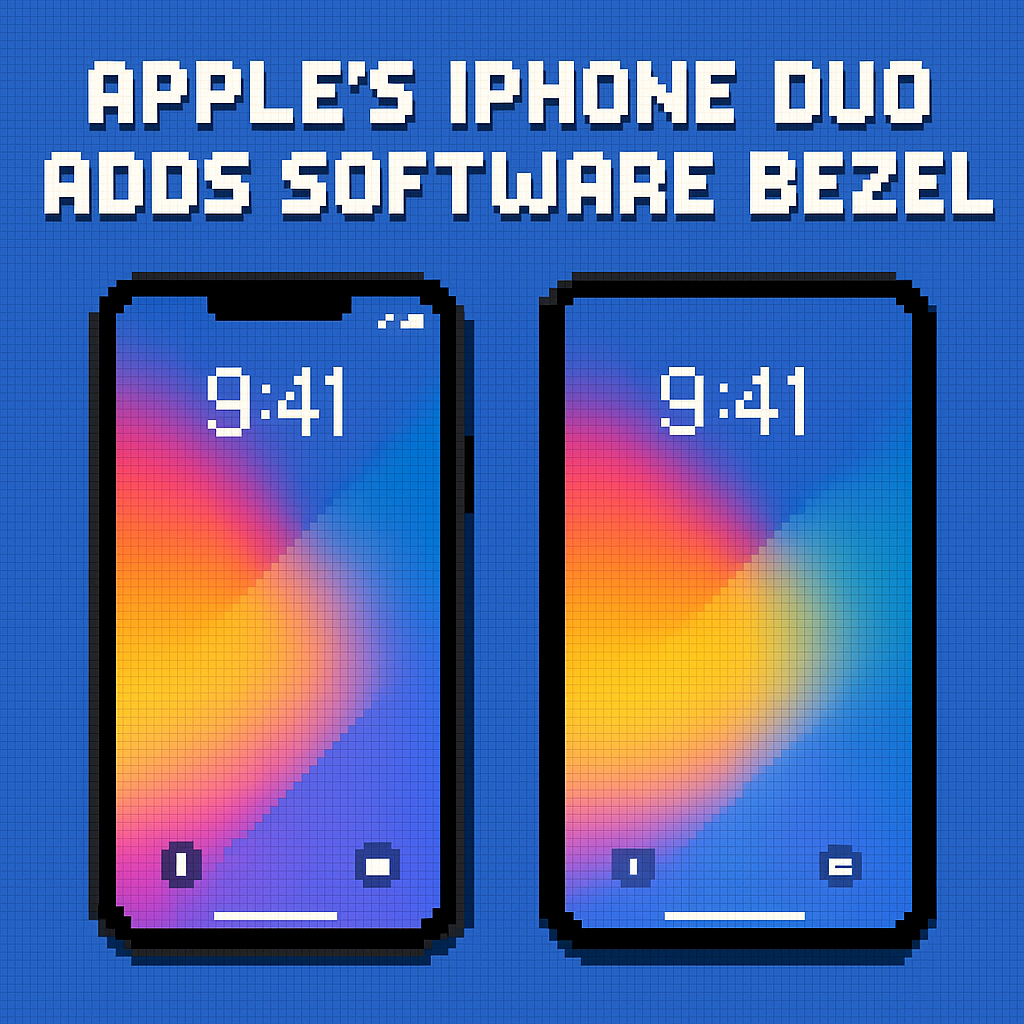
Apple’s iPhone Duo Adds Software Bezel | Analysis by Brian Moineau

TL;DR

  • Apple added an iPhone Duo hidden display setting called “Shift Left Edge” that draws a thin black bezel on the outer screen so swipe‑back still works when a case overlaps the edge, first spotted by Nicolas Lellouche during September 2026 hands‑on time. [1][3]
  • This tiny toggle is a big tell: Apple is hardening the Duo’s day‑one UX against third‑party case variance while it seeds a $79–$129 first‑party case lineup announced alongside the $1,999 phone. [2]
  • Expect a domino effect—new accessory specs, mirrored options for RTL locales, and copycat “software bezel” toggles on Android foldables within 12 months.

What the source said

MacRumors reports a new “Shift Left Edge” option tucked in iPhone Duo’s Display & Brightness settings. Discovered by blogger Nicolas Lellouche during hands‑on time in September 2026, the toggle roughly doubles the black border along the left edge of the Duo’s outer screen so the iOS swipe‑back gesture functions properly even if a case slightly covers that edge. Apple will sell two official accessories—the iPhone Duo Case and a Folio with Kickstand—and it’s not clear whether they need the setting, which may be aimed at bulkier third‑party cases. Pre‑orders begin October 16 with availability on October 23, according to Apple’s 2026 launch timeline. [1][2][3]

Why it matters

The real stakeholders: buyers spending $1,999 on a first‑gen Apple foldable, and the accessory makers racing to wrap it in plastic, leather, and TPU. When a $40–$90 case interferes with a system gesture, returns spike and word‑of‑mouth sours across carrier channels like AT&T, T‑Mobile, and Verizon. A one‑line software shim that protects Apple’s signature edge‑swipe keeps Duo’s UX consistent across a wild west of cases and kiosks. [2][3]

It also signals how Apple will police foldable ergonomics. Duo’s outer 5.4‑inch screen mirrors the 7.6‑inch inner with the same aspect ratio for “visual continuity,” but continuity dies if a case lip breaks the gesture area on the left edge. This setting is Apple acknowledging, in software, the messy physics of third‑party accessories—before those accessories even ship in October 2026. [2][4]

Original analysis

Contrarian read

  • Consensus: “It’s a trivial, cosmetic bezel.”
  • My take: It’s strategic OS‑level scaffolding for the Duo accessory economy. Apple just carved out a protected gesture lane so thousands of case SKUs don’t break iOS navigation on a $1,999 phone; that reads like ecosystem risk management, not UI garnish. [2][3]

Three details back this up:

  • Timing. Apple is naming prices and colors for first‑party cases (sand/navy Case at $79, taupe/navy Folio with Kickstand at $129) six weeks before launch. A software guardrail today prevents customer‑service headaches on October 23, 2026. [2]
  • Scope. The toggle text explicitly references “a case that partially covers the left edge of the outer display,” which is rare frankness about third‑party hardware in Apple UI text shipped in Settings. [3]
  • Form factor stakes. Duo’s outer 5.4‑inch and inner 7.6‑inch displays share the same aspect ratio—Apple spent real design capital on continuity; it won’t let a case lip and a broken edge‑swipe ruin it on day one. [2][4]

Named‑stakeholder breakdown

  • Apple: Fewer “my swipe back is broken” returns; cleaner day‑one reviews; incentive to push buyers toward first‑party cases that don’t need the toggle and preserve margins in the $79–$129 range. [2]
  • OtterBox/Spigen/Casetify: A lifeline. They can build chunkier protective lips without killing the swipe area—market “Shift Left Edge compatible” and ship early SKUs in Q4 2026.
  • Carriers (AT&T, T‑Mobile, Verizon): Lower churn risk on ~$83/month installment devices when the primary navigation gesture “just works” even in a mall‑kiosk case. [2]
  • App developers: More predictable edge behavior for UIKit gesture recognizers and safeAreaInsets across case tolerances, which reduces regressions in iOS 27 betas. [5]
  • Users in RTL locales (Arabic/Hebrew): Today’s toggle is left‑edge only; pressure rises for an automatic mirror or a “Shift Right Edge” option keyed to locale and reading direction documented in the Human Interface Guidelines. [5]

Back‑of‑envelope economics

  • Assumptions, not facts: Suppose Apple sells 3,000,000 Duos in the first 12 months (a conservative slice of the premium foldable segment), and 60% of buyers attach a case. If 10% of those choose rugged cases with lip overlap, that’s 3,000,000 × 0.60 × 0.10 = 180,000 users. If even 1% of them would have returned or exchanged the phone over “broken swipe‑back,” that’s 180,000 × 0.01 = 1,800 incidents avoided. At a blended $400 logistics/refurb support cost per incident, the toggle shields 1,800 × $400 = $720,000 in service costs—before reputational drag. Meanwhile, a 25% attach rate to Apple’s own $79–$129 cases on 3,000,000 units yields 750,000 × $79–$129 = $59–$97 million high‑margin accessory revenue. [2]
  • The point: One unobtrusive display inset can pay for itself in weeks by reducing friction and steering demand to accessories that never need the toggle.

2×2: Edge protection vs. gesture reliability

  • Axes: Case lip coverage (low → high) vs. System gesture reliance (low → high).
    • Low/Low (“Vanilla”): Slim shells; gestures rarely hit the edge—no toggle needed (think thin TPU on budget Androids).
    • High/Low (“Armor but safe”): Rugged cases on devices with on‑screen back buttons—many Android OEMs like Samsung’s Galaxy Z Fold5 (2023) live here; lip overlap is tolerable.
    • Low/High (“Apple’s sweet spot”): Thin cases; iOS keeps the edge clean; swipe‑back feels native on iPhone 15‑series style edges.
    • High/High (“Frustration zone”): Chunky cases on iOS edge‑swipe UI; the Duo would live here—unless software draws a sacrificial bezel. “Shift Left Edge” moves Duo from this quadrant back into “Apple’s sweet spot.”

Historical analogue

In 2014, Apple introduced Display Zoom and Reachability alongside larger iPhones like iPhone 6 on iOS 8, admitting—with software—that bigger screens strain thumbs. Those features were preemptive ergonomics patches that normalized a hardware leap; “Shift Left Edge” looks like the 2026 foldable cousin of that approach. Apple’s HIG has long codified safe areas and reading direction, so this fits a decade‑long pattern of OS‑level ergonomics. [5]

What others are missing

The “Shift Left Edge” toggle isn’t just UI sugar; it’s a contract between iOS and the accessory ecosystem. Apple has long told case makers to respect system gestures, but Duo’s book‑style outer screen puts the back swipe millimeters from a hinge and a case seam on the left spine. The toggle formalizes a “gesture reserve” zone that Apple can standardize in updated Accessory Design Guidelines and, potentially, expose to developers as dynamic edge insets via APIs that align with safe areas. That matters because foldables multiply edge states—open, closed, half‑open—and a consistent, OS‑managed gesture lane across those states will make or break Duo’s day‑one usability while reducing QA chaos for app teams targeting iOS 27. [2][5]

What to watch next

  1. By October 23, 2026, at least three major case brands (e.g., OtterBox, Spigen, Casetify) will market Duo products as “Shift Left Edge compatible” or call out gesture‑safe lips in their product pages.
  2. By iOS 27.2, targeting December 2026, Apple will add a mirrored “Shift Right Edge” behavior automatically for RTL locales or surface a locale‑aware option in settings.
  3. By Q3 2027, at least one Android OEM will ship a book‑style foldable with an OS‑level “bezel shift” or “safe swipe area” toggle on the cover display, citing case compatibility in release notes or marketing copy.

My take

This toggle is classic Apple: fix the rough edge before it cuts anyone. On a $1,999 foldable, the back swipe must feel invincible—case or no case. I’d still buy a Duo case that doesn’t need the shim, but I’m glad the shim exists because it telegraphs OS guardianship of the accessory economy. It’s the clearest sign yet that Apple will treat foldables as software problems wrapped in hardware, not the other way around, starting with iPhone Duo’s October 2026 debut. [2][3]

Sources

  1. iPhone Duo Has a Hidden Display Setting for Case Compatibility — MacRumors — Breaks the news of “Shift Left Edge,” cites discovery by Nicolas Lellouche, describes purpose, and notes timing around hands‑on coverage.
  2. Apple unveils iPhone Duo — Apple Newsroom — Confirms $1,999 price, October 16 pre‑orders and October 23 availability, and the official Duo Case and Duo Folio with Kickstand (names, colors, prices).
  3. iPhone Duo can add fake bezel to the outside screen for better case compatibility — 9to5Mac — Details the setting’s on‑device description and shows that it widens the left black border for case clearance.
  4. 15 things we learned from Apple’s big iPhone Duo and iPhone 18 Pro launch — TechRadar — Notes Duo’s inner and outer displays share the same aspect ratio for visual continuity and lists key dimensions.
  5. Layout — Apple Human Interface Guidelines (developer.apple.com) — Establishes Apple’s emphasis on safe areas and reading direction, relevant to edge gestures and potential RTL mirroring.


Related update: We recently published an article that expands on this topic: read the latest post.
Related update: We recently published an article that expands on this topic: read the latest post.

iPhone Pro 2026: quad‑curved redesign | Analysis by Brian Moineau

A new look for the iPhone’s milestone year: the 20th anniversary iPhone might actually just be an all-new design that’s coming to next year’s iPhone Pro models

Apple loves an anniversary moment — and the rumor mill is heating up around the idea that the 20th anniversary iPhone will bring more than just a sticker and a commemorative wallpaper. The core whisper — that the 20th anniversary iPhone might actually just be an all-new design that’s coming to next year’s iPhone Pro models — has been amplified by recent reports pointing to a “quad-curved” display and a drastic rethinking of how Apple hides bezels and sensors.

Let’s unpack what’s being reported, why this matters, and what it might mean for the broader iPhone line.

What the latest rumors are actually saying

  • According to 9to5Mac, analyst Jeff Pu suggests the special anniversary design could land on Apple’s Pro models next year rather than being a standalone one-off. (9to5mac.com)
  • Multiple leakers and outlets (MacRumors, Notebookcheck, and others) have picked up a consistent image: Apple is testing an “equal-depth quad-curved” OLED panel — essentially a display that curves subtly along all four edges to create a near bezel-free look. (macrumors.com)
  • Bloomberg’s prior reporting has also hinted at a big redesign roadmap that includes an all-glass, all-screen ambition for the iPhone’s milestone model, plus major changes across the Pro lineup. (macrumors.com)

In short: the “20th anniversary iPhone” story may be less about a special edition and more about the moment Apple flips the switch on a new design language — starting with the Pro models.

Quad-curved display: what is it and why would Apple use it?

Put simply, a quad-curved display gently wraps the panel over all four edges of the phone, blurring the line between screen and glass. It’s not new to the concept wars — manufacturers like Samsung experimented with heavily curved edges years ago — but Apple seems to be leaning toward a much subtler, “equal-depth” micro-curve that reduces visible bezel without the usability problems of deep curves.

  • Benefits: cleaner edge-to-edge visuals, the illusion of fewer bezels, and a refined, premium aesthetic.
  • Challenges: manufacturing complexity, accidental touch rejection, and the technical headache of placing sensors (front camera, Face ID) under a curved panel without degrading performance.

Therefore, it makes sense Apple would start the push with Pro models, where margins and customer expectations allow for experimental and more expensive components. (macrumors.com)

The strategy: why debut the new design on Pro models

There are a few practical reasons Apple would introduce a major design shift on the Pro line first.

  • Pro buyers are historically more willing to pay for new materials and features, giving Apple room to absorb higher component costs.
  • Rolling changes into the Pro line allows Apple to iterate on tricky engineering problems — like under-display Face ID or front cameras — before applying them to mass-market models.
  • Apple has precedent: the iPhone X’s design debuted as a premium model in 2017 and became the template for later generations.

Hence, introducing a new look via Pro models is both a product and risk-management decision. (macrumors.com)

The roadmap and timeline context

To add context, Bloomberg and others have sketched a multi-year roadmap: Apple’s been testing bold shifts including a foldable iPhone and an all-glass, cutout-free design aimed at the 20th anniversary in 2027. Meanwhile, the rumor timeline suggests incremental steps — smaller Dynamic Island, punch-hole approaches, and then a more radical all-screen rollout. So, the quad-curved Pro models could be the pivotal middle step in that evolution. (macrumors.com)

Importantly, rumors shift and timelines slip: prototypes don’t always become products, and under-display sensors remain a tough engineering puzzle. Still, the volume and consistency of recent reporting suggest Apple is committed to a major display evolution.

What this means for users and the market

  • For consumers: expect a more immersive visual experience and a sleeker feel in hand if the quad-curved approach arrives. However, durability and repairability will be questions to watch — curved glass can affect screen protectors and case compatibility.
  • For competitors: Apple adopting micro-curves at scale would pull Android makers toward subtler styling and under-display solutions, not the dramatic curves of earlier years.
  • For the accessory industry: cases, screen protectors, and repair services will need to adapt quickly — a new edge profile changes a lot.

Transitioning to this design primarily in Pro models means early adopters get the novelty first, while Apple buys time to refine broader rollout.

Design trade-offs and realism check

There’s a balance between spectacle and utility. Historically, dramatic curves created glare and accidental touches that annoyed users. Apple’s rumored “micro” or “equal-depth” curve sounds like an attempt to capture the cinematic look without the downsides.

Moreover, under-display Face ID and camera tech still face performance trade-offs. Reports vary: some sources claim Apple will hide sensors under the panel in a true all-screen device; others say those systems may remain partially visible for now. So, while the visual change is plausible, some core functions might remain conservative until the technology matures. (macrumors.com)

My take

If Apple is indeed planning to roll a quad-curved display into next year’s Pro models, it’s a smart move. It’s evolutionary rather than purely revolutionary: Apple tightens the visual beltline and moves closer to the “all-screen” ideal without betting the whole company on a fragile new component. Practically, that minimizes user disruption while resetting the design language for the next half-decade of iPhones.

Plus, anniversaries are marketing gold. Even if the 20th anniversary device isn’t a one-off luxury edition, treating the milestone as the start of a new era—rather than a single commemorative release—makes more sense for product continuity.

Final thoughts

Rumors are only as good as their evidence, and Apple is famously cagey. Nevertheless, several outlets now point to a consistent direction: a quad-curved, near bezel-free look debuting on Pro models as Apple marches toward an all-screen future. Whether this becomes the next iPhone signature or an experiment that’s refined later, it’s clear Apple is pushing design boundaries again — and that’s what keeps the iPhone conversation exciting every year.

Sources


Related update: We recently published an article that expands on this topic: read the latest post.


Related update: We recently published an article that expands on this topic: read the latest post.

Apple Watchs New Pride Luminance Face | Analysis by Brian Moineau

Bright colors on your wrist: Here’s the next Apple Watch face coming in watchOS 26.5

Apple’s annual Pride releases have become a small, colorful moment each spring — and here’s the next Apple Watch face coming in watchOS 26.5: a Pride-themed “Luminance” watch face and matching wallpapers arriving with the watchOS 26.5 update. The new face follows Apple’s recent habit of pairing limited-edition Pride bands with software extras that let users show support right from their wrists. (9to5mac.com)

This post walks through what the new face is, why Apple keeps leaning into Pride collections, and what the inclusion of a Luminance-style watch face signals about Apple’s design priorities for watchOS going forward.

What the new Pride Luminance face actually is

Apple is adding a new Pride Luminance watch face and wallpapers in watchOS 26.5 and iOS 26.5. The face uses vibrant, gradient-like color bands that pulse with layered luminosity — a visual language Apple has explored across recent watchOS releases — designed to work well on modern Apple Watch displays. Reports say the updates will roll out in the coming weeks. (macrumors.com)

This isn’t the first Pride face Apple has shipped; past Pride collections included animated Harmony and Unity faces, and Apple often ties the software to a physical Pride band and a charitable initiative. The pattern of band plus face continues to be Apple’s way of melding product, identity, and seasonal celebration. (apple.com)

Why this matters beyond a pretty face

A watch face is small, but its cultural reach is meaningful. Watch faces are one of the most personal parts of the Apple Watch experience — people choose faces to reflect mood, function, or identity. By shipping a Pride Luminance watch face, Apple does more than sell a seasonal skin; it creates a visible, everyday option for users to express solidarity. That matters because mainstream gestures like this help normalize LGBTQ+ visibility in consumer tech.

On a technical level, adding these faces also highlights how Apple continues to push visual polish in watchOS 26.x. watchOS 26 introduced Apple’s Liquid Glass aesthetic and a refreshed face gallery; the Pride Luminance face fits neatly into that visual evolution, showing Apple is still experimenting with color depth and motion on the wrist. (apple.com)

How Apple times and frames Pride releases

Apple’s Pride releases are annual and predictable: spring announcements tie into global Pride months and events. The company typically pairs physical Pride bands sold at Apple Stores with downloadable watch faces and wallpapers in an upcoming software update. A few years back, Apple’s Pride Harmony face and animated wallpapers shipped alongside a band and a newsroom post outlining charitable partners. The 26.5 release follows that established timetable and marketing cadence. (apple.com)

This approach balances product and message. The band is a tangible item you can wear; the face is digital and instantly sharable. Together they turn a retail launch into a cultural moment.

Design signals: Luminance and the future of watch faces

The Luminance face leans on layered gradients and subtle motion — a style that plays well on Apple Watch displays with high contrast and color fidelity. That tells us Apple is continuing to optimize watch faces for the hardware’s strengths (brighter panels, deeper blacks), while preserving the personal, expressive role faces play. Apple’s watchOS design updates over the last year — including Liquid Glass and new faces for Series/Ultra hardware — make the Pride Luminance face feel like a natural extension, not a one-off. (9to5mac.com)

Practically, these visuals also highlight how watchOS differentiates itself from competitors: small, refined touches in animation and color that elevate everyday interactions.

What to expect when 26.5 arrives

  • The Pride Luminance watch face will appear in the face gallery and as part of the watchOS 26.5 release.
  • Matching iPhone and iPad wallpapers should ship with iOS 26.5 and iPadOS 26.5, so your devices will coordinate.
  • Apple will likely promote a Pride-themed band alongside the software update, as in prior years. (9to5mac.com)

If you want the face as soon as it’s live, keep your Apple Watch and paired iPhone up to date and watch for the software update notification. The update timeline is expected in the “coming weeks” following the reporting. (macrumors.com)

A few practical notes

  • Compatibility: New watch faces sometimes take advantage of newer display tech; while Apple typically makes faces available broadly, subtle visual effects may look best on Series 9/10 and Ultra devices.
  • Personalization: Apple usually offers style and complication options, so you’ll likely be able to tweak the face to show complications like Activity, Weather, or Shortcuts.
  • Availability: Apple’s Pride collections often include charitable commitments; check Apple’s newsroom post and product pages for details on partners and proceeds. (apple.com)

What this release says about Apple’s relationship with cultural moments

Apple uses software updates to participate in cultural moments more reliably than many hardware launches allow. A watch face is a quiet but visible act of recognition: it’s wearable, optional, and highly visible in public. Releasing a Pride-specific watch face each year is Apple’s way of signaling ongoing support, even if critics will always debate the sincerity or commercial calculus behind such moves. The effect on users who want to see themselves represented is real.

Transitioning from the symbolic to the practical, these seasonal software touches also keep watchOS feeling fresh. They give users a reason to check the face gallery and explore new personalization options.

My take

Apple’s Pride Luminance face is a small thing with outsized meaning. It’s a gentle reminder that software updates are cultural instruments as much as technical ones; they shape how we carry identity into the world. Design-wise, it continues Apple’s trajectory toward richer, more expressive watch faces that highlight the capabilities of modern Apple Watch hardware.

Whether you’re after the colors, the coordination with a new band, or simply a refreshed watch face palette, watchOS 26.5’s Pride Luminance face is an easy — and earnest — addition to the collection. (9to5mac.com)

Further reading

  • For the original reporting on the watchOS 26.5 face, see 9to5Mac’s write-up. (9to5mac.com)
  • MacRumors also covered the coming face and its timing. (macrumors.com)
  • Apple’s official Pride Collection announcement provides company context and details on bands and charitable partnerships. (apple.com)

Sources

Best MacBook Deals This November | Analysis by Brian Moineau

Why now might be the best time to buy a MacBook (yes, really)

If you’ve been watching MacBook prices and waiting for the “right” moment, November 2025 is shaping up to be one of those rare windows where timing and product cycles line up. Brand‑new Apple Silicon MacBooks — from older M1 models to the latest M5 14‑inch Pro — are seeing meaningful discounts, and the result is something unusual: genuinely affordable new MacBooks starting as low as $599. For many buyers that changes the question from “Should I upgrade?” to “Which one should I get?”

Quick overview you can scan

  • M1 MacBook Air (13", 8GB/256GB): record low pricing around $599 at major retailers.
  • M4 MacBook Air: solid discounts across 13" and 15" models, with some configurations under $1,000.
  • M4 and M5 MacBook Pro: deals exist on 14" and 16" models — the M5 is new but already seeing modest price cuts.
  • Inventory and manufacturer cycles (new chip generations, rumored A‑series MacBooks) and possible tariff concerns are nudging retailers to clear stock.

Why prices dropped — context that matters

  • Apple’s transition to Apple Silicon (M1 → M2 → M3 → M4 → M5) created a multi‑tier MacBook lineup that covers a wide set of needs and budgets. Older but still capable models (like the M1 Air) remain useful, especially for students and general productivity.
  • Retailers often clear inventory when new chips or form factors arrive. The recent M5 14" MacBook Pro launch and continuing interest in M4 machines have produced discounts across both newer and earlier models.
  • External forces — like rumored tariffs or component shifts — can accelerate discounting as retailers try to move inventory before price structures change.

Who should consider which model

  • Students, writers, everyday users
    • M1 MacBook Air (13", 8GB/256GB) at $599 is the best value if you want a new MacBook for browsing, essays, video calls, and light creative work. It runs macOS and most common apps smoothly and is the cheapest way to get Apple Silicon in a brand‑new machine.
  • Power users who still want portability
    • M4 MacBook Air (13" or 15") gives better memory, battery life, and newer features (Center Stage camera on M4, slimmer bezels on redesigns). Look for 13" or 15" M4 deals if you want the newest Air experience without stepping up to Pro thermals or weight.
  • Creators and professionals who need sustained performance and ports
    • 14" and 16" MacBook Pro lines (M4 Pro/Max and M5) offer bigger screens, faster sustained performance, and more ports. If your workflows include video exports, 3D, or heavy code builds, watch for M4 Pro/Max clearance and early M5 price drops to land the best deal.

Picking a configuration: storage & memory reminders

  • Prioritize RAM if you multitask or use creative apps; Apple’s unified memory matters more than in the Intel era.
  • Storage upgrades at checkout are expensive; consider external SSDs or cloud storage if you can’t justify the cost.
  • If you buy an M1 at $599, remember it’s often 8GB/256GB — great for many users but limiting for large media libraries or heavy virtual machines.

Timing and risk: when to pull the trigger

  • If you need a laptop this month: these deals are real and widespread. The M1 Air at $599 is a hard bargain for new hardware.
  • If you can wait: Apple rumors suggest an entry‑level Mac (A‑series chip) could arrive within a year, and Apple’s product cycles may produce further adjustments. But rumored new models often target different price points or features; today’s deep discounts may not return once inventory tightens.
  • If you care about long‑term OS updates: recent macOS releases (macOS Tahoe in 2025) have tightened Intel support; staying on Apple Silicon ensures longer compatibility with future macOS versions.

Standout deals (examples seen in November 2025)

  • M1 MacBook Air (13", 8GB/256GB) — about $599 at Walmart.
  • M4 MacBook Air — many 13" and 15" SKUs at $100–$200 off; some 15" M4s around $999–$1,199 depending on memory and storage.
  • M4 MacBook Pro 14" and 16" — notable discounts on multiple configurations; M5 14" models showing smaller early discounts of $50–$150.

Practical buying tips

  • Buy from reputable sellers (Amazon, Walmart, Best Buy, B&H) to preserve return windows and warranty clarity.
  • Compare identical configurations across retailers — color and minor specs sometimes change price.
  • Check whether a listed unit is new vs. refurbished; new M1 units at $599 are circulating but may be limited stock.
  • Consider Apple Certified Refurbished if you’re comfortable — you can get like‑new hardware with Apple warranty and often meaningful savings.

My take

The Apple Silicon era matured fast, and that maturity is finally showing up in price diversity. You can now pick a brand‑new MacBook that fits your budget and be confident it will remain useful for years. If you want the cheapest route to Apple Silicon performance, the M1 Air at $599 is a surprising and practical option — especially for students or light users. If you want future‑proofing and a nicer display or camera, the M4 Air and discounted Pro configurations give compelling middle paths. In short: November 2025 is one of those buyer‑friendly moments when compromise doesn’t mean settling.

Sources


Related update: We recently published an article that expands on this topic: read the latest post.


Related update: We recently published an article that expands on this topic: read the latest post.

Has Apple Launched Products in November | Analysis by Brian Moineau

When was the last time Apple launched new products in November? A quick history as we wait for Apple TV, AirTag, and more

Apple fans have gotten very used to a cadence: big iPhone and Apple Watch news in September, occasional Mac and iPad moments in October, and then the company fades into a quieter holiday rhythm. So when rumors start swirling in late October about a new Apple TV, a HomePod mini 2, or AirTag 2, the question naturally follows — how often does Apple actually drop new hardware in November?

Below I walk through the recent history, call out the most notable late‑year launches, and offer a perspective on whether November 2025 could really be the month Apple surprises us again.

Why November feels surprising

  • Apple’s publicity machine is built around big, planned events. September has been the home for flagship iPhone launches for years, and October has been the fallback for Macs, iPads, and some Apple Services reveals.
  • November is often a shipping or retail month — announced products that trickle into stores, rather than brand‑new unveilings. That makes a fresh product announcement in November feel like a break from the pattern.
  • Still, Apple has used late‑year timing when it mattered: supply chains, software readiness, or pandemic delays have all shifted release calendars before.

Recent late‑year Apple product launches

  • November 10, 2020 — Apple unveiled the first M1 Macs (MacBook Air, 13‑inch MacBook Pro, Mac mini). That was a major architectural shift and one of Apple’s most consequential late‑year announcements in recent memory. (9to5mac.com)
  • December 2020 — AirPods Max were introduced via a press release in December 2020 (announced later in the year rather than at a major event). This illustrates Apple sometimes prefers quiet, non‑event rollouts late in the year. (9to5mac.com)
  • November 13, 2019 — Apple released the 16‑inch MacBook Pro in mid‑November, another example of a significant product arriving outside the usual September/October window. (9to5mac.com)
  • Other late releases have included products that were announced earlier and shipped in November or December (for example, the M4 Macs shipped in November after an October announcement). That pattern makes November a shipping month more than an unveiling month most years. (9to5mac.com)

What the rumors say for November 2025

  • Multiple outlets (including 9to5Mac, MacRumors, and coverage of Mark Gurman’s reporting) suggest Apple could be preparing new hardware in November 2025: a refreshed Apple TV 4K with a faster chip (reportedly A17 Pro), a second‑generation HomePod mini, and possibly AirTag 2 with improved Ultra Wideband and security features. These are described as likely “coming soon” or “in the coming months,” and several reports point to mid‑November retail refresh activity around November 11, 2025. (9to5mac.com)
  • Retail overnight store refreshes (an internal Apple practice ahead of product rollouts or merch changes) are often a hint but not definitive proof of a product launch. Apple has used this approach for both product introductions and seasonal store updates. (macrumors.com)

What history suggests about the chances of a November unveiling

  • Uncommon but not unprecedented: Major, headline‑making November launches are rare (2020 and 2019 stand out), but November product introductions do happen, especially when timing or logistics push Apple off its usual calendar. (9to5mac.com)
  • Apple’s habits favor September/October announcements, then November as a month to ship announced products or refresh retail displays. If Apple does announce an Apple TV, HomePod mini 2, or AirTag 2 in November 2025, it will be notable only because it bucks that trend — but the trend is not a rule.
  • Leaks and supply signals matter: limited availability of current models and internal retail plans increase the odds that something is imminent. Still, leaks can be wrong or refer only to shipping schedules rather than announcement events. (macrumors.com)

What to watch this November

  • November 11, 2025 — multiple reports flagged this date as a likely overnight store refresh. Keep an eye on Apple Store pages and press releases around that date. (macrumors.com)
  • Software release cadence — Apple often aligns hardware availability with software updates. The iOS/tvOS/wide system updates expected in early November could be paired with hardware availability or new product support notes. (9to5mac.com)
  • Short, quiet press releases — not every Apple product gets a keynote. AirPods Max and a few other products launched via press release or small announcements late in the year. Watch Apple’s Newsroom for those. (apple.com)

What this means for buyers and fans

  • If you want the rumored Apple TV 4K or AirTag 2, be ready for two possibilities:
    1. A quick, quiet Apple announcement (press release and product page) in November with immediate preorders or shipments.
    2. A short announcement that the product will ship later (December or early 2026), which is Apple’s typical holiday logistics play.
  • Holiday shopping windows could push Apple to time product availability for November even if the formal unveiling happened earlier — that’s why stock and shipping updates can be as telling as announcements.

Notable dates to remember

  • November 10, 2020 — M1 Macs unveiled. (9to5mac.com)
  • November 13, 2019 — 16‑inch MacBook Pro announced/arrived. (9to5mac.com)
  • November 11, 2025 — rumored retail refresh date many outlets flagged as a possible product timing hint. (timesofindia.indiatimes.com)

Quick takeaways

  • Apple launching hardware in November is uncommon but has happened in recent years (notably 2020 and 2019). (9to5mac.com)
  • November is more often a shipping or retail refresh month than a debut month, but supply cues and internal retail scheduling can presage real product drops. (9to5mac.com)
  • For November 2025 there are credible signals (rumors, retail refresh plans, and supply scarcity) that Apple could introduce or make available Apple TV 4K, HomePod mini 2, and AirTag 2 — but nothing is confirmed until Apple’s Newsroom or product pages change. (9to5mac.com)

Final thoughts

Apple doesn’t have to follow a calendar — and sometimes the company’s most interesting moves arrive when we least expect them. Historically, November announcements are rarer, but when they happen they’re often meaningful (we’re still feeling the impact of the M1 Macs announced on November 10, 2020). Keep an eye on Apple’s official channels and the November 11 retail timing that reporters are watching. Whether Apple surprises us with a shiny new Apple TV or quietly drops updated AirTags, the end of the year is a great time to revisit how Apple times product launches for market, shipping, and holiday reasons.

Sources


Related update: We recently published an article that expands on this topic: read the latest post.

When Family Sharing Becomes Control | Analysis by Brian Moineau

Apple Family Sharing’s hidden risk when families split: what one mother’s story reveals

You know those tech features that feel magic—until life happens? Apple’s Family Sharing is one of them. It makes it easy to share purchases, screen time limits, and locations across iPhones and iPads. But when a relationship ends, that convenience can turn into control. A recent story shared via 9to5Mac highlights how an ex-partner used Family Sharing’s one-organizer design to keep digital power over his children—even after a court granted the mother custody. (https://machash.com/9to5mac/399382/mother-describes-dark-side-apples-family-sharing-when/)

What happened—and why it matters

According to reporting summarized by 9to5Mac and detailed by WIRED, Family Sharing assumes a stable, “one household, one organizer” model. In the case described, the ex-spouse was the Family Sharing organizer and refused to disband the group or approve moving the kids’ Apple IDs to a new family group. Because Apple’s policy requires the current organizer’s approval to transfer a child’s account, the mother—despite holding a court order—was effectively stuck. Apple support staff reportedly sympathized but said they couldn’t override the organizer role. (https://machash.com/9to5mac/399382/mother-describes-dark-side-apples-family-sharing-when/)

The policy gap isn’t theoretical; it’s built into Apple’s own documentation. Moving a child under 13 to another Family Sharing group requires an invitation “in person” and approval by the existing organizer. If the organizer won’t cooperate, there’s no self-serve way to transfer the child’s account. Apple’s legal and support pages reinforce that organizers control group membership, and children must remain in a managed family group. In practice, that can give a noncustodial or abusive parent ongoing access to location and Screen Time controls. (https://support.apple.com/en-us/102634?utm_source=openai)

Context:

Family tech in the real world Family Sharing launched in 2014 to simplify shared purchases, iCloud storage, and parental controls. It works well in harmonious households—but family structures are complicated, and coercive control can move from the physical world into the digital one. Advocacy groups have long warned that seemingly helpful features can be repurposed by abusers. Apple has added tools like Safety Check to help users rapidly cut off shared access, but Safety Check doesn’t change Family Sharing’s organizer rules or move child accounts; it’s a separate emergency control panel. (https://www.macrumors.com/2022/06/06/ios-16-safety-check-abusive-relationships/?utm_source=openai)

Practical steps if you’re in this situation:

Document everything. If there’s a court order, keep it accessible for any escalation with Apple or your carrier. WIRED’s reporting notes Apple declined comment on policy changes, and Apple’s current support flow still centers organizer approval. (https://www.wired.com/story/apples-family-sharing-helps-keep-children-safe-until-it-doesnt?utm_source=openai) – Use Safety Check on iOS to immediately reset sharing permissions, review who has access, and sign out of other devices. This can limit data exposure while you work on longer-term account changes. (https://support.apple.com/en-al/guide/personal-safety/ips2aad835e1/web?utm_source=openai) – Get specialist advice. The National Domestic Violence Hotline and NNEDV’s Safety Net project provide guidance on technology safety planning, including steps around accounts, devices, and location sharing. (https://www.thehotline.org/resources/apple-safety-check-how-it-works/?utm_source=openai) – Consider the nuclear option—carefully. Some support threads and news coverage note that creating new Apple IDs can break the stalemate, but you may lose access to past purchases. Back up and migrate photos and videos first, then make a clean break if that’s safest. Apple’s policies confirm content sharing and purchase access


Related update: We recently published an article that expands on this topic: read the latest post.