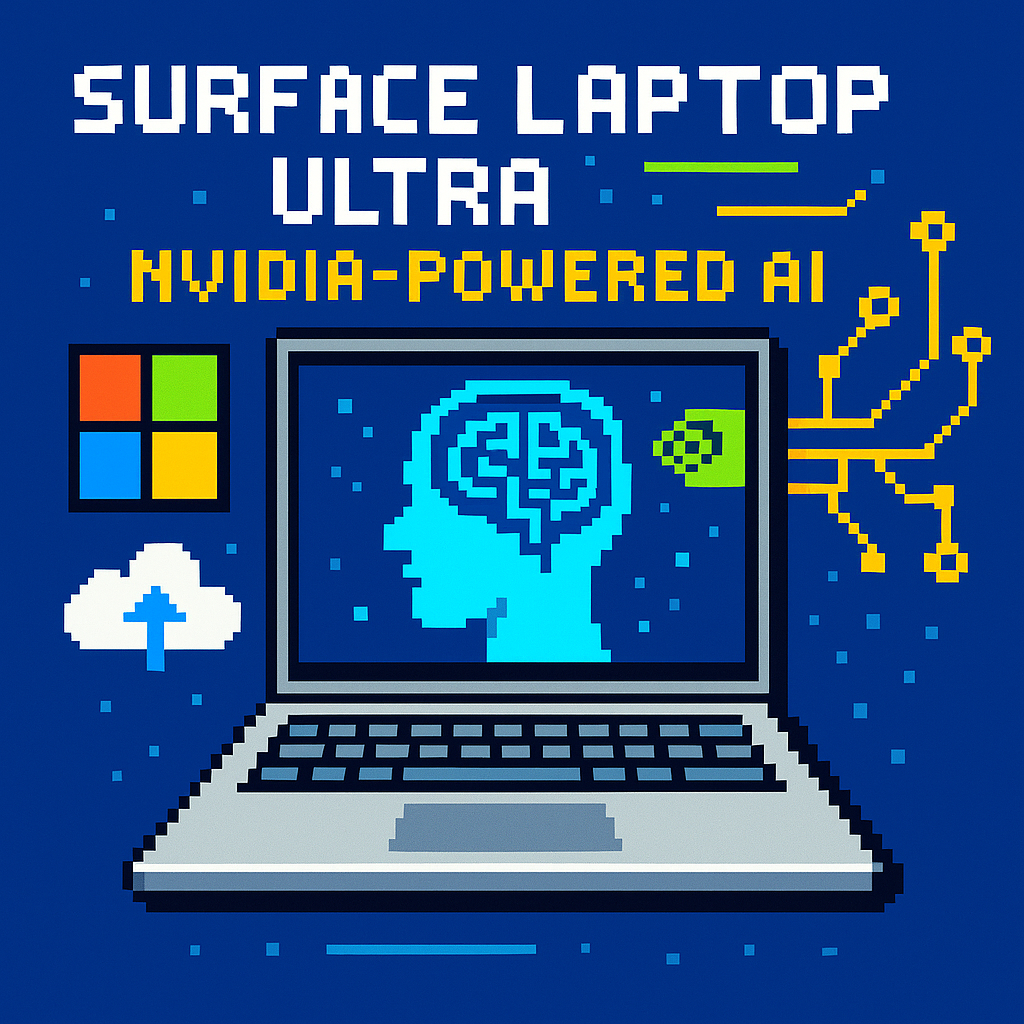
Surface Laptop Ultra: Nvidia‑Powered AI | Analysis by Brian Moineau

TL;DR

  • Microsoft’s Surface Laptop Ultra is the first flagship Windows laptop built around Nvidia’s RTX Spark SoC, advertising up to 1 PFLOP of local AI compute and 128GB unified memory, but a 110W design target signals “desktop-class” throughput will hit battery walls in mobile use [2][3][5].
  • The story is stack control in 2026: Microsoft and Nvidia are bringing CUDA and Blackwell‑class GPU tech to Windows on Arm, a strategic end‑run around Intel and AMD and a direct challenge to Apple’s MacBook Pro line [2][5].
  • If RTX Spark laptops ship in volume and key ISVs optimize Windows‑on‑Arm CUDA paths, 2026–2027 could echo Apple’s 2020 M1 inflection—only with Nvidia setting the cadence for PC “AI laptops” [5][6].

What the source said

ZDNET’s hands‑on from Taipei at Computex 2026 calls Surface Laptop Ultra the standout RTX Spark device, noting a 15‑inch 3:2 PixelSense Ultra mini‑LED panel rated at 2000 nits HDR and 262 ppi, plus creator‑friendly I/O (2×USB‑C, USB‑A, HDMI, SD, 3.5 mm) in a metal chassis [1]. It reports Nvidia’s ARM‑based RTX Spark pairing a 20‑core CPU with GPU performance “roughly equivalent” to a GeForce RTX 5070, and configurations up to 128GB unified memory aimed at local AI [1]. Thermal changes include a dual‑fan, dual‑heat‑pipe layout and a slightly raised base to improve airflow in the 15‑inch form factor [1]. Open items include price tiers, RAM options, measured battery life, and preorder timing signaled as “late summer/early fall” 2026 [1].

Why it matters

For Microsoft in 2026, Surface Laptop Ultra is public proof that Windows on Arm can lead the “AI PC” story with CUDA, fifth‑gen‑class Tensor Cores, and unified memory, rather than trailing x86 laptops on battery life alone [2][5]. The device provides a credible counter to Apple’s MacBook Pro narrative in creative and on‑device inference workloads just as developers decide where to target Stable Diffusion, Llama‑3, and NeRF pipelines for client compute [2][5].

For Nvidia, Spark PCs extend its data‑center CUDA dominance into client devices on Windows, which could bind independent software vendors to CUDA toolchains across 2026–2027 [3][5]. If the bet pays off, Intel and AMD face a squeeze from an Arm+Blackwell package while Apple maintains its integrated stack; studios and consumers win on local LLMs and video tools—if battery life and price don’t dull the pitch [3][6].

Original analysis

Surface Laptop Ultra is a stack play masquerading as a laptop

The spec sheet grabs attention—1 PFLOP AI, 20 Arm CPU cores, and up to 128GB unified memory—but the strategic move is CUDA on Windows on Arm delivered via a Blackwell‑class GPU in a unified‑memory SoC [2][4][5]. That gives Microsoft a first‑party flagship where ISVs can ship the same CUDA kernels across workstation, data center, and laptop without re‑architecting for disparate memory models [2][5].

Consensus take: “Surface Laptop Ultra is a MacBook Pro killer because it matches performance with AI flair” [1]. Contrarian read: this is a CUDA land grab on Windows, not a copy‑paste of Apple’s 16‑inch formula [2][5].

Apple’s edge remains vertically integrated silicon, hardware media engines, and battery efficiency proven since the M1 in 2020; Microsoft’s counter is a developer‑first path where Stable Diffusion XL, Llama‑3 variants, NeRFs, and video upscaling run on familiar CUDA code in 2026 [2][5]. For teams already standardized on CUDA for training and inference, developer gravity favors Spark even if Metal and Core ML perform well in Apple’s ecosystem [2][5].

Back‑of‑envelope: battery reality check

Assume an 84 Wh battery; display at ~350 nits draws ~7 W; platform idle ~5 W; sustained AI/video averages ~55 W on a 110 W‑TDP Spark SoC under creator workloads [3].

  • Total draw ≈ 5 + 7 + 55 = ~67 W.
  • Heavy AI runtime ≈ 84 Wh / 67 W ≈ 1.25 hours.
  • Mixed creator session (35 W average) ≈ 84 / (5 + 7 + 35) ≈ 1.9 hours.
    Takeaway: expect “AI at the desk” performance and short unplugged runs in 2026 unless workloads throttle or displays dim aggressively [3].
2×2: Where Surface Laptop Ultra sits

Axes: Y = AI throughput; X = mobility/endurance.

  • High throughput, low endurance: Surface Laptop Ultra (RTX Spark, 110 W target) and creator rigs like Razer Blade 15 with H‑class CPUs/GPUs [3].
  • High throughput, high endurance: MacBook Pro with M3 Max‑class efficiency and media engines for ProRes/HEVC/AV1 workflows [1].
  • Low throughput, high endurance: Snapdragon X‑class ultrabooks tuned for office tasks and light copilots at <20 W sustained.
  • Low throughput, low endurance: Legacy thin‑and‑lights with small dGPUs that throttle under sustained loads.

The trade: Ultra prioritizes CUDA‑grade throughput on Windows over battery endurance, which fits desk‑bound creator sessions in 2026 [3][6].

Historical analogue: 2020’s M1 reset

In 2020, Apple’s M1 unified CPU+GPU+NPU and memory architecture shifted laptop performance‑per‑watt, but the win crystallized when Final Cut Pro, Logic Pro, and Metal‑optimized Adobe/Blender updates arrived in the same year [2020][1]. Spark laptops echo that pattern in 2026: silicon is newsworthy, yet success hinges on ISVs shipping Windows‑on‑Arm CUDA builds and model toolchains that “just work” [2][5]. Nvidia’s advantage is portability from DGX/GeForce to client via CUDA and Blackwell Tensor Cores, while Microsoft supplies Windows compatibility and Surface industrial design [2][5].

Named‑stakeholder breakdown
  • Microsoft: Gains a flagship to anchor Windows on Arm for creators; must defend pricing and battery optics in 2026 channel reviews [1][2].
  • Nvidia: Extends CUDA from DGX and GeForce into “AI PCs,” setting de facto client inference standards during the 2026–2027 cycle [5].
  • Apple: Retains endurance and media‑engine leadership on MacBook Pro, but faces CUDA gravity nudging cross‑platform studios toward Windows.
  • Intel/AMD: Risk losing high‑margin creator tiers if OEMs adopt Arm+Blackwell; need clear x86 AI acceleration roadmaps before CES 2027.
  • Qualcomm: Remains vital for mainstream Arm laptops, but Spark grabs the performance spotlight at Computex 2026 [6].
  • ISVs (Adobe, Blackmagic, Topaz, Autodesk): Biggest upside is one CUDA pipeline scaling from RTX desktop to Spark laptops; challenge is engineering Windows‑on‑Arm releases on 2026 timelines [2][5].

What others are missing

Unified memory at “up to 128GB” is not a vanity spec; it eliminates costly PCIe host‑to‑device copies for multi‑gigabyte KV caches and tiles in LLM/VLM and 4K–8K video pipelines that blow past VRAM limits on split‑memory designs [2][5]. Diffusion models with long context windows, multi‑stream color‑managed timelines, and 16‑bit float buffers gain when CPU and GPU share a coherent pool in 2026 workflows [2][5]. Nvidia’s messaging highlights a coherent CPU‑GPU memory model with full CUDA on Windows on Arm; Microsoft echoes this in its Surface Ultra post [2][5]. If ISVs expose that coherency in their schedulers, Spark laptops can outperform similar‑TFLOP rivals on memory‑bound tasks even at the same wattage [2][5].

What to watch next

  1. By Q4 2026, independent reviews will record under‑2‑hour battery life for sustained local AI video upscaling on Surface Laptop Ultra at default panel brightness, using repeatable benchmarks [3][6].
  2. By December 31, 2026, at least two top creative ISVs (for example, Adobe or Blackmagic) will ship Windows‑on‑Arm CUDA builds that beat their own x86 Windows versions on identical workloads at matched power settings by a statistically significant margin [2][5].
  3. By CES 2027 (January 2027), three or more major OEMs beyond Microsoft will announce second‑wave RTX Spark laptops with ≤80 W TDP bins aimed at all‑day assistant and light‑creator use cases [6].

My take

Surface Laptop Ultra aims to be the CUDA laptop you can carry to a 2026 shoot, not the longest‑lasting notebook in a 12‑hour flight [2][5]. If I’m editing 6K ProRes, iterating Gen‑2 diffusion shots, and fine‑tuning a 13B LLM locally, identical CUDA code paths on a premium Windows machine beat two extra hours of battery for my workflow [2][5]. Microsoft and Nvidia are betting creators will plug in at the desk and want accelerated local inference at home and studio [3][5]. If ISVs deliver Arm‑CUDA builds this year, the “AI PC” label graduates from marketing to measurable gains in 2026 [2][5].

Sources

  1. ZDNET — Hands‑on with Microsoft Surface Laptop Ultra at Computex 2026 — What this contributes: concrete display specs (2000‑nit HDR, 262 ppi), ports, thermal layout, and open questions on pricing and battery.

  2. Microsoft Devices Blog — Introducing Surface Laptop Ultra (May 2026) — What this contributes: official confirmation of RTX Spark on Windows on Arm, Blackwell‑class GPU, CUDA support, and up to 128GB unified memory.

  3. Tom’s Hardware — Surface Laptop Ultra targets 110W TDP for RTX Spark Superchip (2026) — What this contributes: reported 110 W design target and realistic performance/power trade‑offs for the 15‑inch chassis.

  4. TechSpot — Microsoft unveils Surface Laptop Ultra with Nvidia RTX Spark and up to 128GB RAM (2026) — What this contributes: launch summary including 20‑core Arm CPU and 15‑inch form factor context.

  5. NVIDIA Newsroom — NVIDIA and Microsoft bring RTX Spark PCs with up to 1 PFLOP AI and unified memory (2026) — What this contributes: Nvidia’s framing of CUDA, Blackwell‑class Tensor Cores, and the Windows client stack.

  6. Tom’s Guide — I tested Microsoft Surface Laptop Ultra at Computex 2026 — What this contributes: independent hands‑on and confirmation that multiple Spark laptops debuted at the Taipei show.

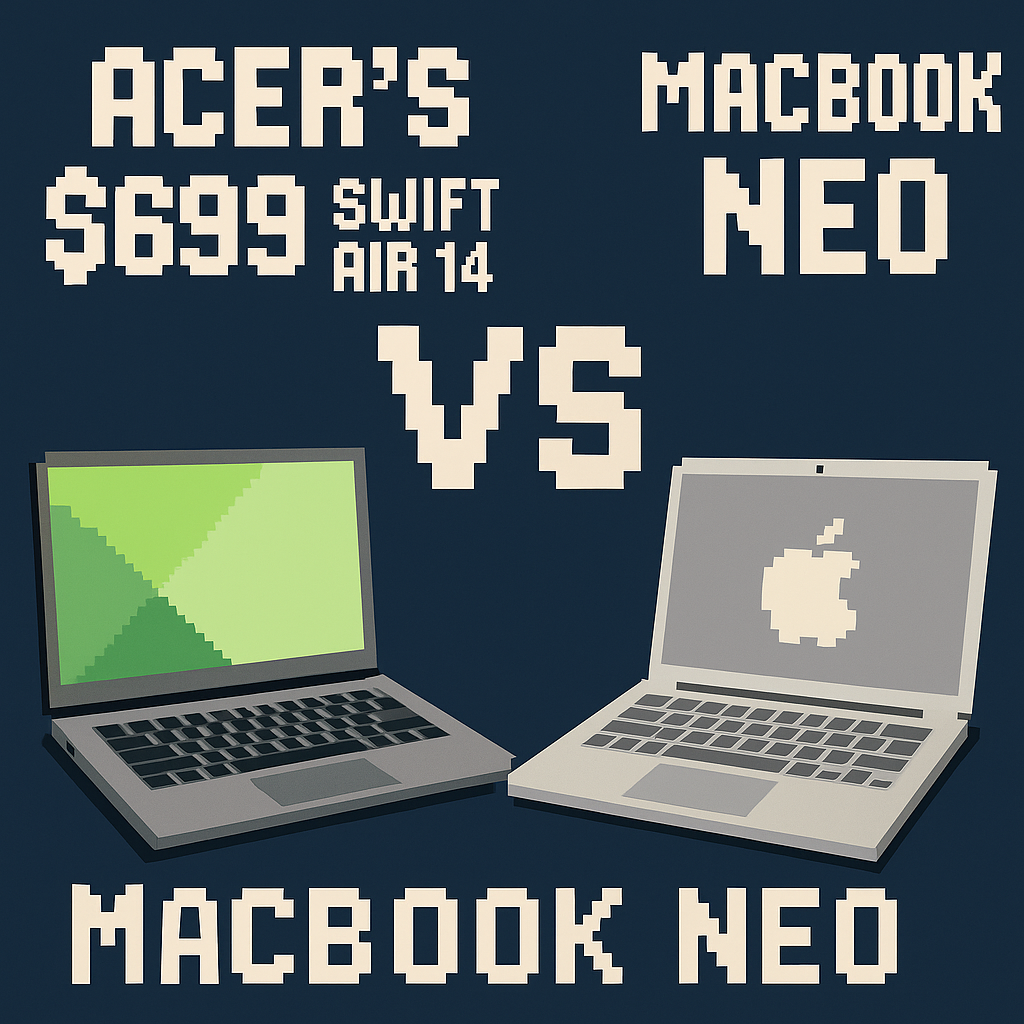
Acer’s $699 Swift Air 14 vs MacBook Neo | Analysis by Brian Moineau

TL;DR

  • Acer’s $699 Swift Air 14 is a colorful 14‑inch Windows laptop positioned against Apple’s $599 MacBook Neo, but it ships with just 8GB RAM and a low‑end Intel Core Series 3 “Wildcat Lake” chip. [1][3][4]
  • On paper it beats the Neo on I/O, refresh rate, and battery capacity (70Wh vs 36.5Wh), yet its NPU peaks at 17 TOPS—well below Microsoft’s 40‑TOPS Copilot+ PC bar—so it won’t ship with flagship Windows AI features. [2][4][7]
  • The real play isn’t Acer vs Apple; it’s Intel seeding an entry tier OEMs can ship at scale in 2026, trading ceilings from a 64‑bit memory interface and 8GB SKUs that will age quickly under Windows 11’s AI stack. [3][5][7]

What the source said

Acer will launch the Swift Air 14 in North America in August 2026 with Intel’s budget‑oriented Core Series 3 “Wildcat Lake,” including 6‑core Core 5 and Core 7 variants, starting at $699. It weighs about 1.19 kg, is slightly thicker than Apple’s MacBook Neo, and offers a 14‑inch 1920×1200 IPS panel at 120Hz and 350 nits. Base memory is 8GB LPDDR5 (configurable to 16GB). Ports include two Thunderbolt 4 (USB‑C) and one USB‑A. Acer also previewed an Aspire 18 AI (up to Intel Core Ultra Series 3, 32GB RAM, 2TB storage) and a Nitro 16 gaming notebook that can be configured with AMD’s Ryzen 9 9955HX3D; pricing for those remains TBD, with ship dates clustered across July–August 2026. [1][2][6]

Why it matters

Acer Swift Air 14 vs MacBook Neo is this season’s entry‑level laptop cage match under $800 in 2026, with Apple’s tighter macOS power management and fixed 8GB RAM facing Acer’s bigger 70Wh battery, 120Hz panel, and extra ports—still with 8GB at the floor. That baseline collides with Microsoft’s Copilot+ PC requirements, which place a 40‑TOPS NPU threshold on key Windows 11 features such as Recall‑class local semantic search and advanced Studio effects that run offline. [2][4][7]

Stakeholders diverge. Intel needs Wildcat Lake to anchor affordable “AI PCs” after 2024–2025 premium chips pushed average selling prices higher; OEMs need something they can ship amid DDR5 price swings reported by TrendForce; Microsoft wants Copilot+ attach rates but set a 40‑TOPS NPU bar; Apple positions the Neo as a “good‑enough” Mac that feeds Services ARPU without discounting the MacBook Air. [3][5][7][8]

Original analysis

Here’s the uncomfortable truth: the Swift Air 14 looks terrific on a spec card, but several “wins” won’t materialize in daily use once you factor in a 17‑TOPS NPU ceiling and 8GB floor. [2][7]

  • Contrarian read

    • Consensus: “Acer’s $699 Swift Air 14 undercuts the $599 MacBook Neo with a bigger battery, faster screen, and more ports—finally, a Windows answer.” [1][4]
    • My take: It’s not a real Neo killer because its AI engine and memory ceiling keep it outside Microsoft’s Copilot+ roadmap. The Swift Air’s NPU tops at 17 TOPS; Copilot+ PCs demand 40 TOPS on the NPU. Without that certification, users will miss Windows 11 features that Microsoft gates behind the Copilot+ badge in 2025–2026. [2][7]
  • Back‑of‑envelope battery math (shown work)

    • MacBook Neo: Apple and press materials peg ~11 hours of wireless web on a 36.5Wh pack. Average platform draw ≈ 36.5Wh ÷ 11h = ~3.3W. [4][8]
    • Swift Air 14: Acer claims up to 16 hours of web on 70Wh. Average draw ≈ 70Wh ÷ 16h = ~4.4W. [2]
    • Interpretation: Despite a larger battery, Acer’s Windows platform draw (even in vendor tests) is roughly 1.1W higher than Apple’s. Add a 120Hz panel and typical Windows background tasks and you’ll likely land below the headline figure in mixed use. The capacity advantage is real; the efficiency gap persists. [2][4][8]
  • 2×2: Where these machines land in 2026 (typology)

    • X‑axis: NPU capability (sub‑40 TOPS vs ≥40 TOPS); Y‑axis: efficiency (web workload <3.8W vs ≥3.8W average draw).
    • High NPU / High efficiency: Premium Copilot+ ARM designs (e.g., Qualcomm X‑Elite class) in 2025–2026. [7]
    • High NPU / Lower efficiency: Early Copilot+ x86 refreshes with ≥40‑TOPS NPUs but heavier draw. [7]
    • Low NPU / High efficiency: Apple MacBook Neo—strong battery behavior but outside the Windows Copilot+ universe by design. [4]
    • Low NPU / Lower efficiency: Acer Swift Air 14—17‑TOPS NPU and ~4.4W implied draw put it here until silicon changes. [2]
  • Comparison table (core shopper questions)

    Dimension Acer Swift Air 14 Apple MacBook Neo
    Price (base) $699 $599
    CPU Intel Core Series 3 “Wildcat Lake,” up to Core 7 350 (6 cores) Apple A‑series SoC class (A18 Pro‑derived)
    RAM 8GB base, up to 16GB LPDDR5 (onboard) 8GB unified (fixed)
    Display 14" 1920×1200, 120Hz, 350 nits, ~100% sRGB 13" 2408×1506, 60Hz
    Battery 70Wh; up to 16h web (vendor claim) 36.5Wh; ~11h web (Apple claim)
    Ports 2× Thunderbolt 4 (Type‑C), 1× USB‑A 2× USB‑C
    Weight 1.19 kg ~1.24 kg

    Sources: Acer press materials for Swift Air 14 specs and battery claims; Apple press materials for Neo specs and capacity; RTINGS methodology informs the web‑draw estimate. [1][2][4][8]

  • Architecture fine print that matters at $699

    • Wildcat Lake is slimmed for cost and thermals: briefings point to a 64‑bit (single‑channel) memory interface and trimmed last‑level cache—choices that help Intel and OEMs hit price targets but constrain sustained bandwidth. On Windows, that punishes iGPU throughput and RAM‑heavy multitasking, especially at 8GB. [3][5]
    • This intersects awkwardly with the 120Hz display. Scrolling is smoother in Office and Edge, yes; but the iGPU and memory path aren’t built for high‑FPS gaming or heavier creative previews. You’ll feel 120Hz in UI smoothness, not in AAA‑title frame rates. [2][3]
  • Historical analogue (year and pattern)

    • Apple’s 12‑inch MacBook (Early 2015) paired a fanless Core M with a single USB‑C and tight thermals; reviewers praised portability but flagged sustained performance and port constraints. The Swift Air 14 echoes that 2015 trade: thin‑first design that limits headroom for the workload mix buyers adopt 12–24 months later. [10][11]
  • Named‑stakeholder breakdown

    • Acer: Gains shelf presence and margin with an aluminum Windows laptop at $699 in Best Buy and Amazon listings, but risks returns if 8GB SKUs stutter under Windows 11 updates and local AI effects. [1][7]
    • Intel: Places Core Series 3 silicon into mass‑market tiers in 2026; it trades peak performance for BOM sanity to counter Apple’s $599 Neo pressure. [3][4]
    • Microsoft: Keeps “AI PC” messaging strict—Copilot+ requires 40 TOPS on the NPU while some OEMs trumpet “platform TOPS 40” that mix CPU/GPU/NPU; shoppers will see conflicting badges in U.S. retail. [2][7]
    • Apple: Keeps the Neo simple—two ports, one RAM option, strong efficiency; configuration stinginess looks less punitive when Windows peers ship 8GB too, reducing perceived downside at $599. [4]
    • AMD (gaming): Wins oxygen at the high end with Acer’s Nitro 16 offering Ryzen 9 9955HX3D with 3D V‑Cache, shifting performance‑per‑dollar chatter toward AMD during back‑to‑school 2026. [6]

What others are missing

The Copilot+ threshold mismatch is the story, not the 120Hz vs 60Hz panel talk. Acer markets “up to 40 platform TOPS,” but the Swift Air 14’s on‑device NPU is rated at 17 TOPS, and Microsoft’s Copilot+ certification demands 40 TOPS on the NPU alone. Platform TOPS (CPU+GPU+NPU) don’t qualify for Copilot+; the NPU’s TOPS gates exclusive Windows features. Expect two $699 Windows laptops on the same Best Buy shelf in November 2026—both with “AI” stickers, but only one with the Copilot+ badge—driving returns, support calls, and negative reviews when Recall‑class features don’t appear. [2][7]

What to watch next

  1. By September 30, 2026 (Q3), Best Buy or Amazon will list the Swift Air 14 base SKU with 16GB RAM at $699–$749, replacing the 8GB base in U.S. stores due to review pressure and returns.
  2. By November 30, 2026 (Q4), Acer will announce a Swift Air 14 variant with an NPU rated at ≥40 TOPS and ship it with the Copilot+ PC logo in the same chassis or a minor refresh.
  3. By December 15, 2026 (holiday), at least two U.S. retailers (Newegg and Micro Center) will advertise Nitro 16 configurations with Ryzen 9 9955HX3D at ≤$1,499 before rebates.

Sources

  1. Acer press materials (June–August 2026) — Launch timing, pricing for Swift Air 14, Aspire 18 AI, and Nitro 16; panel, port, and battery specs.
  2. Acer Swift Air 14 spec sheet (2026) — Claims on 70Wh battery, 120Hz display, port layout, weight, and stated “up to 40 platform TOPS” vs 17‑TOPS NPU.
  3. Intel Core Series 3 “Wildcat Lake” brief (2026) — Positioning, core counts, memory interface notes, and cache trade‑offs for entry‑tier silicon.
  4. Apple MacBook Neo product materials (2026) — Battery capacity (36.5Wh), weight, panel resolution, and Apple’s web battery estimate.
  5. TrendForce DRAM price tracker (2025–2026) — DDR5 price volatility context for OEM BOM decisions at the $599–$799 tier.
  6. AMD Ryzen 9 9955HX3D product page (2026) — 3D V‑Cache positioning and availability in mainstream gaming notebooks like Nitro 16.
  7. Microsoft Copilot+ PC requirements page (2024–2026) — Explicit 40‑TOPS NPU threshold and feature gating for Windows 11 AI experiences.
  8. RTINGS battery test methodology and results (2024–2026) — Web browsing test design informing average draw calculations used for cross‑device comparisons.
  9. The Verge review: Apple MacBook (12‑inch, Early 2015) — Historical thin‑and‑light trade‑offs on thermals, ports, and sustained performance.
  10. AnandTech deep dive: 12‑inch MacBook (2015) — Analysis of design constraints and performance ceilings that mirror 2026 entry‑tier compromises.


Related update: We recently published an article that expands on this topic: read the latest post.
Salesforce Outlook Sparks AI SaaS Fear | Analysis by Brian Moineau

TL;DR

  • Salesforce guides Q2 FY27 revenue to $11.27–$11.35B, a notch below the ~$11.4B consensus from Bloomberg/Yahoo Finance, which stirs 2026’s “AI-disrupts-SaaS” worries despite record Q1 revenue of $11.1B. [1][2]
  • Backing out Informatica, organic growth slows to high single digits; the bear case rests on that math, not on whether Agentforce can run customer support or sales ops in San Francisco or London. [2]
  • The hinge is pricing and data control, not demos. Agentforce ARR sits above $1B as of May 2026, but packaging, per-interaction economics, and a $25B bond-financed buyback will shape winners through FY27. [2][6]

What the source said

Bloomberg/Yahoo Finance reported Salesforce guided fiscal Q2 revenue to roughly $11.3B versus ~$11.4B street, and total remaining performance obligations at $67.9B against a $68.9B consensus; it also cited Q1 FY27 revenue of $11.1B, up 13% year over year. The article frames investor concern that AI agents could disrupt SaaS moats and notes Salesforce’s Agentforce for tasks like support ticket resolution and call summarization. It highlights a stronger-than-expected EPS print and says those AI features have not yet reshaped FY27 growth; it also points to weak 2026 share performance alongside peers such as ServiceNow and Adobe. [1]

Why it matters

  • CIOs at firms from Chicago to Berlin will decide in 2026 whether to buy Salesforce’s integrated data+workflow stack or assemble a Microsoft Azure + Snowflake architecture with point tools like Zapier and Notion; that choice will set five-year TCO and vendor concentration risk. [2][4]
  • For investors, the 2026 scoreboard is organic growth and FCF quality, not keynote sizzle. Salesforce implies mid-to-high single-digit organic growth beneath Informatica and only 4–5% FY27 FCF growth after raising $25B of debt for an accelerated buyback, according to Fortune and IR. That is a capital-allocation signal, not a product one. [2][3]

Original analysis

Salesforce gives lukewarm outlook: what the numbers actually say

  • Back-of-envelope math

    • Q1 FY27 revenue was $11.133B; Informatica contributed $0.444B. Organic revenue ≈ $10.689B. Q1 FY26 revenue was $9.829B. Organic growth ≈ ($10.689B ÷ $9.829B) − 1 ≈ 8.7% YoY. [2]
    • Q2 FY27 guide: $11.27–$11.35B, up ~10–11% YoY, with “slightly above 4 points” from Informatica. Midpoint 10.5% − 4.2 points ≈ ~6.3% organic growth. That tilts toward mid-single digits unless Agentforce or cross-sell accelerates in 2026. [2]
    • RPO is $67.9B (+11% YoY); CRPO is $33.6B (+14% YoY). Pipeline grows faster than organic revenue, which implies packaging, conversion, and discounting—not demand—are the near-term bottlenecks. [2]
  • A 2×2 you can use: data control vs. workflow ownership

    • High data control / High workflow ownership: Salesforce (Customer 360 + Data 360 + Agentforce). If integration friction drops in 2026, this quadrant compounds via native data gravity. [2][4]
    • High data / Low workflow: Snowflake and data lakes. Great for model training and Zero Copy pipelines, but weak native workflows force partners to stitch outcomes. [2]
    • Low data / High workflow: ServiceNow and Adobe—strong processes, but they must defend first-party data gravity as interfaces commoditize with GPT-4–class models.
    • Low data / Low workflow: point tools such as Zapier and Notion add-ons; feature velocity is high, but margins and stickiness erode when buyers standardize on fewer agent platforms.
  • Named-stakeholder breakdown

    • Salesforce: The drag is arithmetic, not existential. Without Informatica, organic growth rounds to ~6–9%—adequate for a ~$45B-revenue company in 2026, but not thesis-clinching. The fix is packaging Agentforce into usage units that map to outcomes like “resolved cases” or “qualified opportunities.” [2][3][6]
    • ServiceNow: If Agentforce Contact Center gains share in 2026, NOW’s “AI control tower” meets a platform that already owns the customer record and many service workflows; track large CCaaS deal win rates. [4]
    • Adobe: Generative design and content agents matter, but enterprise buyers may insist agents sit where CRM/CDP data lives; that pushes Adobe deeper into upstream integrations with named systems of record.
    • Microsoft/Snowflake: The neutral data-plane alternative. If CIOs prize model choice and cross-cloud data residency in 2026, Azure OpenAI + Snowflake can siphon spend even if Salesforce keeps front-end workflows.
  • A contrarian read

    • Consensus: “AI agents will commoditize SaaS; Salesforce’s moat is eroding.”
    • Counter: RPO/CRPO growth and early Agentforce ARR suggest buyers want agents inside systems of record to avoid brittle glue code. Salesforce and Spanish financial press cite >$1B Agentforce ARR; Q1 FY27 materials note 52T records ingested into Data 360 (35T via Zero Copy) and 1T API calls across core—data gravity you don’t replicate quickly in 2026. The near-term headwinds are pricing mechanics and Informatica consolidation, not core capability. [2][6]

What others are missing

The overlooked hinge is unit economics and packaging for digital labor in FY27: Salesforce bakes “slightly above 4 points” of Informatica into Q2 and guides FCF growth to only 4–5% after issuing $25B of debt for an accelerated share repurchase, signaling a clock on monetization. The operational breadcrumbs—52T records ingested into Data 360 (35T via Zero Copy), 1T API calls, and CRPO +14%—show demand, but organic revenue will re-accelerate only if Salesforce simplifies SKUs into usage-grounded tiers and reduces multi-cloud data-access friction in 2026–2027. [2][3]

What to watch next

  1. By Q2 FY27 results (late August 2026), Salesforce’s organic (ex-Informatica) revenue growth is ≤7% YoY even if total growth lands inside the $11.27–$11.35B guide, confirming the deceleration math above. [2]
  2. By Dreamforce 2026 (September 2026 in San Francisco), Salesforce ships a usage-tiered Agentforce core SKU—explicit per-interaction or per-agent-minute pricing—alongside seat bundles, reducing pilot-to-production friction.
  3. By Q4 FY27 earnings (late February 2027), Salesforce or credible outlets disclose Agentforce ARR ≥$1.5B, implying deeper production deployments beyond 2026 pilots. [6]

My take

I don’t buy the “AI kills Salesforce” story in 2026. The give here is go-to-market plumbing, not model quality: data gravity plus native agent workflows inside Customer 360 is defensible, and RPO/CRPO prints back that up. The real risks are self-inflicted—keeping organic growth stuck near 6–7% while consuming balance sheet for buybacks—and they are fixable with cleaner, usage-based Agentforce pricing in 2026. If organic growth stabilizes and packaging tightens by Q2, the stock can rerate off the “disruption” narrative; if not, the market will keep assigning a utility multiple.

Sources

  1. Salesforce Gives Lukewarm Outlook That Fails to Ease AI Fear — Yahoo Finance/Bloomberg (https://finance.yahoo.com/markets/stocks/articles/salesforce-gives-lukewarm-outlook-fuels-200630699.html) — Q2 revenue guide near $11.3B vs. ~$11.4B consensus, RPO context, and investor AI-disruption framing.
  2. Salesforce Delivers Record First Quarter Fiscal 2027 Results — Salesforce Investor Relations (https://investor.salesforce.com/news/news-details/2026/Salesforce-Delivers-Record-First-Quarter-Fiscal-2027-Results/default.aspx) — Official Q1 FY27 metrics: revenue, Informatica contribution, RPO/CRPO, Q2/FY27 guidance, Data 360/Zero Copy and API utilization.
  3. Salesforce turbocharges $25 billion stock buying spree with debt, cuts cash flow guidance in half — Fortune (https://fortune.com/2026/05/27/salesforce-turbocharges-25-billion-stock-buying-spree-with-debt-cuts-cash-flow-guidance-in-half/) — Confirms the $25B bond-financed ASR and frames softer FY27 FCF growth.
  4. Agentforce Contact Center brings native CCaaS to Salesforce — TechTarget (https://www.techtarget.com/searchcustomerexperience/news/366639947/Agentforce-Contact-Center-brings-native-CCaaS-to-Salesforce) — Details on Agentforce Contact Center and native agent workflows for service.
  5. Cotización CRM Hoy (May 27, 2026): 1 Año -33.75% — Bloomberg Línea (https://www.bloomberglinea.com/quote/CRM%3AUN/) — Independent snapshot of 2026 YTD and one-year share performance around the print.
  6. Salesforce falla, por ahora, en su multimillonaria recompra de acciones… — CincoDías (El País) (https://cincodias.elpais.com/companias/2026-05-29/salesforce-falla-por-ahora-en-su-multimillonaria-recompra-de-acciones-para-hacer-frente-a-la-amenaza-de-la-ia.html) — Cites Agentforce ARR above $1B and contextualizes the debt-funded buyback in Spain’s financial press.


Related update: We recently published an article that expands on this topic: read the latest post.


Related update: We recently published an article that expands on this topic: read the latest post.

Related update: We recently published an article that expands on this topic: read the latest post.

Related update: We recently published an article that expands on this topic: read the latest post.
Xbox Teases GTA 6, Nets 37M Views | Analysis by Brian Moineau

TL;DR

  • Xbox’s “Wishlist Now” post about GTA 6 pulled 37.3 million X views and 250,000+ likes—cheap reach that turns GTA hype into Xbox storefront intent, though “views” here are impressions, not uniques. [1][4]
  • Take-Two and Rockstar still point to a November 19, 2026 launch with marketing kicking off in summer 2026, so Xbox is staking mindshare now, likely ahead of a PlayStation‑leaning marketing cycle. [2][6][9]
  • With GTA V sold‑in past 225 million units, the platform that wins “where you buy” wins the rent; expect publishers to steer clear of GTA 6’s week, as they did around Red Dead Redemption 2 in 2018. [3][8][10]

What the source said

Pure Xbox reports that a barebones Xbox post on X reading “November 19th — Wishlist Now” amassed 37.3 million views and 250,000+ likes, fanning GTA 6 anticipation and calming delay rumors after Take‑Two reiterated the date last week. The piece flags that the virality reflects extraordinary GTA demand, not ironclad release certainty, and that fan communities on Reddit and Discord are fixated on Trailer 3 timing and pre‑orders opening in summer 2026. It closes by arguing Xbox should keep first‑party beats like Fable, Halo, and Gears clear of GTA 6’s November window—because nothing wants to compete with it. [1]

Why it matters

This isn’t about a viral post; it’s about who captures the $70 transaction in November 2026. Rockstar ships the game, but PlayStation and Xbox take roughly a 30% fee on their digital stores, so a single “Wishlist Now” call—seen 37.3 million times—nudges undecided buyers to pick a lane months before pre‑orders open. That lane is recurring platform revenue, not just a one‑off post. [1][12]

Stakeholders with money at stake include Take‑Two (FY2027 bookings hinge on holding the date), Microsoft and Sony (storefront fees on a once‑a‑decade hit), and X Corp (evidence its “views” can still connect to commerce in 2026). GTA V’s “over 225 million” sold‑in and a GTA franchise total above 465 million set the pie size; the only question is which storefront takes the biggest rake. [3][6]

Original analysis

GTA 6: Xbox racks up 37 million views

Consensus read: “Xbox flexed with a viral GTA 6 post.”
Contrarian read: It’s defensive. If PlayStation leads marketing, Xbox must anchor the idea that GTA 6 is a day‑one Xbox buy—before PS5 messaging drowns everything out. Coverage at Push Square and others has highlighted signs of a Sony‑leaning cycle; Rockstar lists both PS5 and Xbox Series X|S on Nov 19, 2026, but the branding tide will likely skew PlayStation. Xbox is planting a flag now. [9][2]

  • Back‑of‑envelope media value

    • Inputs: 37.3M X “views” (impressions) and an observed Hootsuite CPM for X near $2.09. [1][5]
    • Math: 37.3M / 1,000 = 37,300 “thousands”; 37,300 × $2.09 ≈ $77,857 in ad‑equivalent reach.
    • Caveat: X “views” count any logged‑in exposure; they’re not unique, and quality varies across placements. [4]
    • Translation: for the cost of one big‑city out‑of‑home flight in 2026, Xbox reminded tens of millions that GTA 6 is also on Xbox.
  • Engagement sanity check

    • Likes: 250,000 on 37.3M views ≈ 0.67% like‑per‑impression. [1]
    • That’s a healthy skim for a one‑line post pointing to storefront wishlists, and it points directly at the conversion surface that matters to Microsoft’s P&L in 2026.
  • The storefront ROI logic (scenario math)

    • Console platforms take about a 30% fee on digital game sales; Microsoft publicly kept 30% on Xbox consoles while cutting PC fees in 2021. [12]
    • If that post ultimately steers just 50,000 digital Xbox pre‑orders at $70, platform fee ≈ 50,000 × $70 × 30% = $1.05M.
    • Even 5,000 conversions would yield ≈ $105,000—already above the ~$77.9k “earned media” value of the post. This is why platform posts around third‑party blockbusters exist.
  • A 2×2 on platform tactics

    • Axis 1: Control of the marketing message (low ⇄ high).
    • Axis 2: Share of audience attention (low ⇄ high).
    • Xbox today: Low control (likely Sony‑leaning marketing) × High attention (mass X reach) → Tactic: seed intent on your store, repeatedly, and early.
    • PlayStation: High control × High attention → Tactic: own trailers, bundles, controller SKUs, and retail triggers.
    • Take‑Two/Rockstar: High control × Universal attention → Tactic: time Trailer 3 to start the summer 2026 funnel and flip on pre‑orders. [6][2]
  • Historical analogue that predicts calendar behavior

    • In 2018, EA delayed Battlefield V from October 19 to November 20, moving it out from between Call of Duty: Black Ops 4 (October 12) and Rockstar’s Red Dead Redemption 2 (October 26). Publishers move around Rockstar, and November 2026 will likely clear out around GTA 6. [8][10]

Finally, grounding the stakes: Take‑Two’s filings list GTA V at “over 225 million” sold‑in and the GTA franchise at 465 million lifetime, numbers that no 2026 release can ignore. The Xbox post didn’t create demand; it re‑routed a sliver of where that demand will transact on day one. [3]

What others are missing

The fulcrum isn’t the 37.3M “views”—it’s the wishlisting primitive and its knock‑on effects in the Microsoft Store ranking, notification, and console home‑screen systems in 2026. Xbox’s wishlist counts feed “Top Wishlisted” and “Trending” rows, trigger email/app alerts when pre‑orders open or discounts hit, and influence tile placement on Series X|S dashboards, all of which raise the odds the $70 purchase happens on Xbox instead of PS5. [13][12]

Valve’s 2018 GDC session on Steam wishlists documented how pre‑launch intent pools correlate with launch‑week sales, and console storefronts mirrored that logic across 2020–2026. Xbox’s post lives on X despite the iffy “view” metric because it buys low‑cost, top‑of‑funnel intent that flows into first‑party CRM loops—wishlist emails, console tiles, and “Because you followed GTA 6” recs—Microsoft has refined since the Xbox One era in 2013. [11][4][13]

What to watch next

  1. By July 31, 2026, Rockstar will release Trailer 3 and open GTA 6 pre‑orders on both PlayStation Store and Microsoft Store the same week; if pre‑orders slip past August 31, 2026, expect a public update shifting the Nov 19 date.
  2. Between November 19 and December 19, 2026, GTA 6 will hold the No. 1 “Top Paid” slot on the Xbox Store in the US for at least 28 consecutive days; any break below No. 1 before December 1 will falsify this.
  3. By December 31, 2026, at least 65% of GTA 6 units sold on Xbox and PS5 combined will be digital, as reported in Take‑Two’s first post‑launch disclosure; a reported digital mix under 60% falsifies this.

Sources

[1] Pure Xbox — Report on Xbox’s “November 19th — Wishlist Now” GTA 6 post hitting 37.3M views and 250k likes; establishes the scale of organic reach and timing in 2026.
[2] Rockstar Games (platform pages/newswire) — Lists GTA 6 for PS5 and Xbox Series X|S with a November 19, 2026 date; anchors the platform and date details used here.
[3] Take‑Two Interactive, Form 10‑K (2026) — States GTA V “over 225 million” sold‑in and GTA franchise totals; quantifies the addressable pie.
[4] X Help Center — Definition of “post views”/impressions; clarifies that X “views” are not unique users.
[5] Hootsuite (2024 paid benchmarks) — Example CPM for X near $2.09; provides the media‑value input for the back‑of‑envelope math.
[6] Take‑Two earnings call (2026) — Management reiterates the planned November 2026 launch and summer marketing cadence; grounds timing assumptions.
[8] Electronic Arts (2018 update) — Battlefield V delay from Oct 19 to Nov 20, 2018; illustrates publishers moving away from Rockstar‑adjacent weeks.
[9] Push Square — Coverage pointing to a PlayStation‑leaning GTA 6 marketing tilt; explains Xbox’s defensive mindshare play.
[10] Rockstar Newswire (2018) — Red Dead Redemption 2’s October 26, 2018 release date; situates the 2018 competitive calendar.
[11] Valve (GDC 2018 talk on Steam Wishlists) — Documents wishlist mechanics and their relationship to launch sales; supports the wishlist‑as‑intent thesis.
[12] The Verge (2021) — Microsoft confirms Xbox console store remains at a 30% revenue share; establishes the platform‑fee assumption.
[13] Microsoft Game Dev docs (Store: wishlists, notifications, and merchandising) — Explains how wishlists trigger notifications and influence store placement on Xbox; details the operational lever behind the post.


Related update: We recently published an article that expands on this topic: read the latest post.
PS6 Launch Timing Still Uncertain | Analysis by Brian Moineau

Waiting for the Next Level: Why PS6 Has No Release Date Yet, Sony Confirms

PS6 has no release date yet, Sony confirms and mentions memory prices Sony has not confirmed a launch date or price for its next PlayStation console. That blunt admission—made during Sony’s recent investor/earnings discussion—pulled the rug out from months of leaks and rumor timelines. For players who treat console generations like sporting seasons, the news is equal parts frustrating and strangely reassuring: Sony is choosing caution over hubris.

Let’s unpack what this means for gamers, developers, and the console market as a whole.

Why Sony hit pause

Sony’s message was simple: “We have not yet decided on at what timing we will launch the new console, or at what prices,” said CEO Hiroki Totoki during the call. The headline driver behind that indecision is the soaring cost and constrained supply of memory components—DRAM and NAND—that the PlayStation 6 would need to compete with PC hardware and Microsoft’s upcoming systems.

  • Memory prices have recently been pushed higher by demand from AI data centers and tight supply chains.
  • Higher component costs force OEMs to choose between slimmer margins, higher retail prices, or delaying launch until prices normalize.
  • Sony also signaled it’s open to “changing business models” rather than simply rolling out a new, more expensive box.

In short: the raw parts that make next-gen consoles feel next-gen are more expensive and harder to secure, so Sony is hesitating before setting a date or price.

The broader context: not just Sony’s problem

This isn’t an isolated complaint. Over the past 18 months the tech industry has seen memory and storage prices fluctuate due to geopolitical tensions, demand from data centers, and capacity constraints at memory fabs. Console makers are particularly sensitive because they sell millions of units at tightly calculated price points that influence software sales, subscriptions, and long-term platform health.

  • Microsoft and Nintendo are watching the same market pressures; their choices will shape competition.
  • Sony recently raised PS5 and PS5 Pro prices in some markets, which shows it has already been absorbing and passing on some cost increases.
  • Leakers and insiders have pushed release windows from 2027 toward 2028 or even later; Sony’s confirmation simply formalizes what many analysts suspected.

Put another way: a delayed or pricier PS6 is plausible, but not inevitable. Supply dynamics and Sony’s appetite for platform dominance will determine the outcome.

PS6 timing and price: what are the realistic scenarios?

Sony’s statement leaves room for several paths forward. Here are plausible scenarios the company could choose depending on how the supply chain and competitive landscape evolve.

  • Launch in 2027 at a higher price: Ship on schedule but accept a higher retail price to protect margins. That risks consumer backlash and slowed attach rates for games and services.
  • Delay until 2028+ and hit target price: Wait for component costs to moderate and deliver a more competitive MSRP. This extends the PS5 lifecycle and depends on Sony keeping player interest high with exclusive software.
  • Staggered product lineup: Launch multiple SKUs (e.g., base, Pro, or a handheld variant) to hedge costs and segment the market. Rumors have suggested Sony might pursue a multi-device family approach.
  • New business models: Shift emphasis to subscription, cloud streaming, or modular hardware to reduce upfront consumer cost while unlocking recurring revenue.

Each option has trade-offs: margin vs. volume, brand momentum vs. consumer goodwill, and hardware leadership vs. software-first strategies.

Why gamers shouldn’t panic (yet)

A lot of headlines turn the “undecided” into a crisis, but there are reasons to stay calm.

  • The PS5 ecosystem is still strong: first-party releases, third-party support, and services like PlayStation Plus keep players engaged.
  • A later PS6 could be technically superior: waiting can mean better thermals, newer SoCs, and higher-value feature sets at the same price point.
  • Sony has weathered console transitions before: it successfully navigated PS4/PS4 Pro and the unusual PS5 launch period; leadership decisions tend to be pragmatic, not impulsive.

That said, Sony will need to manage messaging carefully. Gamers remember price hikes and supply shortages; mishandling could push some spenders toward PC or competing consoles.

The competitive ripple effects

Sony’s pause gives rivals a few advantages and challenges.

  • Microsoft could accelerate or alter its launch plans to seize momentum, but it faces the same supply constraints.
  • Nintendo tends to operate on a different cadence, but higher industry prices can still influence its handheld/console strategies.
  • PC makers may benefit in the short term as surplus demand shifts to GPUs and custom PC builds.

For developers, the key is flexibility: target cross-gen releases, optimize assets, and plan for varied hardware penetration scenarios over the next 2–3 years.

What to watch next

If you want to follow the story as it develops, keep an eye on these signals:

  • Memory market trends and pricing reports throughout 2026–2027.
  • Sony quarterly updates and investor briefings for any shift from “undecided” to a formal window.
  • Microsoft and Nintendo statements or product reveals that could pressure Sony’s timing.
  • Supply chain disclosures from major memory manufacturers (Samsung, SK Hynix, Micron).

These will shape whether PS6 lands in 2027, slips to 2028/2029, or appears with new pricing models.

Takeaways for players and observers

  • Sony has publicly confirmed it hasn’t set a PS6 launch date or price, largely because of memory cost and supply uncertainty.
  • Multiple viable strategies exist: higher price, later launch, staggered SKUs, or new business models.
  • The PS5 remains Sony’s living platform; a delayed PS6 could be strategically sensible if it preserves ecosystem health.
  • Expect competition and supply signals to steer Sony’s ultimate choice.

Final thoughts

We’re living in an era where hardware launches are as much about supply-chain chess as they are about silicon and software. Sony’s candid line—“we haven’t decided yet”—is a rare, honest glimpse into that complexity. For gamers, the wait might be a little longer, but there’s an upside: a more polished, better-valued PS6 could be the result. In the meantime, the PS5 era still has life, and that’s a comforting thought for anyone worried the next-generation hype cycle will leap-frog this one too quickly.

Sources


Related update: We recently published an article that expands on this topic: read the latest post.

Windows 11 KB5083826 Strengthens WinRE | Analysis by Brian Moineau

When recovery matters: Microsoft released Windows 11 KB5083826 update for OS recovery – Neowin

Microsoft released Windows 11 KB5083826 update for OS recovery – Neowin — and while that headline sounds like tech press routine, what landed in mid‑April 2026 matters more than you might think. This Safe OS dynamic update targets the Windows Recovery Environment (WinRE) for recent Windows 11 branches (24H2 and 25H2), patching behind‑the‑scenes plumbing that only shows its value when things go wrong.

Updates that improve recovery rarely make splashy headlines. Yet when your PC won’t boot, WinRE is the last lifeline. KB5083826 is one of the April 2026 dynamic updates Microsoft pushed to repair and harden that lifeline across supported Windows 11 versions.

Why this update arrived and what it changes

  • Microsoft has shipped a series of Safe OS (WinRE) and Setup dynamic updates this year to address issues with recovery, reset, and setup flows.
  • KB5083826 is a Safe OS Dynamic Update aimed at Windows 11 versions 24H2 and 25H2. It brings fixes and stability work for WinRE — the recovery environment used for Reset, Startup Repair, Command Prompt, and other rescue tools.
  • These updates don’t add user‑facing features. Instead, they repair the code that runs before the full OS boots — precisely the place where earlier updates have occasionally caused failures or device lockouts.

Put simply: this update is about ensuring that when Windows needs to fix itself, the toolkit actually works. That’s the sort of maintenance that saves hours of frustration for IT teams and ordinary users alike.

The broader context — why WinRE updates matter now

Over the past year Microsoft has repeatedly released emergency and dynamic updates for recovery and setup components after several incidents where recovery tools misbehaved following cumulative changes. Those incidents revealed how easy it is for a security or quality update to inadvertently impact recovery drivers, input devices in WinRE, or the setup path used during repairs.

  • Administrators reported recovery tools losing keyboard/mouse support or failing to launch after certain October/November 2025 updates.
  • Microsoft responded with targeted Safe OS/Setup dynamic updates and documentation on release‑health pages to help IT pros track fixes and known issues.

So KB5083826 is part of a continuing effort: not a one‑off, but a steady hardening of the recovery surface. That’s reassuring — but it also highlights how fragile preboot and setup paths can be when many moving parts (drivers, secure boot, OEM tooling) interact.

What users and IT admins should know

  • This is a Safe OS dynamic update: it installs into the WinRE image and is applied where and when the recovery environment is used. Expect it to be small and focused.
  • You may see KB5083826 referenced in Windows Update logs or deployment systems as a WinRE/Safe OS update for 24H2/25H2 devices.
  • For managed environments, verify your update tooling (WSUS, Intune, Configuration Manager) picks up the dynamic update as needed; Microsoft’s release pages list availability and guidance for enterprise deployment.
  • If you had prior issues with recovery tools (unresponsive Reset, missing input support in WinRE, or failed Startup Repair), apply the update and test recovery scenarios on a small set of machines before broad rollout.

Transitioning from patch notes to action: if you administer Windows fleets, add WinRE tests to your validation checklist after dynamic updates. For home users, ensure Windows Update installs the offered updates and keep a recent full image or backup, because recovery tools are insurance — but backups are the real safety net.

A closer look at Microsoft’s approach

Microsoft’s use of Safe OS and Setup dynamic updates is pragmatic. Instead of waiting for monthly cumulative updates to fix preboot problems, the company can push small targeted fixes to the recovery image itself. That lowers the wait time for fixes that matter when systems won’t boot.

However, this approach comes with responsibilities:

  • It requires solid telemetry and rapid testing across hardware variations. WinRE interacts closely with firmware and vendor drivers, which can vary wildly across PCs.
  • It raises the bar for validation by enterprises: administrators should simulate recovery flows (boot to WinRE, run Reset, use Startup Repair, check input devices) after dynamic updates, not just rely on normal boot testing.

In short, the model is better for faster fixes, but it forces better validation discipline.

A few practical tips

  • If you’ve experienced recovery issues: check Windows Update history for recent Safe OS or Setup updates (you may see KB5083826 or similar entries). Then, test WinRE functionality (keyboard, mouse, Reset, Command Prompt).
  • Create and verify a bootable recovery or installation USB periodically. Dynamic updates to WinRE don’t replace the value of a tested external rescue media.
  • For enterprises: include recovery flow checks in your update ring testing, and consult Microsoft’s release‑health pages for known issues and guidance.

What this means for the average user

Most people will never notice KB5083826 beyond a line in their update history. But when their PC refuses to boot or Reset fails, this kind of update is the difference between a quick self‑repair and a full reinstall.

That invisible work — tightening the bolts on the rescue toolbox — keeps the whole platform resilient. And in a world where firmware, drivers, and security updates interact in complex ways, those invisible fixes are quietly important.

Final thoughts

Updates like KB5083826 aren’t glamorous, but they’re the kind of maintenance that matters when your system is at its most vulnerable. Microsoft’s continued focus on Safe OS and Setup dynamic updates shows they’ve learned the hard lesson: recovery tooling must be treated with the same care as the running OS. For IT pros and vigilant users alike, the practical takeaway is simple — keep systems patched and validate recovery paths. When the inevitable issue arrives, you’ll be glad the rescue tools actually work.

Sources


Related update: We recently published an article that expands on this topic: read the latest post.

Xbox, Game Pass, and Bethesdas Fallout | Analysis by Brian Moineau

"That shouldn't be a surprise to you": when a veteran blows the whistle on change

When you first read the headline — "'I Saw How It Was Getting Damaged': Ex-Bethesda Exec Goes to Town on Xbox's Mistreatment" — it lands like a complaint you half-expected. The quote slices through nostalgia and corporate gloss: a longtime Bethesda executive, Pete Hines, saying he watched something he loved being “damaged” after the Microsoft acquisition. That shouldn't be a surprise to you, he adds, and that line is the emotional backbone of this debate about studio culture, acquisitions, and what subscription platforms do to creative incentives.

This post looks at what Hines said, where it fits in the bigger picture of Xbox, Game Pass and industry consolidation, and why his words matter beyond one company being “right” or “wrong.”

Why the quote matters

  • Hines speaks from inside decades of Bethesda history. He was a public face for the company for years and left in October 2023.
  • His remarks are not just a gripe — they accuse a shift in values and treatment of teams after Microsoft’s takeover.
  • The comment taps into a larger conversation about how big tech owners influence creative studios, and whether the tradeoffs (stability vs. autonomy) are worth it.

These points are important because they move the story from personality to pattern. When a respected insider frames the changes as “damage,” it reframes layoffs, studio reorganizations, and strategic pivots as consequences, not just corporate housekeeping.

The core claim: what Hines actually said

In a recent interview (April 2026), Hines said he left because he felt powerless to protect Bethesda as it was “being damaged and broken apart and frankly mistreated, abused.” He described the post-acquisition environment as “not authentic and not genuine,” and added, “That shouldn't be a surprise to you.” Those are strong words coming from someone who stayed on for a time after the deal closed. (pushsquare.com)

Put plainly: Hines is saying the acquisition created an ecosystem change — one that shifted incentives and day-to-day realities in ways that eroded what he and many others cherished about Bethesda.

Context: acquisitions, restructuring, and Game Pass dynamics

Since Microsoft acquired Bethesda’s parent ZeniMax, there have been shifts you can point to as background evidence: studio reorganizations, policy changes, and a stronger strategic focus on Game Pass as a distribution model. That model creates clear business benefits — stable revenue, massive user reach — but it also introduces new pressures.

  • Subscription services can compress the lifecycle of content and alter what “success” looks like.
  • Bigger corporate ownership can standardize processes and prioritize platform strategy over studio idiosyncrasies.
  • Layoffs and reorganizations in recent years across the industry have made talent and morale fragile.

Hines’ comments echo other developers’ and execs’ worries about "weird inner tensions" Game Pass can create and whether platform owners sufficiently value the long-term craft of big-budget studios. These tensions have surfaced in public debates and reporting over the past couple of years. (tech.yahoo.com)

What this means for players and creators

For players, the immediate impact is mixed. Game Pass has made a vast library affordable and accessible; entire communities enjoy games they might never have tried otherwise. For creators, however, the calculus can be uglier.

  • Short-term performance metrics can trump long-term IP cultivation.
  • Smaller teams and ambitious projects may find themselves deprioritized in favor of consistent platform content.
  • Creative autonomy can suffer when corporate priorities shift.

Hines’ complaint isn’t merely nostalgia. It’s a caution about how value is distributed inside large ecosystems: who gets resources, whose vision is protected, and which projects survive intact.

Where we should be cautious

That said, we should avoid one-sided conclusions. Large publishers can also offer resources and stability that enable ambitious projects which otherwise might never be funded. Microsoft has funded big games and given studios budgets impossible for many independent publishers.

  • Not every change is deliberate sabotage; some are genuine attempts to integrate and scale.
  • Problems observed at Bethesda had complex roots — not all attributable solely to the acquisition.
  • Public statements from former insiders often mix personal frustration with legitimate industry critique.

Balance matters. The right question isn’t simply “Is Microsoft bad?” but “How can large platform owners structure relationships to protect creative culture while pursuing growth?”

"I Saw How It Was Getting Damaged": what to watch next

  • Will Microsoft or Xbox publicly respond with concrete changes to studio autonomy or developer support?
  • Will other studio leaders come forward with corroborating accounts, or will defenders emphasize the benefits of scale?
  • How will Game Pass evolve its compensation and discovery models to better reward diverse kinds of creative output?

These are the practical policy areas where words like Hines’ should lead to action rather than just headlines.

My take

Hines’ words cut because they come from someone who loved, built, and defended Bethesda. They force a hard, necessary conversation about what we value in games and studios. Consolidation and subscription models are reshaping an industry that once relied on a patchwork of small, independent teams and a few large publishers. Those shifts can produce great things — and ugly consequences.

If you care about creative depth in videogames, don’t treat this as a partisan Xbox story. Treat it as a systems problem: how to design corporate relationships so that commercial success and creative stewardship reinforce each other, not erode one another.

Sources

Microsoft Pulls Troubled Windows 11 Update | Analysis by Brian Moineau

Hook: When an optional update goes wrong

Microsoft pulls Windows 11 KB5079391 preview after it causes install error loop on 25H2 and 24H2 – Windows Latest. That headline landed in inboxes and forums this week, and for good reason: an optional preview update meant to smooth out quirks instead trapped some machines in an install error loop. The result? Confused users, quick rollback reports, and another reminder that even “preview” updates can be disruptive.

What happened with KB5079391

On March 26, 2026 Microsoft published KB5079391 as a preview (optional) cumulative update for Windows 11 versions 25H2 and 24H2. The company’s support page shows the release and the OS build numbers (26200.8116 and 26100.8116), and it lists fixes and improvements — including updates for some AI components and servicing stack changes. Within hours, though, reports started to surface of systems failing to complete the install and repeatedly rolling back, leaving affected users stuck in an error loop. Microsoft subsequently pulled the update from Windows Update for affected channels while it investigates. (support.microsoft.com)

This wasn’t the first time a Windows preview patch caused headaches. Recent months have seen several problematic updates that required emergency fixes or out-of-band releases — so the community was already on high alert. (windowscentral.com)

Why this matters for everyday users

  • Preview updates are optional, but they appear in the same Update UI that many users glance at. That makes accidental installs possible.
  • An install loop can render a machine temporarily unusable or require a rollback to a restore point, which is disruptive and time-consuming.
  • For businesses with managed deployments, an unstable preview can cascade into multiple helpdesk tickets and lost productivity.

Put plainly: the promise of “preview = safe to try” is only as good as the QA that went into the build. When the QA misses an edge case, real people pay the price.

Signals from Microsoft and the community

Microsoft’s official KB entry for KB5079391 outlines installation methods and notes for admins, and it currently reflects that the update was removed from Windows Update due to installation issues while the company investigates. Community threads (feedback hubs and forums) show a mix of reports — some users installed the update successfully, others experienced failure codes and rollback loops, and a handful needed to uninstall the preview to restore normal operation. That variance suggests the problem is hardware- or configuration-dependent rather than universal. (support.microsoft.com)

What’s also notable: Microsoft has, in past months, pushed several rapid fixes and out-of-band updates when issues were severe (for example, restoring WinRE USB input after a prior update broke recovery tools). That past behavior indicates the company will likely prioritize a fix if the failure affects a meaningful number of users. (windowscentral.com)

Who should install preview updates — and who shouldn’t

  • Do install previews if:

    • You’re an IT pro or tester who needs to validate upcoming changes.
    • You run non-production machines that can tolerate a reinstall or recovery if things break.
  • Avoid installing previews on your daily driver if:

    • You depend on your PC for critical work and can’t afford downtime.
    • You lack recent system backups or a recovery plan.

If you already installed KB5079391 and see problems, uninstalling the preview (or restoring to a pre-update restore point) and filing a Feedback Hub report are sensible first steps. For enterprises, block or delay the optional update via update management tools until Microsoft issues a remediation. (support.microsoft.com)

Practical, quick advice for now

  • Check Windows Update settings: optional preview updates should be clearly labeled; don’t click “Install” on previews on production machines.
  • If your device is stuck in an install loop, boot into Safe Mode and uninstall recent updates or perform a system restore.
  • For managed environments, set policies to defer preview releases and test them first on a controlled cohort.
  • Keep backups current — system images and file backups make recovery far less painful.

These are straightforward precautions, but they’re surprisingly rare in everyday practice. A little preparation goes a long way.

What this episode reveals about Windows update strategy

Microsoft’s cadence — security monthly updates, optional previews, and occasional out-of-band patches — aims to balance stability and rapid improvement. But as Windows accumulates more features (AI components, expanded device drivers, deeper ecosystem dependencies), the surface area for interaction bugs grows.

In that context, preview updates serve an important role: they reveal compatibility frictions before a security or feature update becomes mandatory. The downside is visible: previews can behave like production updates for users who install them without understanding the risk. The trick for Microsoft (and for admins) is clearer labeling, smarter rollout gates, and better telemetry to detect and pause problem releases faster.

What to watch next

  • Microsoft’s follow-up: watch the Windows Release Health Dashboard and the KB support page for the official remediation details and any recommended fixes. (support.microsoft.com)
  • Community reports for patterns: look for common hardware, driver, or third-party software factors that correlate with failures.
  • Out-of-band fixes: if the issue is severe, Microsoft historically issues an emergency update — that’s likely the fastest route to resolution. (windowscentral.com)

My take

It’s frustrating when an update intended to help users instead causes disruption. The core problem isn’t that Microsoft ships updates — it’s that complexity is outpacing the safety nets many users rely on. For power users and IT pros, the path forward is clear: test, stage, and protect. For casual users, the best protection remains a simple habit: delay optional updates on your main machine, keep backups, and watch official channels for fixes.

When optional updates behave like mandatory ones, trust erodes. The way Microsoft responds — speed, transparency, and a fix — will determine how quickly that trust can be rebuilt.

Where I looked

  • Microsoft support article for KB5079391 (release and installation details). (support.microsoft.com)
  • Windows Central coverage of Microsoft’s recent emergency/out-of-band patches and update issues. (windowscentral.com)

Sources


Related update: We recently published an article that expands on this topic: read the latest post.

Windows 11 Update Locks Samsung C Drive | Analysis by Brian Moineau

Hook: When an update locks the door to your own files

"Microsoft: Windows 11 users can't access C: drive on some Samsung PCs – BleepingComputer" — that headline (and the problem it describes) landed in people's feeds in March 2026 and for good reason: some Samsung laptops running Windows 11 suddenly showed “C:\ is not accessible – Access denied” after recent updates, blocking apps and everyday workflows. It’s the kind of bug that feels personal — your machine boots, but the system drive becomes off-limits, and the apps you rely on simply won’t launch.

What happened and why you should care

  • On February 10, 2026 Microsoft shipped the cumulative update KB5077181 for Windows 11 (builds 24H2 and 25H2).
  • Starting in mid‑March, reports surfaced that some Samsung Galaxy Book laptops and certain Samsung desktops began showing the “C:\ is not accessible – Access denied” error after installing that update or interacting with recent app updates.
  • Affected users found they could not open files, run Office and web browsers, elevate privileges, or even collect logs in some cases. The error effectively crippled routine tasks.

This matters because updates are supposed to make devices safer and more reliable. When they instead break core functionality — especially storage access — trust erodes fast. People who depend on these devices for work, school, or creative projects faced hours of disruption.

Microsoft’s official take and what the investigation found

Microsoft opened an investigation and, together with Samsung, traced the root cause not to the Windows patch itself but to an issue in Samsung’s Galaxy Connect (and related Samsung apps). Microsoft’s Windows release‑health page documents the troubleshooting timeline and mitigation steps: the Samsung Galaxy Connect app was temporarily removed from the Microsoft Store, and Samsung republished an older stable version to prevent new installations. Microsoft also marked the issue as “Mitigated” on March 14, 2026 while further remediation is developed. (learn.microsoft.com)

In short: the symptoms coincided with the February patch, but the investigation concluded the app interactions — not the kernel of Windows updates — were the proximate cause on affected devices. That distinction matters for remediation and for how both vendors handle preinstalled OEM apps.

The user experience: scary, confusing, fixable (sometimes)

Many users described the same pattern: the laptop boots normally, but clicking the C: drive returns “Access denied.” Applications like Outlook, Office, and browsers either fail or behave erratically because they cannot access files or the profile store.

Some community workarounds showed up quickly:

  • Rolling back the February update via Settings > Windows Update > Update history > Uninstall updates.
  • Using Safe Mode or an elevated admin account to restore drive ownership and reset ACLs on C:\ (a risky manual step if you’re not comfortable with Windows permissions).
  • Restoring a system image or reinstalling Windows in severe cases.

These techniques helped some users, but recovery is not uniform. Microsoft and Samsung warned that recovery options for already‑impacted devices are limited and may require vendor support. Proceed carefully: editing ACLs or forcing ownership can fix permissions, but it can also produce side effects if done improperly. (learn.microsoft.com)

Broader context: why OEM apps keep causing trouble

This incident is part of a recurring pattern where OEM applications — intended to add value (cloud hooks, phone integration, device tuning) — interact with Windows internals in fragile ways. Over the years, multiple vendors’ software (and occasionally third‑party utilities) have conflicted with Windows updates, producing performance, boot, or security problems.

  • OEM apps often run with elevated privileges, install background services, or alter file/permission settings.
  • When Microsoft changes internals or security hardening behavior, those apps can surface latent bugs.
  • The supply chain between Microsoft updates, OEM customizations, and app stores creates complexity that complicates root‑cause analysis.

The practical lesson: if you buy a laptop with lots of preinstalled utilities, consider which ones you actually need. Less bloat can mean fewer points of failure. That said, users shouldn’t shoulder the burden of debugging, which is why coordinated vendor responses like the one here are important.

What you should do now (practical steps)

  • If you haven’t installed the February update (KB5077181) yet, pause feature or optional updates until vendors confirm compatibility for your device.
  • If you’re already affected, check Settings > Windows Update > Update history and follow the uninstall/rollback steps documented by Microsoft.
  • For peace of mind, contact Samsung support if your device is a Galaxy Book model named in Microsoft’s advisory; they may have device‑specific guidance or warranty support.
  • Avoid risky registry or ACL edits unless you’re comfortable with Windows recovery tools; if you try them, back up data first.

Above all, follow Microsoft’s release‑health page for official status updates and guidance as Samsung and Microsoft refine fixes. (learn.microsoft.com)

A quick look at the ecosystem impact

This bug is a reminder that modern OS ecosystems are highly entangled. Updates transit layers: Microsoft updates Windows, OEM apps live in the Microsoft Store or as vendor installers, and both can interact with device firmware and vendor drivers. When something goes wrong, it’s not always a simple “blame one actor” story — but users want fast, clear remediation.

Fortunately, the response here was quick: Microsoft publicly acknowledged the issue, worked with Samsung, and removed the problematic app from the Store to stop further installs. That containment step matters; it prevents more devices from entering the same failure mode while a long‑term fix is developed.

Final thoughts

Bugs like this are jarring because they attack the basic assumption we have about our computers: that we can get to our files. The March 2026 episode shows both the fragility and resilience of the ecosystem — fragile because an app interaction could lock C:, resilient because coordinated vendor action and community troubleshooting helped limit further fallout.

If you own a Samsung Galaxy Book (or any OEM machine with preinstalled utilities), take a moment to review what’s installed and keep backups current. Updates are important, but so is careful change management when your laptop is central to your day.

Sources


Related update: We recently published an article that expands on this topic: read the latest post.